How to Add Admins on a Counter-Strike: Source Server
Adding admins to your Counter-Strike: Source server allows trusted players to manage the server, enforce rules, and use administrative commands. This is typically done through SourceMod, which provides a flexible admin system. While admins are usually configured through files, this guide explains how to add admins using the Apollo Panel.
Getting a Player’s SteamID
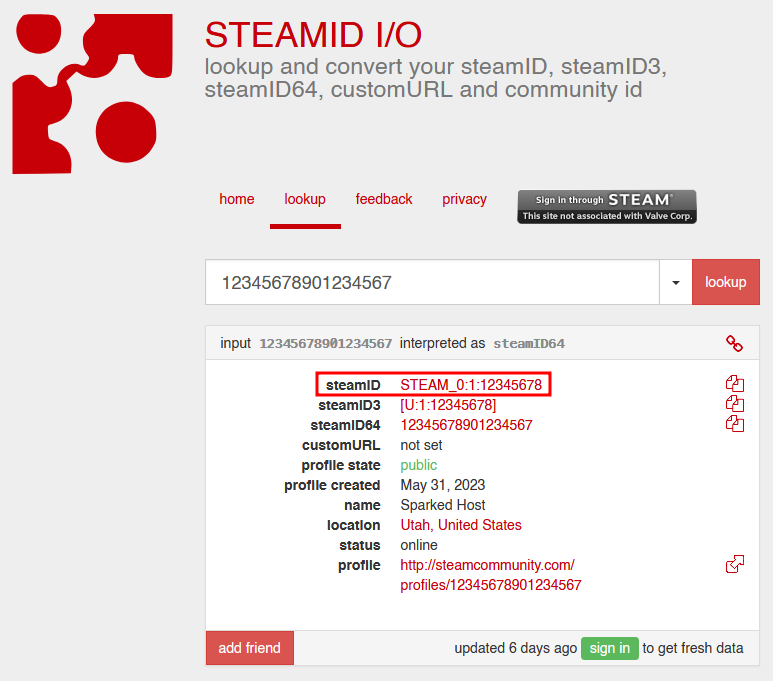
To add an admin, you will need the Steam ID of the account you want to add as an admin. You can use websites like SteamID I/O to look up the SteamID of a Steam account. Just make sure you note the "steamID" value it returns.
Requirements
Before adding admins, ensure the following:
- SourceMod and Metamod are installed on your server.
- You have the SteamID of the player you want to assign as admin.
Adding Admins Using the Apollo Panel
- Open the Apollo Panel, and ensure that your server is offline.
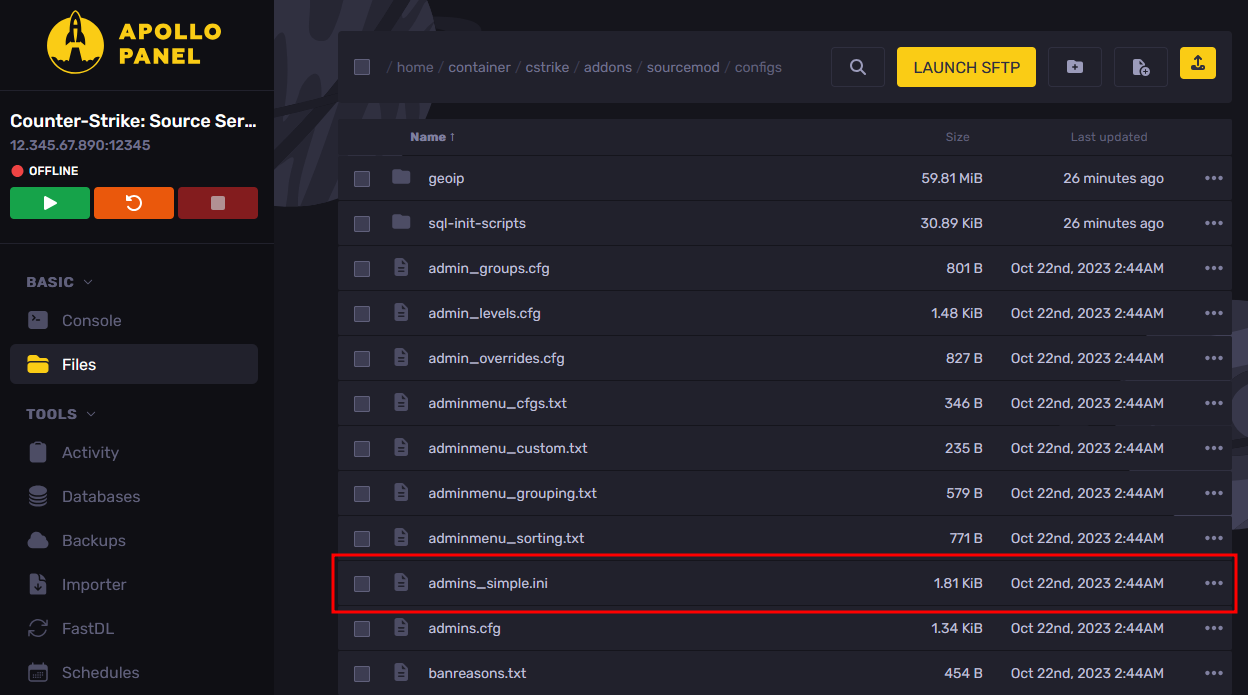
- In the Files Tab, navigate to the "cstrike/addons/sourcemod/configs" folder and open the "admins_simple.ini" file.
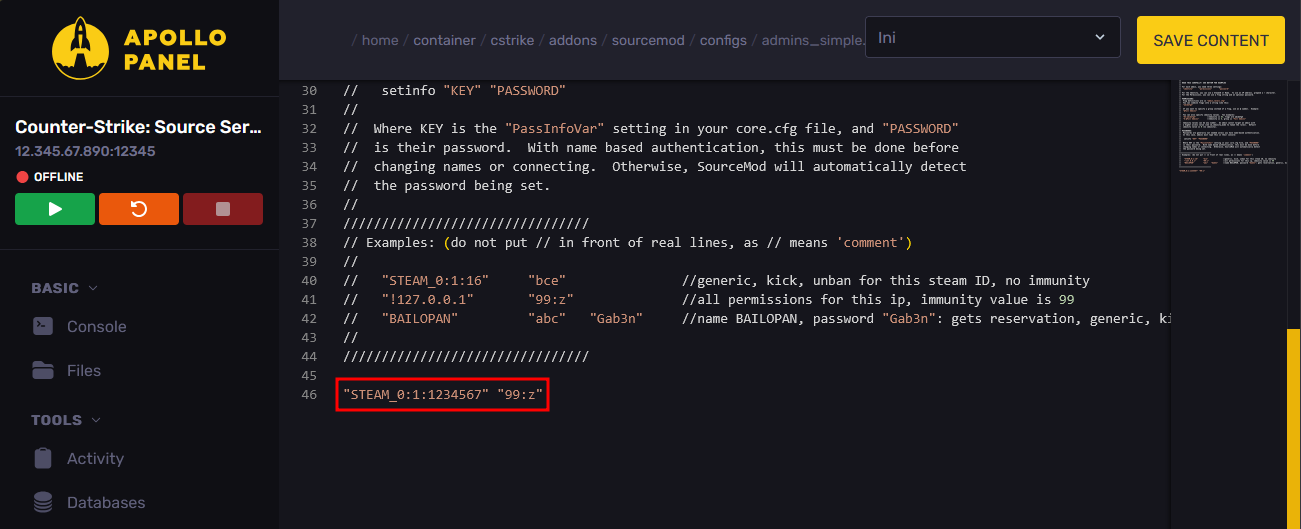
- At the very end of the file, add a new line that says either "SteamID" "99:z" or "SteamID" "z". Take note that the 99 refers to the Immunity level. Immunity grants admins a rank level among other admins.
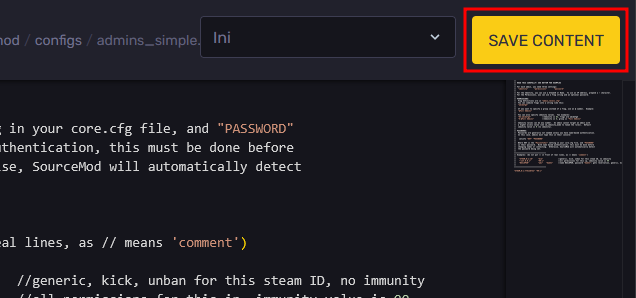
- After making changes to the config file, click the "Save Content" button to save your changes.
- Restart the server, and admins should now be able to enter "!admin" in the in-game chat to access the admin commands.
Updated on: 02/04/2026
Thank you!