How To Add Moderators On An American Truck Simulator Server
How To Add Moderators On An American Truck Simulator Server
Adding moderators to your American Truck Simulator server allows you to better manage players, enforce rules, and keep convoys running smoothly. Moderators can help monitor behavior, assist players, and handle issues without giving full owner-level access. This guide explains how to add moderators to your American Truck Simulator server using the Apollo Panel.
Managing Moderators Through the Apollo Panel
- Log in to the Apollo Panel and turn off your server.
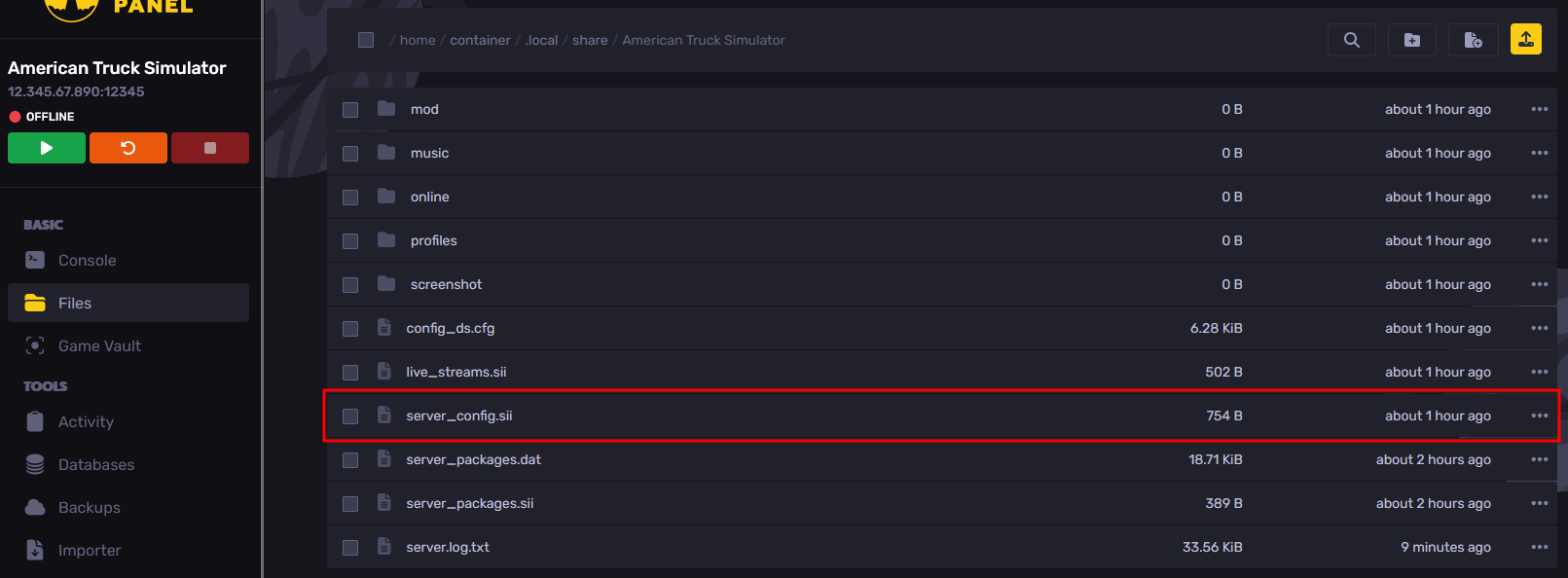
- Navigate to the Files Tab, and open the ".local/share/American Truck Simulator/server_config.sii" file.
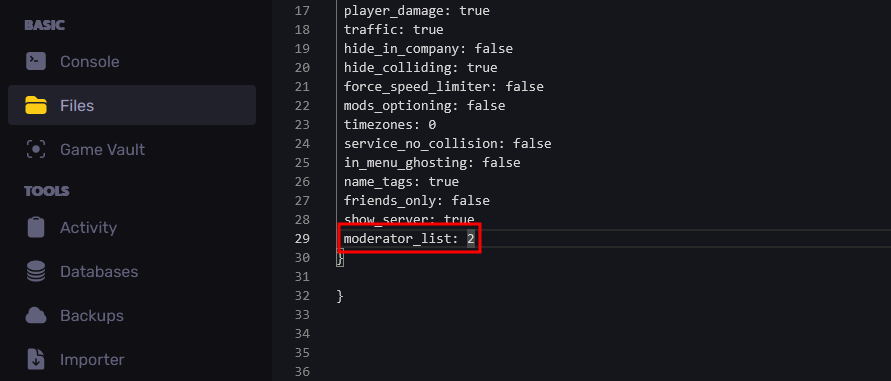
- Modify the "moderator_list" setting to the number of moderators you plan to have.
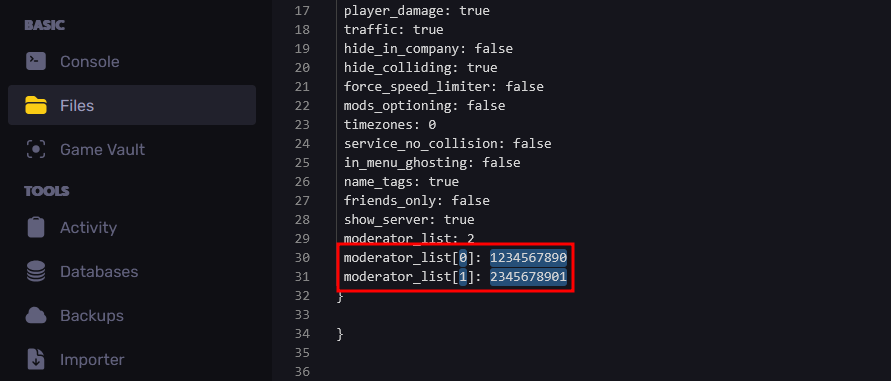
- Below the "moderator_list" setting, add a new line in the format "moderator_list\[0\]: <Steam ID>". The number 0 represents the entry number in the list, starting from zero, while <Steam ID> should be replaced with the SteamID64 of the player you want to assign as a moderator.
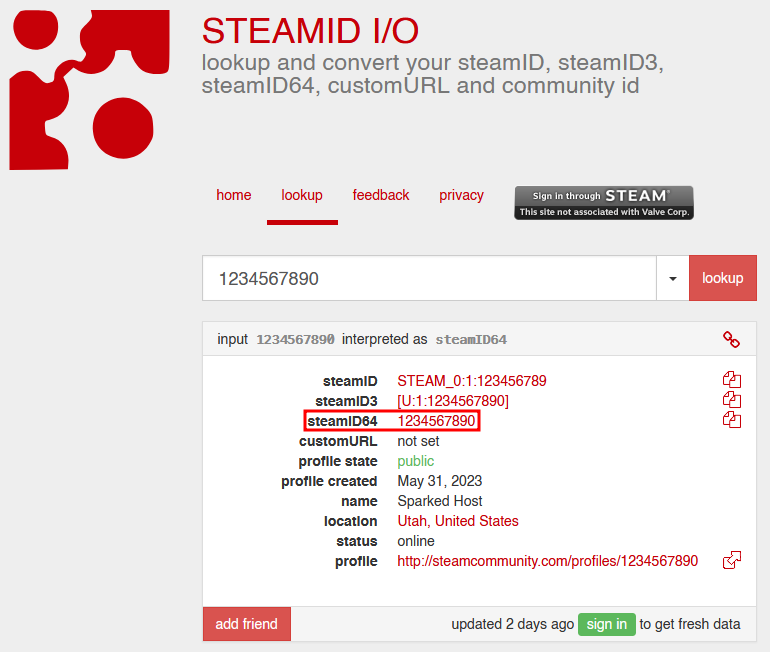
You can use websites like STEAMID I/O to help find the steamID64 using your Steam profile link.
- Save your changes, and start the server. Now, in-game, you should be able to see that the players that you have added to the moderator list now have the "Moderator" role in the players list.

Updated on: 14/01/2026
Thank you!