How to Become an Admin on an Abiotic Factor Server
How to Become an Admin on an Abiotic Factor Server
Becoming an admin on an Abiotic Factor server gives players the ability to help manage and maintain a fair and enjoyable gameplay environment. How to become an admin on an Abiotic Factor server. Admins can oversee server rules, moderate players, and ensure that game mechanics run smoothly, which enhances the overall experience for everyone. This role is often pursued by trusted players who want to foster a safe, balanced, and fun community while supporting the server’s growth and smooth operation..
To Become an Admin on Your Abiotic Factor Server
- Access your Apollo Panel.
- Stop the server.
- Open the file manager.
- Navigate to the following directory:
AbioticFactor/Saved/SaveGames/Server
- Open the
Admin.inifile.
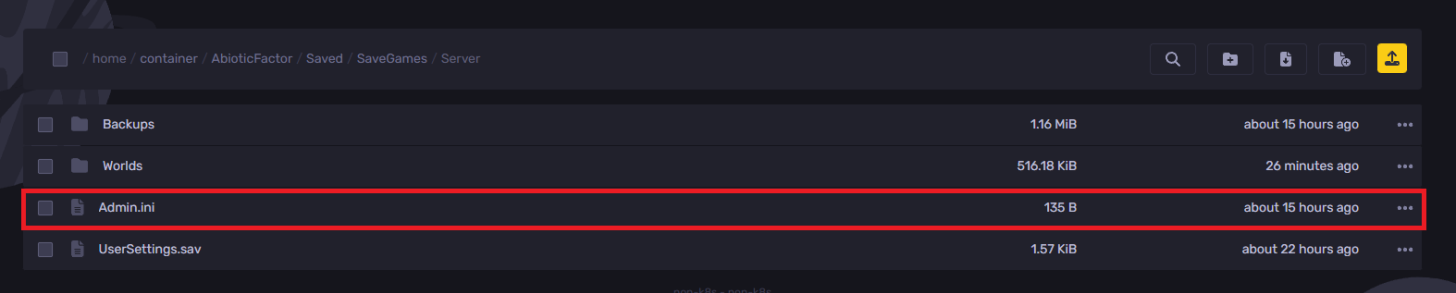
- Locate the
Moderator=line and add the player's SteamID64.

- Click on the save button.
- Start the server, and you should now be granted admin rights.
Still have some questions?
If you encounter any issues or need further assistance, please log a support ticket here to contact our support team.
Updated on: 15/12/2025
Thank you!