How to Change Max Players on an Arma Reforger Server
Adjusting the max players on your Arma Reforger server allows you to control how many players can join at the same time. Increasing the player limit is useful for large-scale operations and community events, while lowering it can help maintain performance on smaller setups. Although this setting is typically modified in the server configuration file, this guide explains how to change the max players using the Apollo Panel for a simpler and safer process.
Changing Max Players Using the Apollo Panel
- Open the Apollo Panel, and ensure that your server is offline.
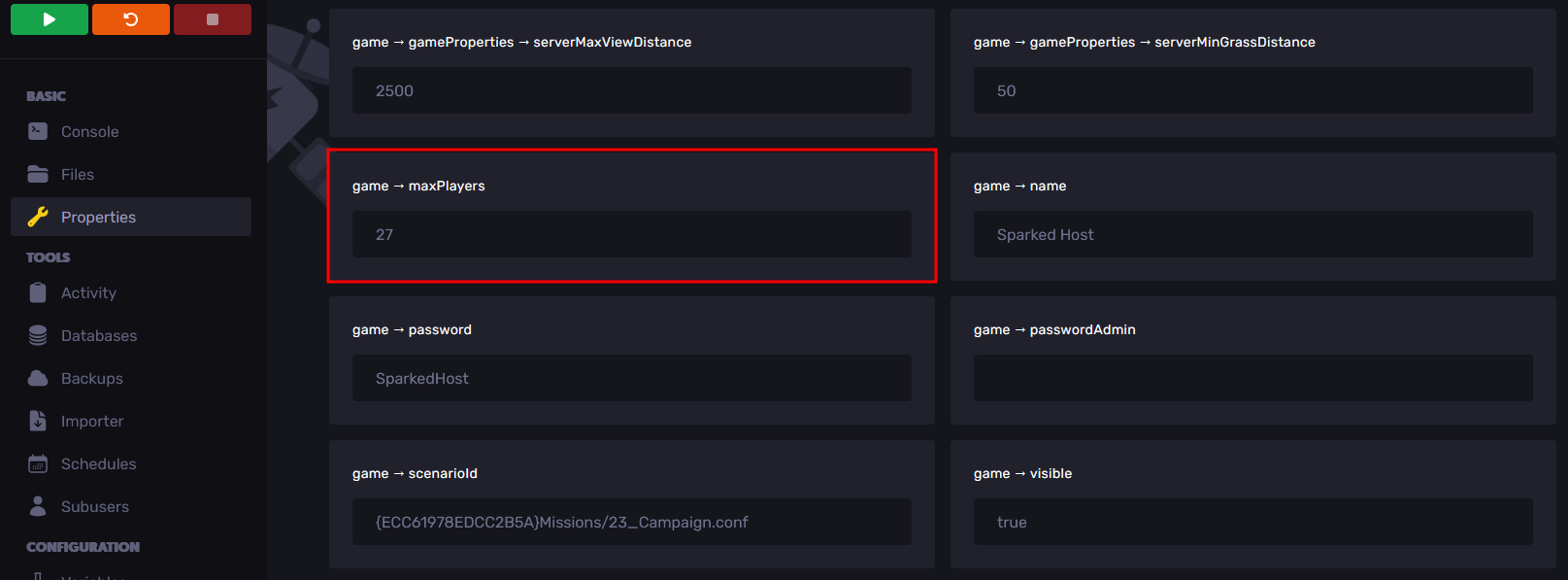
- Navigate to the Properties Tab.
- Look for the "game → maxPlayers" property, and enter the number of players that you want to allow on the server.
- Restart your server, and the player limit should now be set to the number you have set in the Properties Tab.
Updated on: 02/03/2026
Thank you!