How to Change the Password on an Abiotic Factor Server
How To Change The Password On An Abiotic Factor Server
Changing the server password on an Abiotic Factor server helps control access and ensures only intended players can join. Knowing how to change the password on an abiotic factor server allows server owners to update access when sharing the server with friends or restricting entry, keeping the factor server secure and properly managed.
Changing the Server Password
To set a password for your server, follow the steps below:
- Open your Apollo Panel.
- Stop the server.
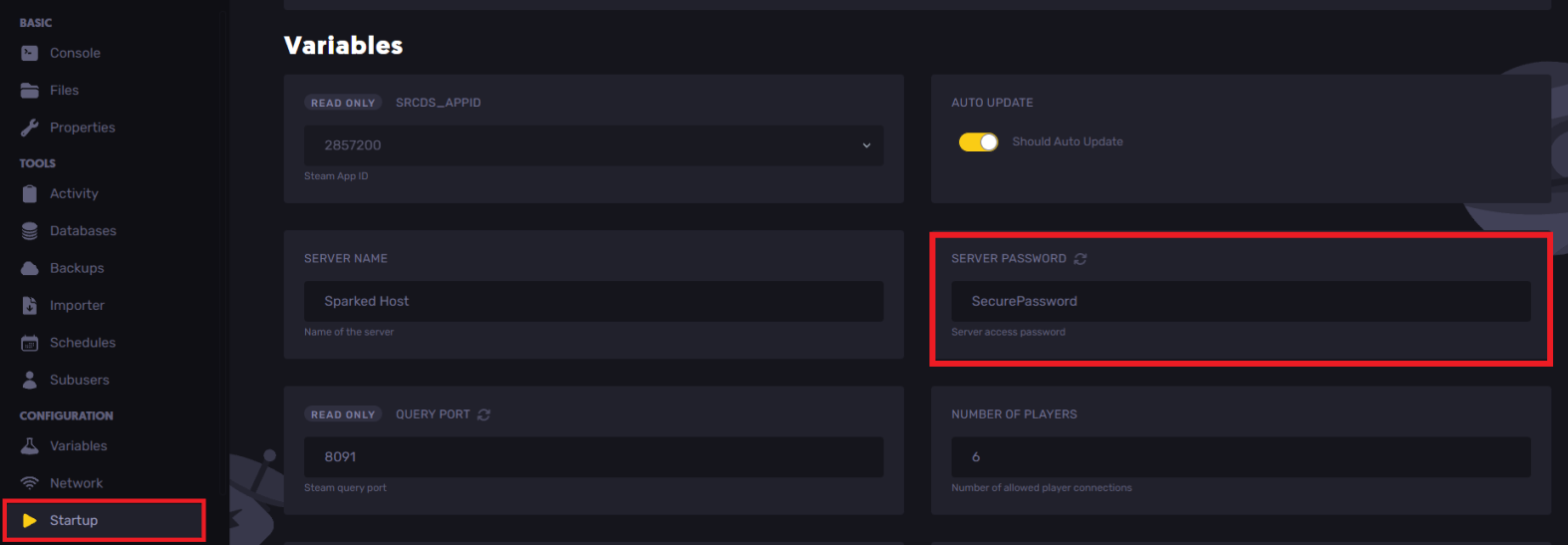
- Navigate to the Startup tab.
- Locate the server password field.
- Set the desired password.
- Start the server.
Still have some questions?
If you want answers to your questions or need further support, please create a support ticket to contact us here.
Updated on: 15/12/2025
Thank you!