How to Change the Time on an American Truck Simulator Server
How to Change the Time on an American Truck Simulator Server
Changing the in-game time on an American Truck Simulator server is useful for events or testing purposes. Adjusting the server time allows you to set daylight or nighttime conditions depending on your needs. This guide explains how to change the time on your American Truck Simulator server using moderator commands.
Requirements Before Changing Time
Only the users with moderator permissions can change the server time. Make sure you are added as a moderator and are currently connected to the server in-game before attempting to change the time.
Changing the Time In-Game
- Launch American Truck Simulator and join the server.
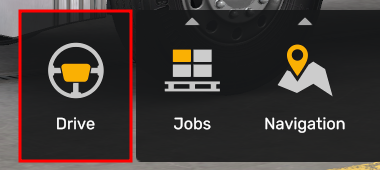
- Select "Drive" to access the in-game chat to enter the command we will need to change the time
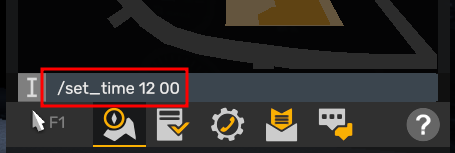
- Open the in-game chat and enter the command "/set_time <Hour> <Minute>" and it will immediately change the time set in the game.
Updated on: 14/01/2026
Thank you!