How to Change Your Hytale Server MOTD
How to Change Your Hytale Server MOTD
Knowing how to change your Hytale server MOTD helps showcase your server's personality. The server's MOTD is the first thing players see when they connect, letting you customize your server name, description, and colors. A clear and engaging MOTD improves the player experience and highlights your world or adventure.
Changing the Message Of The Day
- Access Your Apollo Control Panel here
- Stop the server.
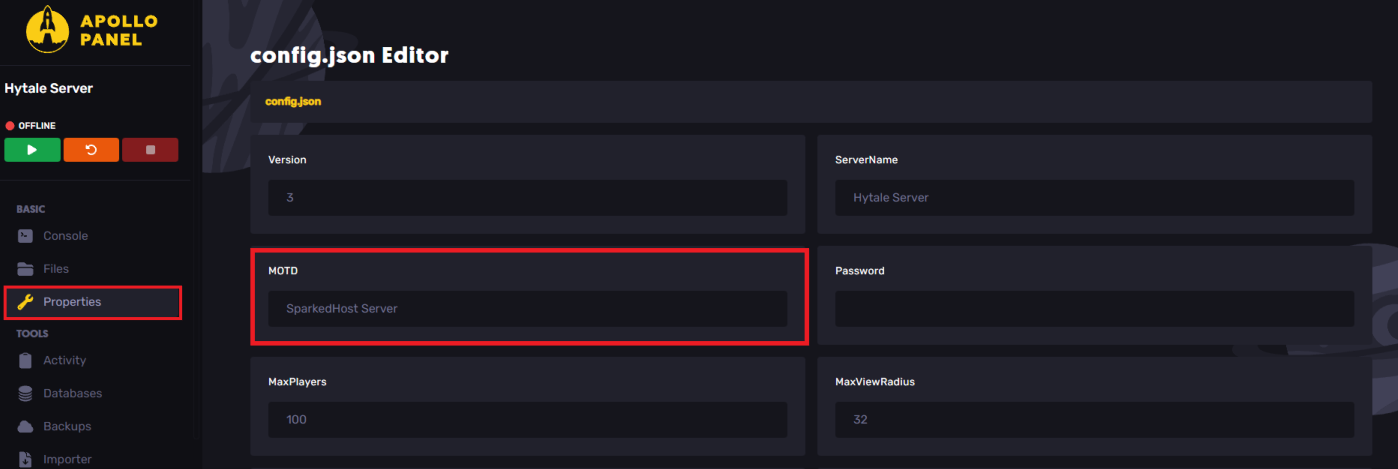
- Navigate to the Properties tab.
- Locate the MOTD field and edit it to set the desired message.
- Start the server.
Still have some questions?
If you encounter any issues, please submit a ticket here to contact our support team.
Updated on: 19/01/2026
Thank you!