How to Disable Death Penalties on an Abiotic Factor Server
How to Disable Death Penalties on an Abiotic Factor Server
Disabling death penalties on an Abiotic Factor server is done to create a more forgiving and enjoyable gameplay experience. How to disable death penalties on an Abiotic Factor server is simple: when death penalties are removed, players don’t lose inventory items, equipped gear, or skills, allowing them to focus on exploration, building, and multiplayer interaction without the constant risk of losing progress. This approach makes the game more accessible, reduces frustration, and encourages players to experiment and enjoy the world while still facing challenges from enemies, weather events, and dynamic difficulty.
- Access your Apollo Panel.
- Open the File tab.
- Navigate to the following directory:
AbioticFactor/Saved/SaveGames/Server/Worlds

- Choose the desired world.
- Open the
SandboxSettings.inifile.
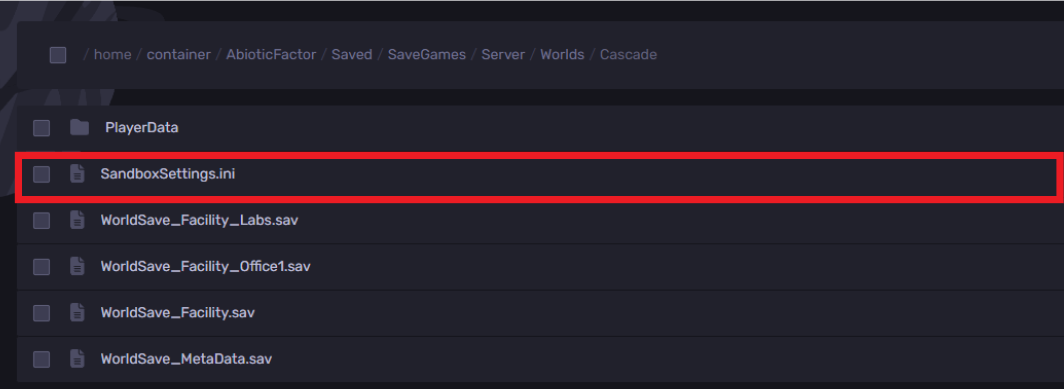
- Search for the line
DeathPenalties=and adjust the value to0

- Click on the Save button.
- Start the server and have fun!
Still have some questions?
If you need any further support, you can file a ticket here.
Updated on: 15/12/2025
Thank you!