How to Disable Third-Person View on an Arma Reforger Server
Disabling third-person view on your Arma Reforger server creates a more immersive and realistic gameplay experience. This is commonly used for hardcore or milsim-style servers where players are limited to a first-person perspective. While this setting is typically configured through the server configuration file, this guide explains how to disable third-person view using the Apollo Panel for a simpler setup process.
Disabling Third Person View Using the Apollo Panel
- Open the Apollo Panel, and ensure that your server is offline.
- In the Properties Tab, look for the setting titled "game → gameProperties → disableThirdPerson" and set the value to "true".
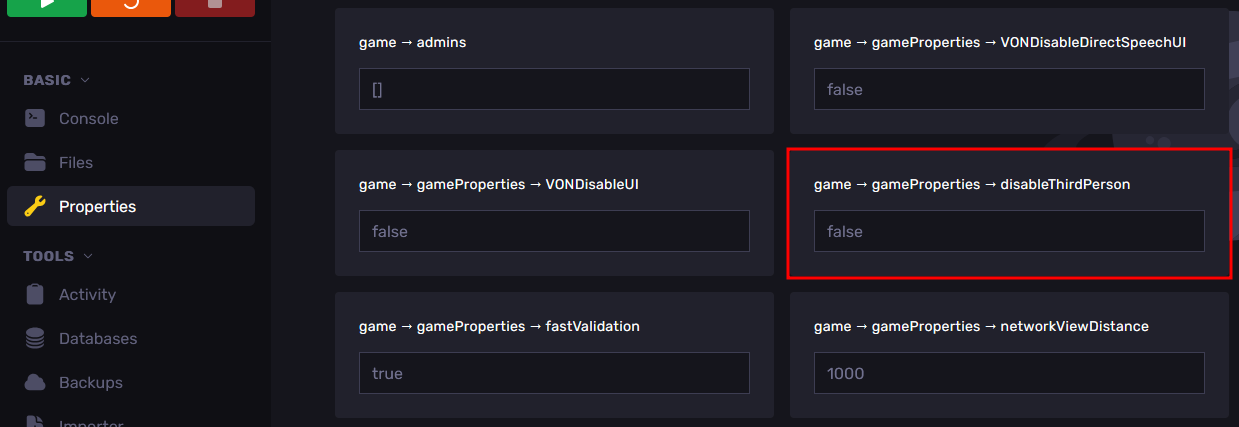
- Restart the server, and players will no longer be able to go into third-person view in-game.
Updated on: 02/04/2026
Thank you!