How To Disable Traffic On An American Truck Simulator Server
How To Disable Traffic On An American Truck Simulator Server
Disabling traffic on an American Truck Simulator server is useful for convoy events, testing routes, or creating a more relaxed driving experience for players. By turning off AI traffic, you can reduce distractions, prevent accidents during organized drives, and improve overall server performance. This guide explains how to disable traffic on your American Truck Simulator server using the Apollo Panel.
Disabling Traffic on an American Truck Simulator Server
- Log in to the Apollo Panel and turn off your server.
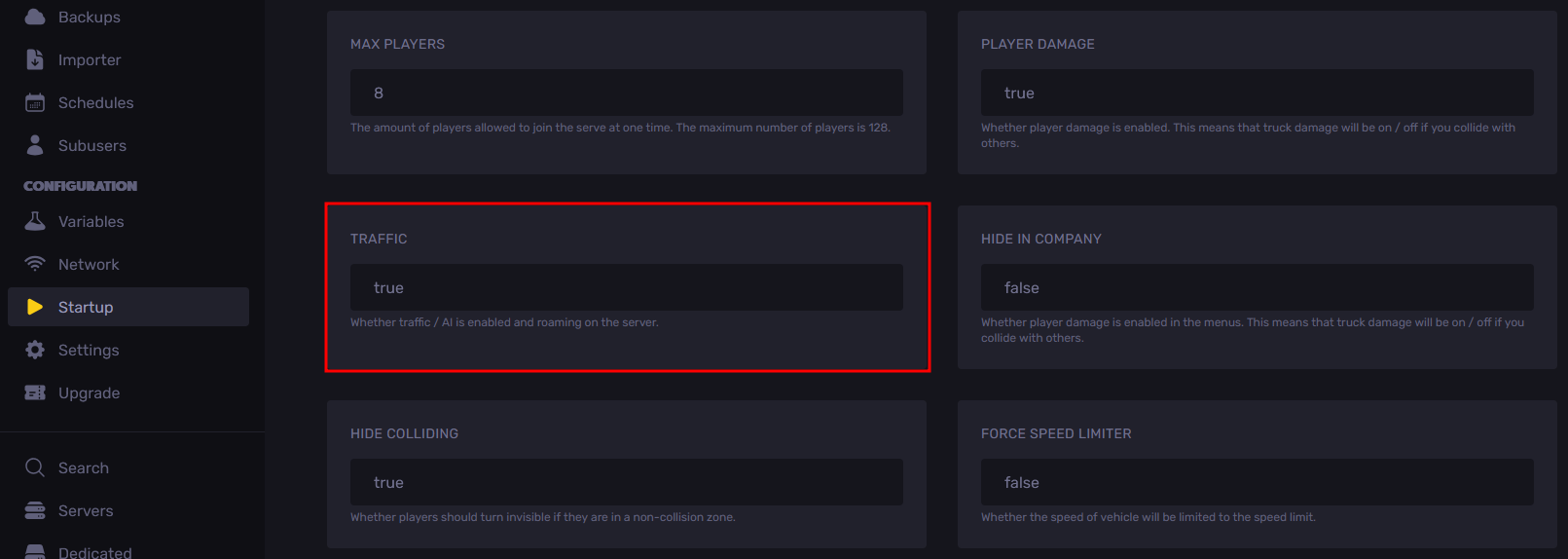
- Navigate to the Startup Tab and set the "Traffic" setting to false to disable traffic, or leave it as true to keep traffic enabled on the server.
- Start the server, and you should now see that populated areas and highways are clear of traffic.
Updated on: 14/01/2026
Thank you!