How to Enable and Disable Fall Damage on Your Hytale Server
How to Enable and Disable Fall Damage on Your Hytale Server
Learn how to enable and disable fall damage on your Hytale server with this simple step-by-step guide. Follow the instructions to safely stop your server, edit the configuration file, and toggle the fall damage setting to customize your gameplay experience. Whether you want to challenge your players with realistic fall damage or provide a more forgiving environment, this guide will help you manage your world settings efficiently.
- Stop the server
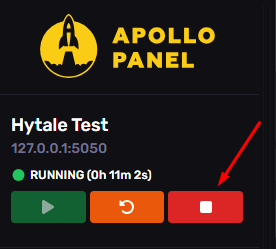
- Go to the file path
universe/worlds/default/config.json
- Edit the variable
IsFallDamageEnabledand set the value totrueorfalse
- Save the file and start the server.
Updated on: 13/01/2026
Thank you!