How to Enable the Developer Console on Counter-Strike: Source
The developer console in Counter-Strike: Source allows players to use commands for adjusting settings, troubleshooting, and enhancing gameplay. It is commonly used for configuring graphics, binding keys, and accessing advanced features. By default, the developer console is disabled, but it can be easily enabled through the game settings.
Enabling the Developer Console In-Game
- Launch Counter-Strike: Source on your computer.
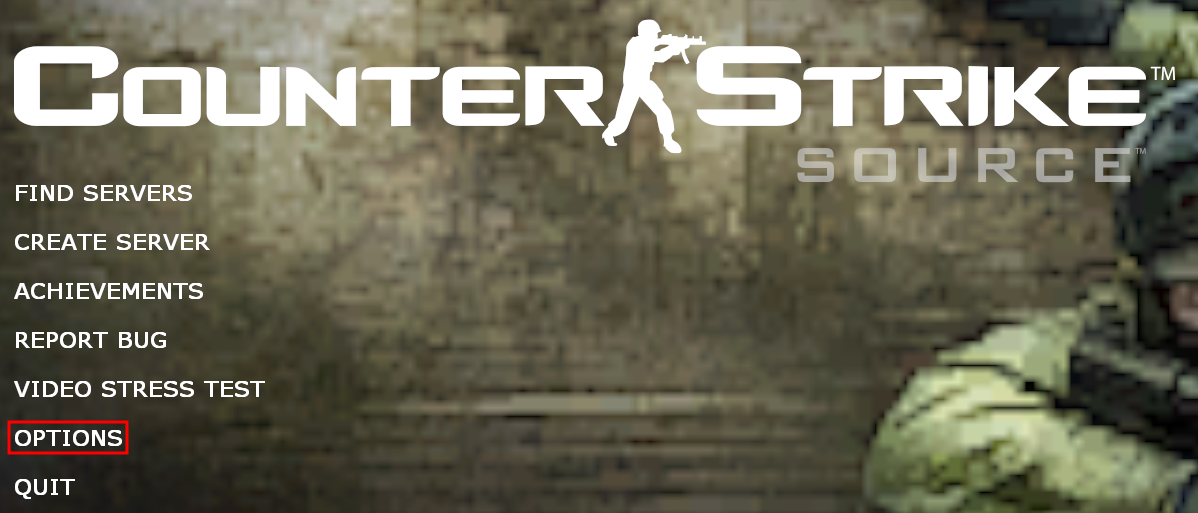
- In the Main Menu, select the Options menu.
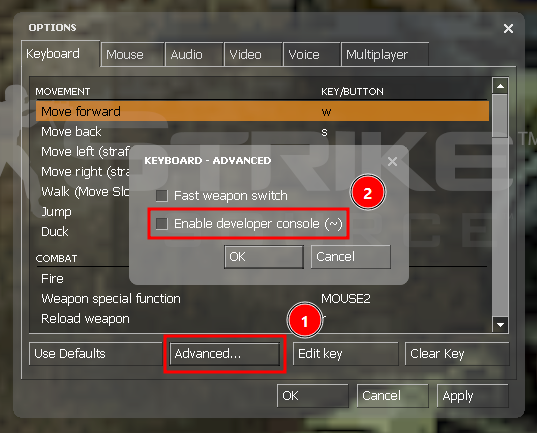
- Click on "Advanced...", then enable the "Enable developer console (~)" option, afterwards click the "OK" buttons to save the changes.
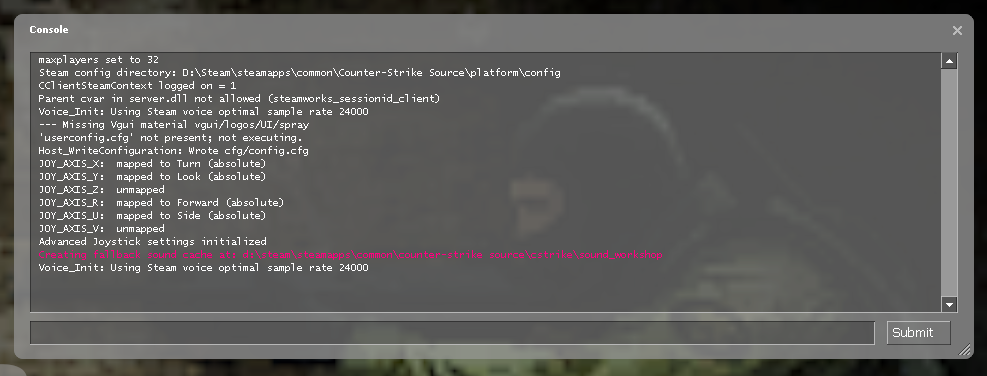
- Now, you should be able to access the developer console by clicking the tilde "~" key on your keyboard.
Updated on: 02/04/2026
Thank you!