How to Hide Your Server from the Public List on an Arma Reforger Server
Hiding your Arma Reforger server from the public server list is useful if you want to keep your server private for friends, testing, or exclusive community events. When disabled from the public list, your server will not appear in the in-game browser, and only players with direct access details will be able to join. While this setting is usually configured through the server configuration file, this guide explains how to hide your server using the Apollo Panel for a simpler setup process.
Hiding Your Server Using the Apollo Panel
- Open the Apollo Panel, and ensure that your server is offline.
- In the Properties Tab, look for the setting titled "game → visible" and set the value to "false".
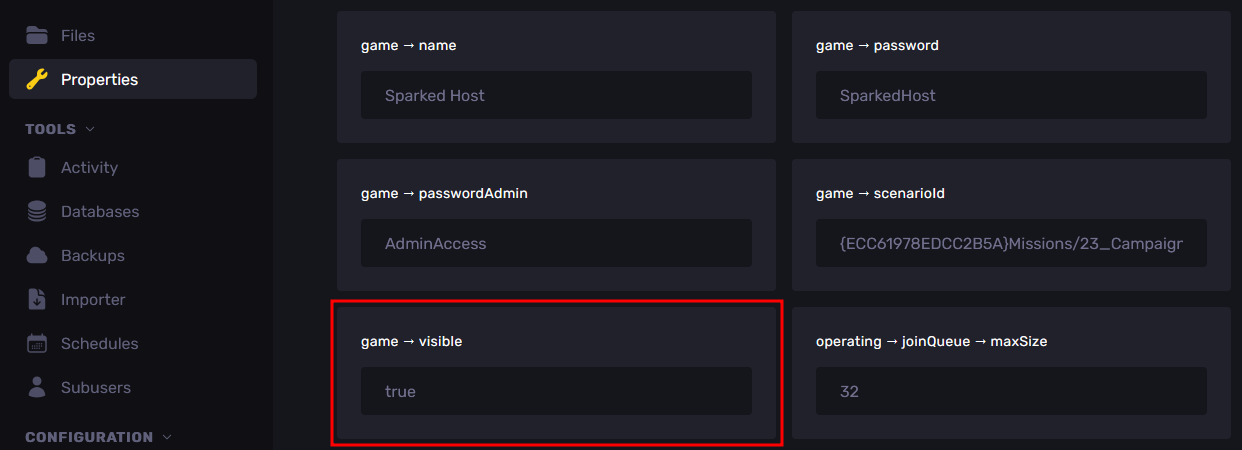
- Restart the server, and your server will now be hidden from the in-game server browser.
Updated on: 02/04/2026
Thank you!