How to Limit AI on an Arma Reforger Server
Limiting AI on your Arma Reforger server helps balance gameplay and improve overall performance. Instead of completely disabling AI, you can reduce the number of AI characters or adjust their behavior to better suit your server’s needs. This is especially useful for maintaining stability while still keeping AI elements in your missions. While AI limits are usually configured through the server configuration file, this guide explains how to adjust them using the Apollo Panel for easier management.
Limiting AI Using the Apollo Panel
- Open the Apollo Panel, and ensure that your server is offline.
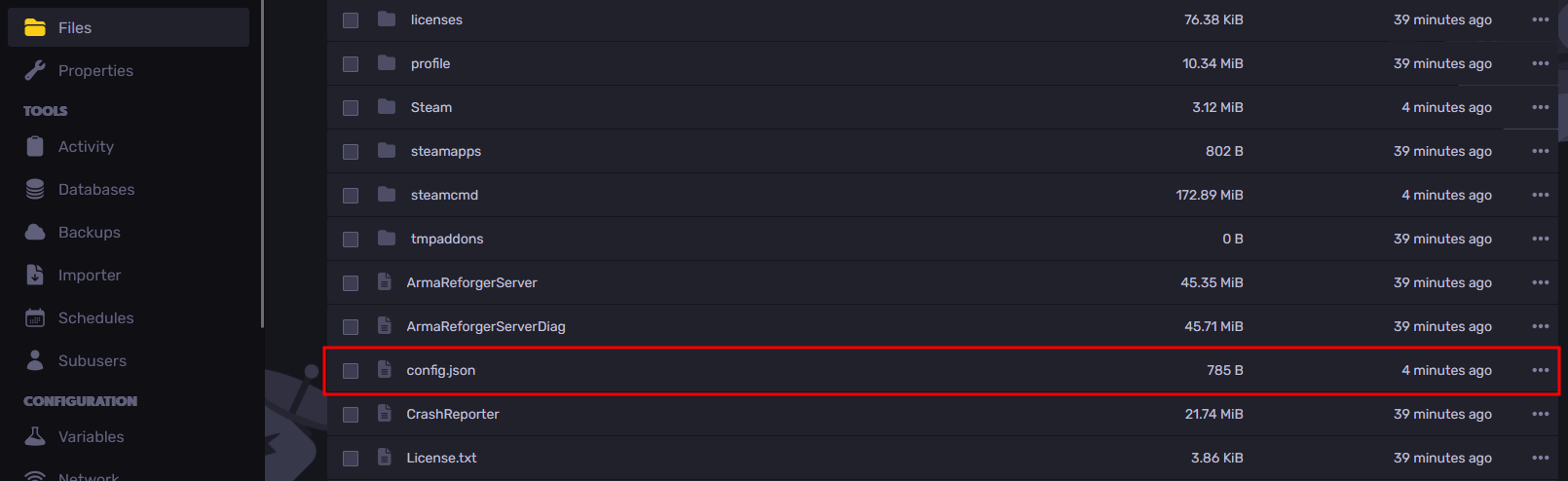
- Navigate to the Files Tab and open the file called "config.json".
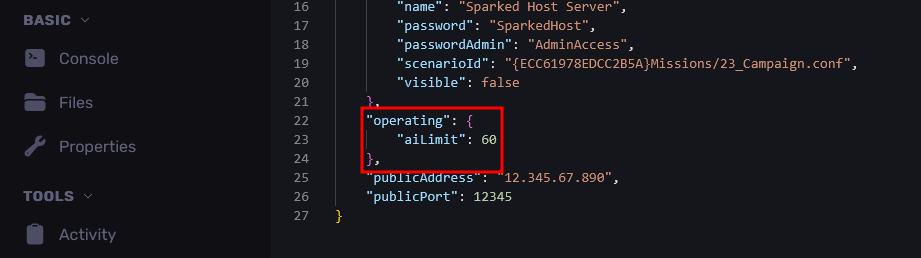
- From the "operating" line, set "aiLimit" property to the number of AI characters you want on the server. If the lines don't exist, you can enter them manually based on the image below.
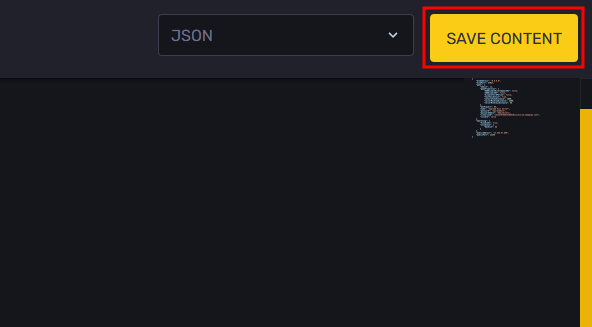
- Save your changes with the "Save Content" button in the top-right area.
- Restart the server, and now there will be a set amount of AI characters spawned on the server.
Updated on: 02/04/2026
Thank you!