How to Set a Whitelist & Password on Your Hytale Server
How to Set a Whitelist & Password on Your Hytale Server
Understanding how to set a whitelist password on your Hytale server is important for keeping your game server secure. Using a whitelist and server password ensures only players you trust can join your world, chat, and build, giving you control over your community and protecting the server from griefing or unwanted access.
Setting a Server Password
- Open your Apollo Control Panel here.
- Stop the server.
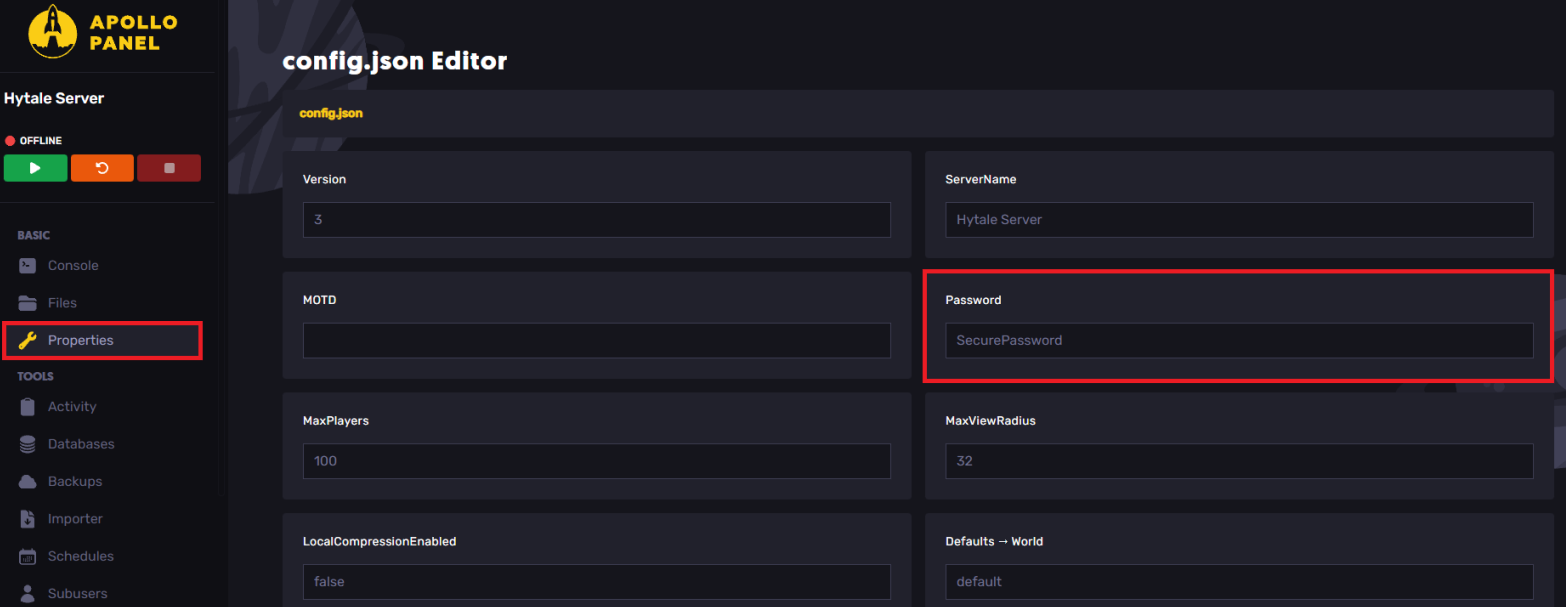
- Navigate to the Properties tab.
- Locate the Password field, and set the desired password.
Enabling the Whitelist Feature
- Open your Apollo Control Panel here.
- Start the server.
- In the server console, type
whitelist on
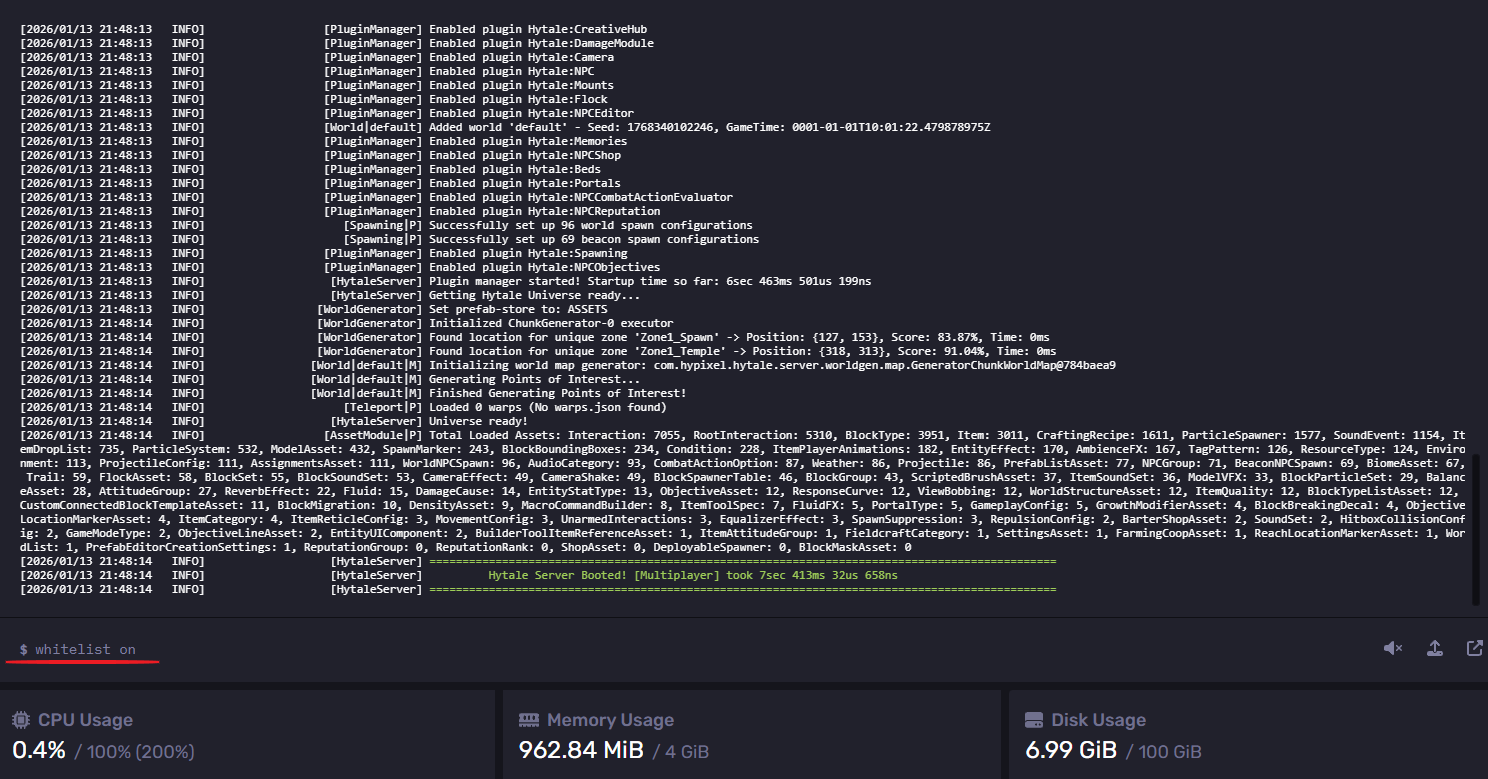
- You can now use
whitelist add <username>to add a player to the whitelist.
Disabling the Whitelist Feature
- Open your Apollo Control Panel here.
- Start the server.
- In the server console, type
whitelist off
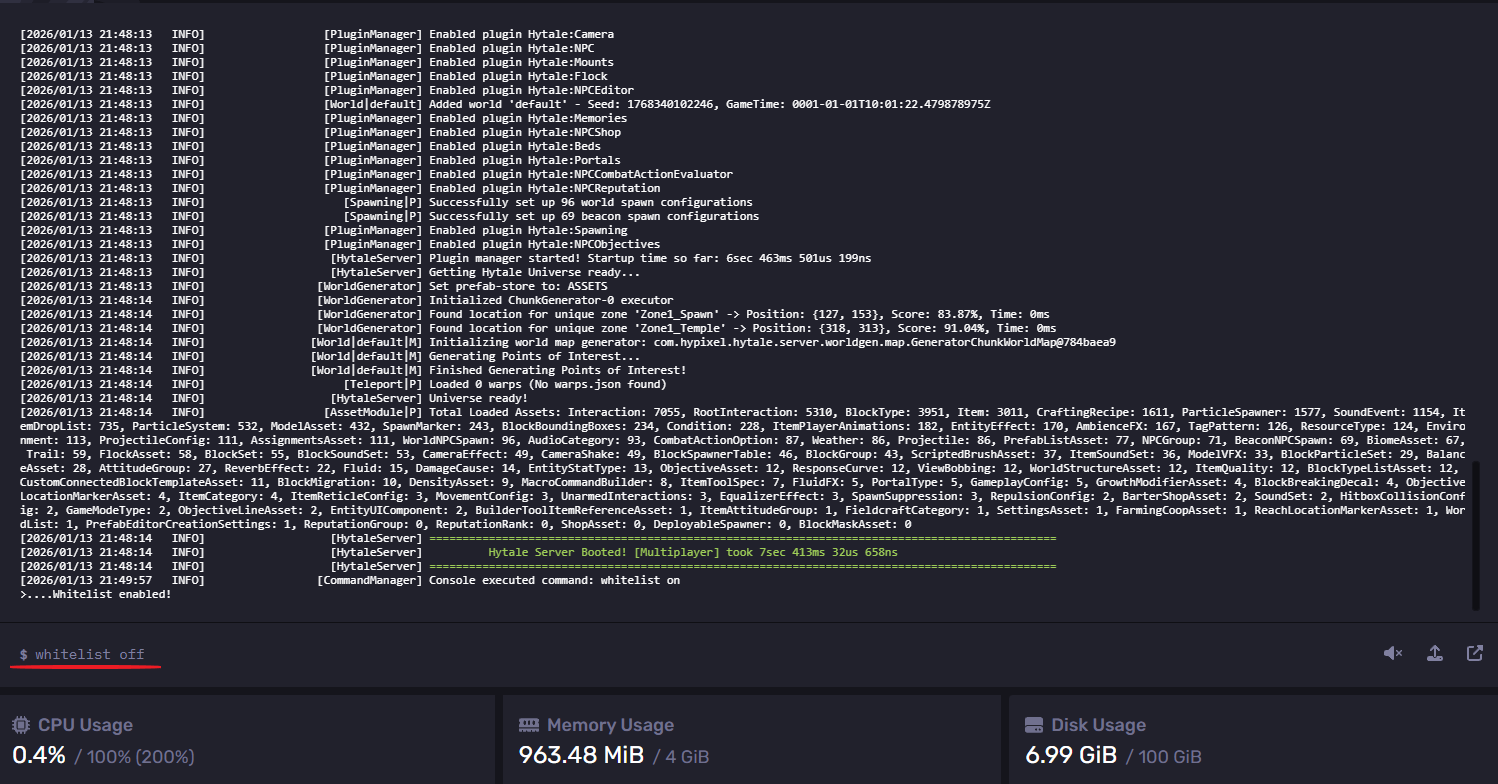
- You've now disabled the whitelist.
Use the following commands to manage the whitelist:
whitelist on- Enables the whitelist
whitelist off- Disables the whitelist
whitelist add <username>- Adds a player to the whitelist
whitelist remove <username>- Removes a player from the whitelist
whitelist list- Lists all the whitelisted players
whitelist clear- Clears the whitelist
whitelist status- Displays if the whitelist is enabled or disabled
Still have some questions?
If you need any further instructions, you can file a ticket here.
Updated on: 14/01/2026
Thank you!