How To Spawn Items In Terraria Server
Spawning items in a Terraria server can be incredibly useful for testing builds, helping new players, or running community events. To get started, you’ll need to have server admin privileges or use a mod like tModLoader that allows command-based item spawning.
In this guide tutorial, we'll show you how to spawn items in Terraria server for a much better experience with your world!
Installing tModLoader On A Terraria Server
Please submit a ticket to change your Terraria server to a tModLoader server. You can submit a ticket here
Spawning Items In-Game
- Open tModLoader
- In the main menu, click Workshop
- Press Download Mods
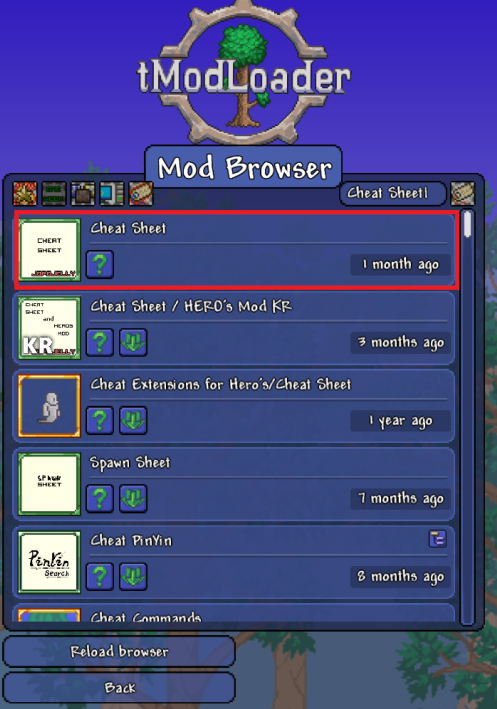
- Search for Cheat Sheet, as shown in the example below
- Once installed, click Back
- Navigate to the Manage Mods
- Make sure to enable the mod, then restart your game
- Now, make sure to add the mod to your server, which you can follow our guide to enable and add mods to your server
- Once added to both your client and server, join the server using your IP and port
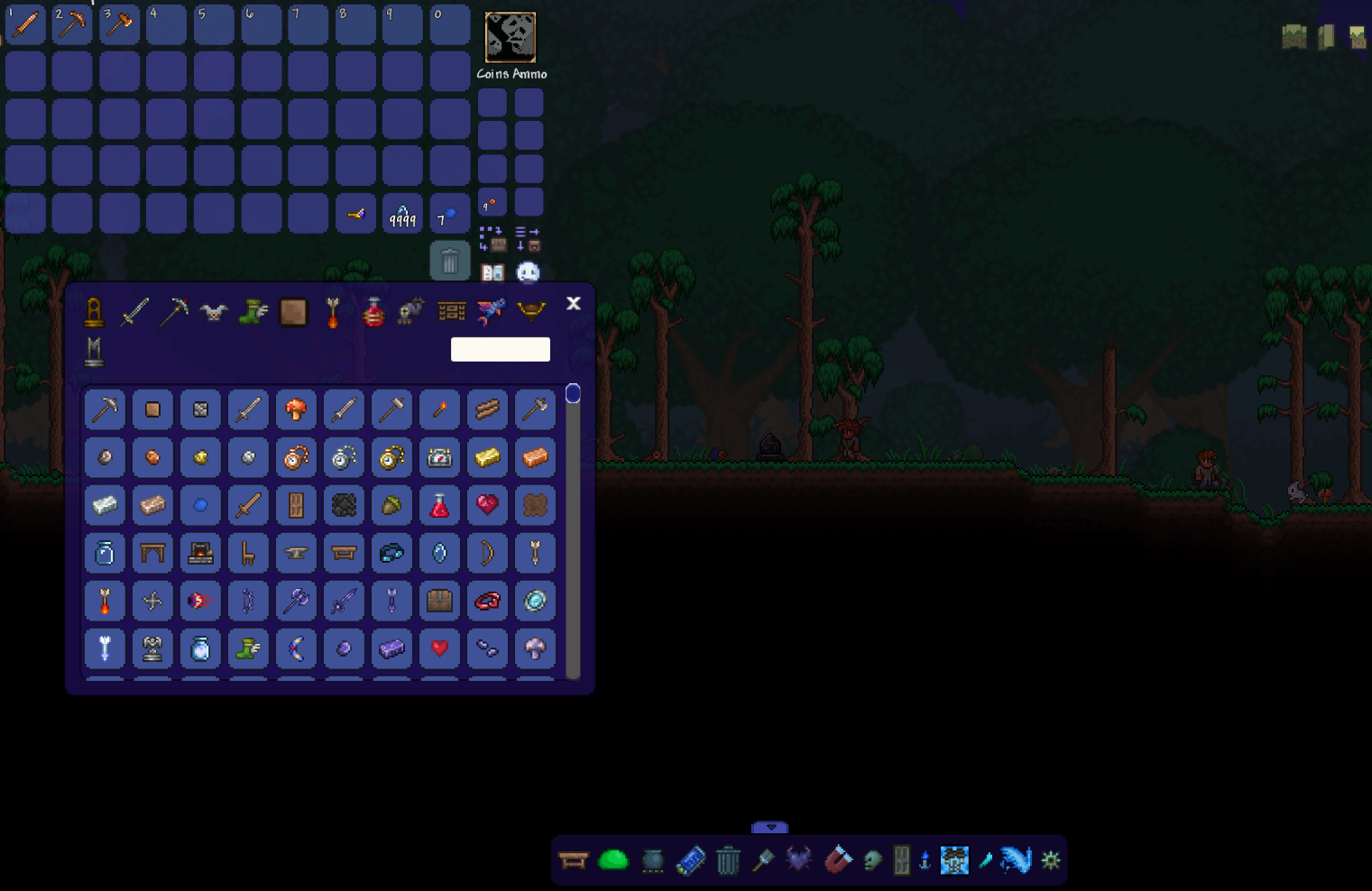
- You can now see a small bar at the bottom. You can use it to spawn and choose the desired items
Still have some questions about spawning items in a Terraria server?
If you require any additional information, please don't hesitate to contact us here, and we'll respond promptly.
By: Alecz R.
Updated on: 23/07/2025
Thank you!