How to Upload and Use a Singleplayer World on Your Hytale Server
How to Upload and Use a Singleplayer World on Your Hytale Server
Knowing how to upload and use a singleplayer world on your Hytale server lets players bring their Hytale world online for friends to join. It preserves player data and progress from a singleplayer world while turning it into a multiplayer experience on a dedicated server, creating shared adventures and expanding the universe for everyone.
Locating Your Single-Player World
- Open Hytale.
- In the main menu, select Worlds.
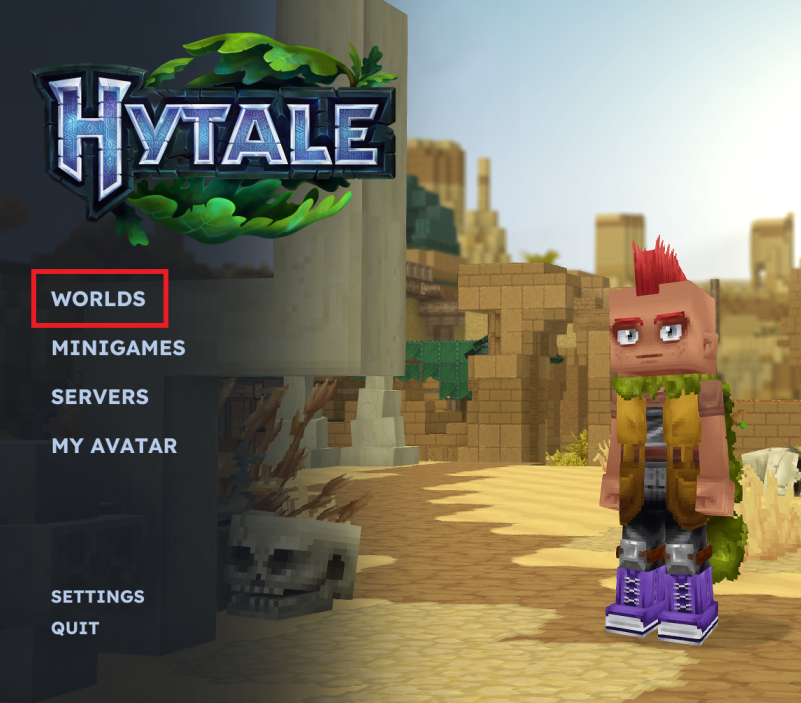
- Right-click the desired Hytale world.
- Click on Open Folder.
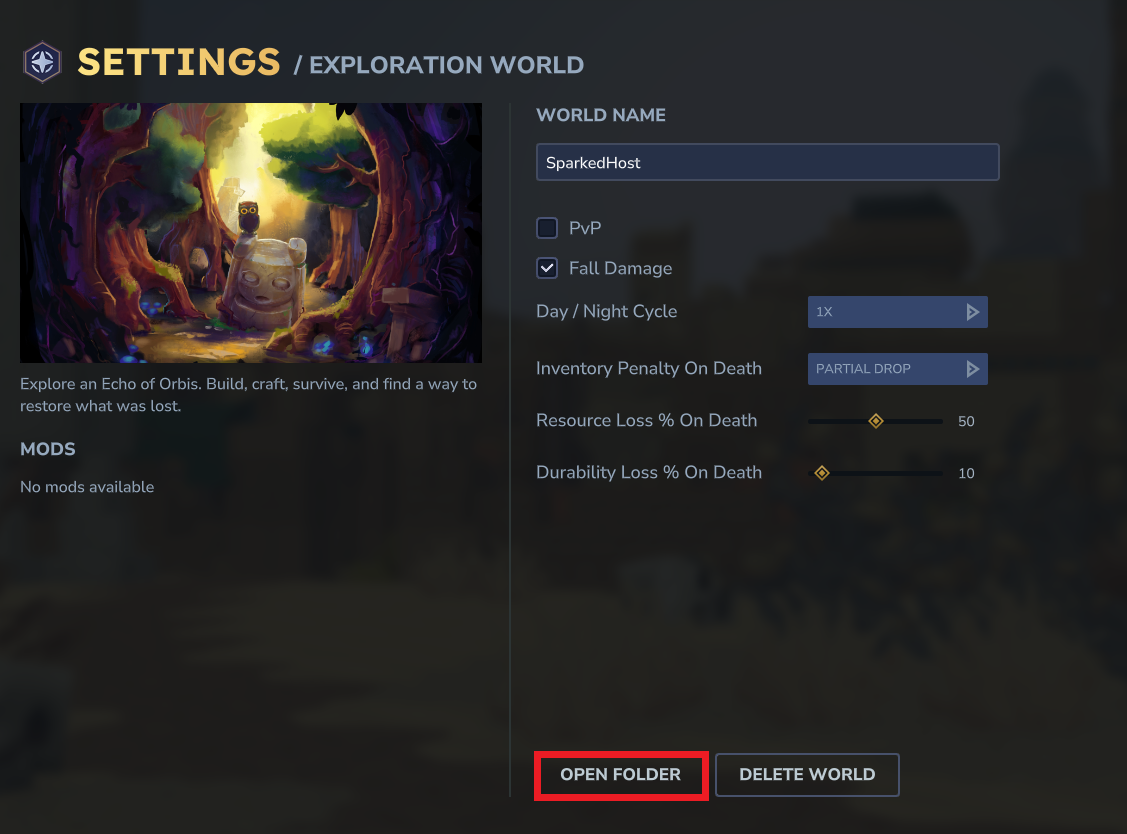
- Head over to the following directory:
universe/worlds/
- You will find your world folders in this folder.
Uploading Your World to the Server
- Access your Apollo Panel.
- Stop the server.
- Go to the Files tab.
- Navigate to the following directory:
universe/worlds
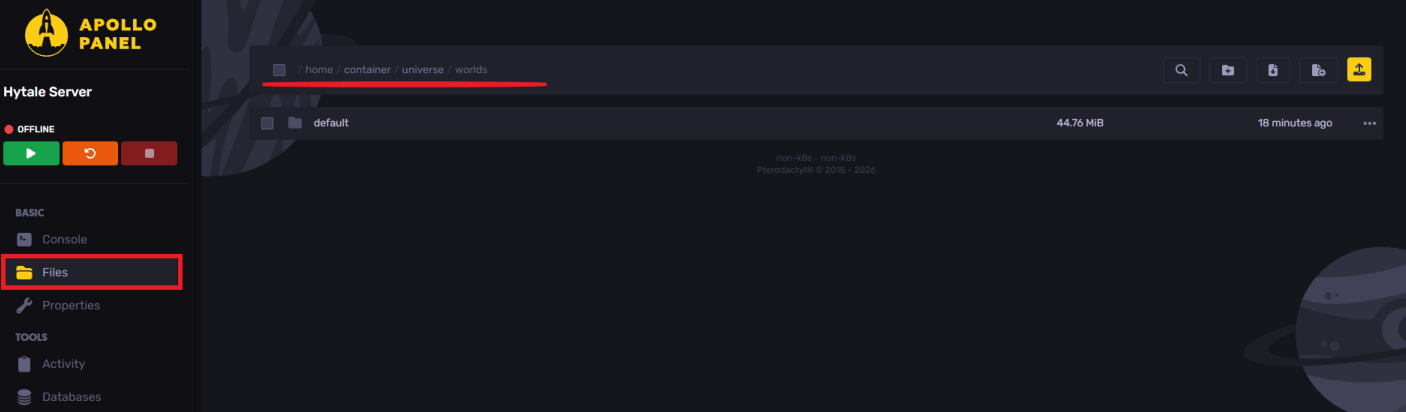
- Upload the world folder.
- Start the server.
- In the server console, type
world load <worldname>
- Join the server.
You can also view all the loaded words by using world list in your console.
Using Multiple Worlds
When running multiple worlds on the server, you'll need to set a default world, which the players will spawn in when joining.
- In the server console, type
world setdefault <worldname>
Players with the appropriate permissions can use the following command to travel between multiple worlds
- Type the following command
/tp world <worldname>
Still have some questions?
If you require any further assistance, feel free to create a support ticket here.
Updated on: 19/01/2026
Thank you!