How To Wipe DayZ Server
Wiping a DayZ server is basically hitting the reset button—clearing out bases, stashes, and character data so everyone starts fresh. Server owners usually do this to rebalance the economy, launch a new map, or keep things fair when the world gets too cluttered.
The process revolves around deleting specific storage and persistence files in your server directory, which wipes player progress and world data while keeping your core settings intact.
How To Full Wipe A DayZ Server
- Go to the Apollo Panel, and turn off your server.
- Navigate to the Files Tab and open the "serverDZ.cfg" file.
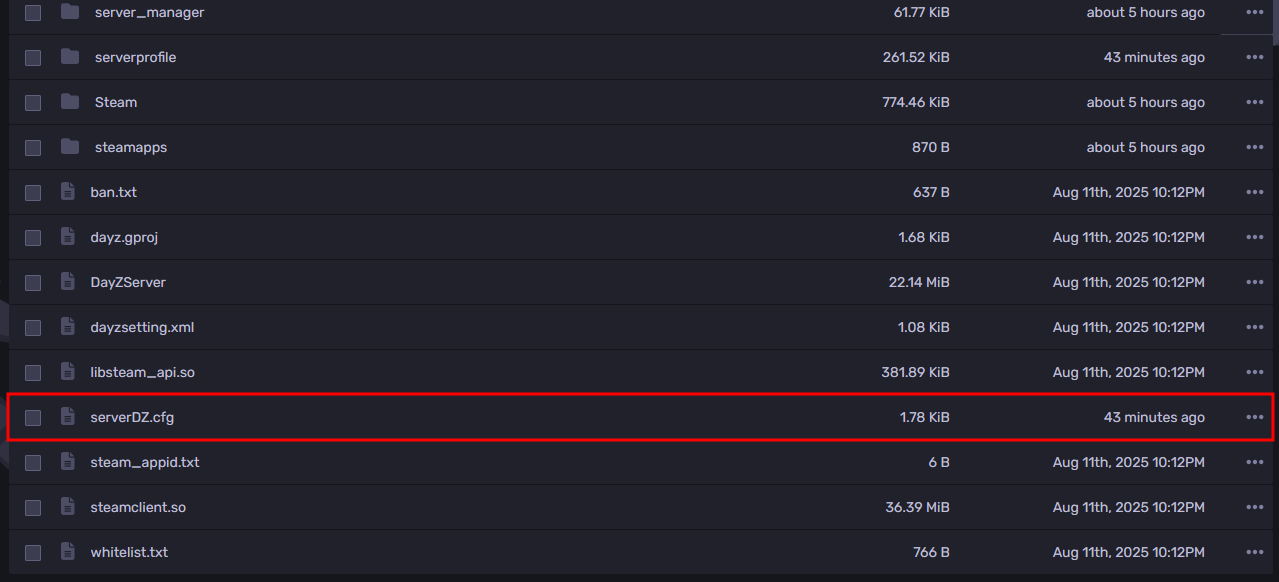
- Under the missions class, take note of the value set in the template setting as it is also the name of the mission folder.
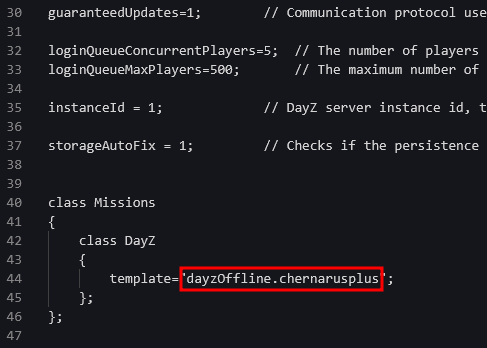
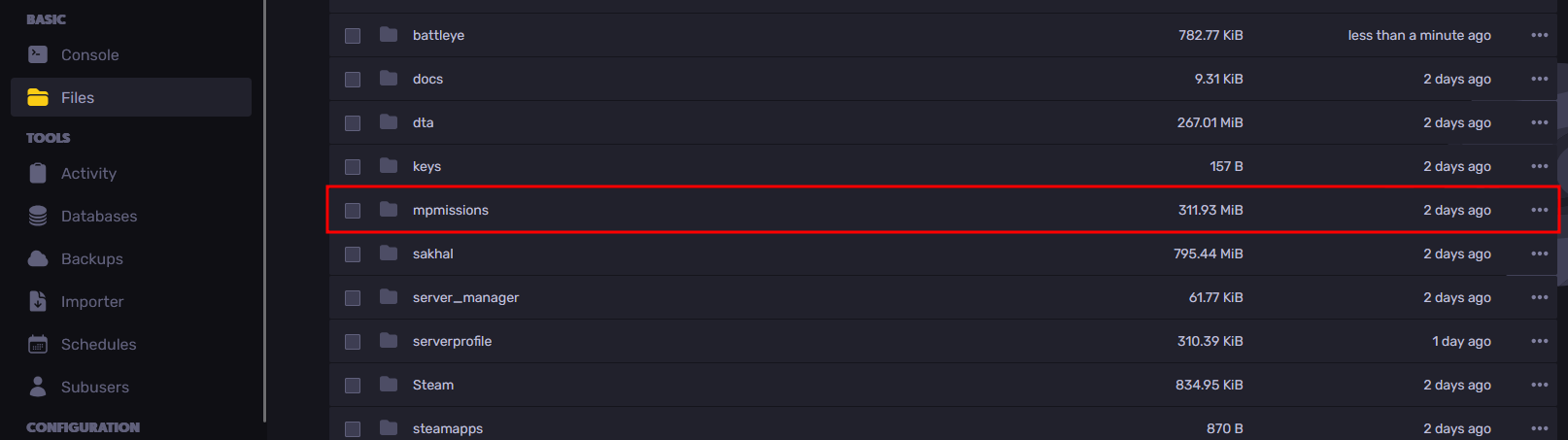
- Return to the Files Tab, and open the "mpmissions" folder.
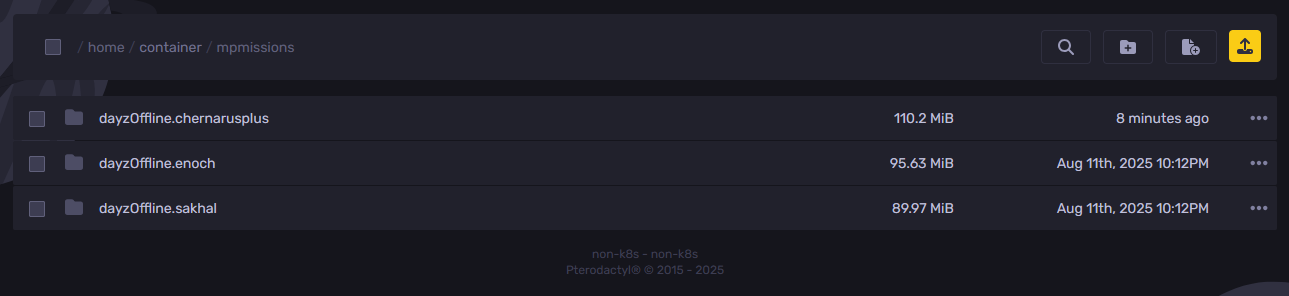
- Open the folder that has the name of the mission folder you got from Step 3.
- Delete all folders that have "storage_" in the name.
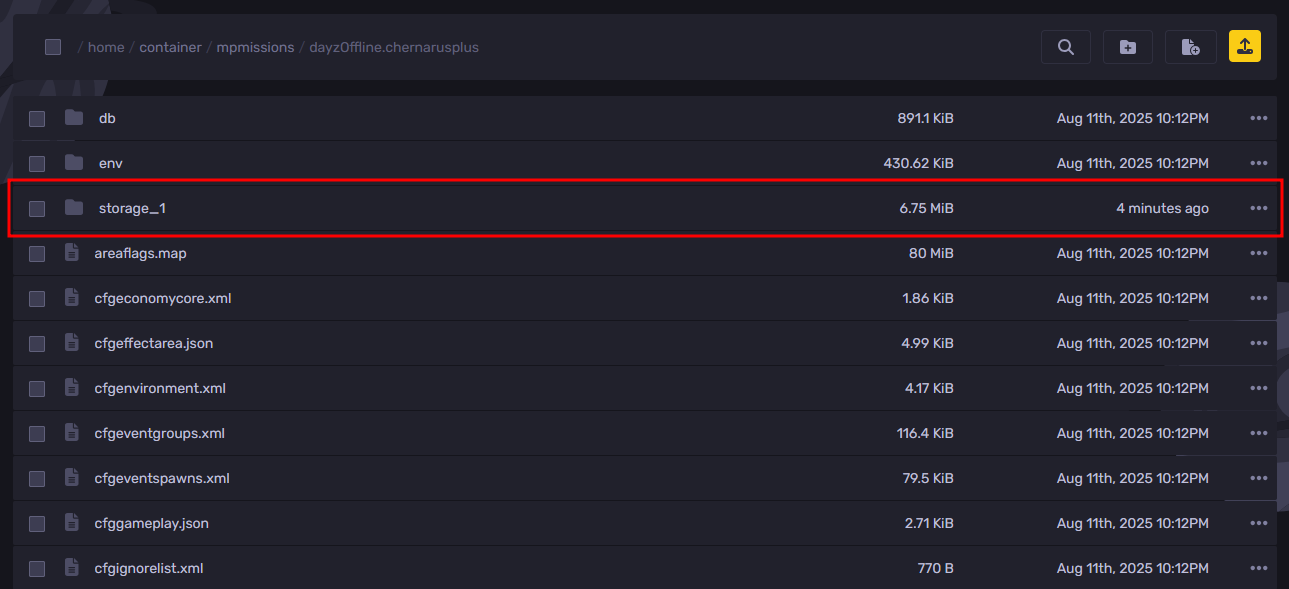
- Start your server, and when you join it, you will see that it has been entirely wiped.
How To Reset Player Data
- Go to the Apollo Panel, and turn off your server.
- Navigate to the Files Tab and open the "serverDZ.cfg" file.
- Under the missions class, take note of the value set in the template setting as it is also the name of the mission folder.
- Return to the Files Tab, and open the "mpmissions" folder.
- Open the folder that has the name of the mission folder you got from Step 3.
- Open the folder named "storage_1".
- Delete both the "players.db" and "spawnpoints.bin" files.
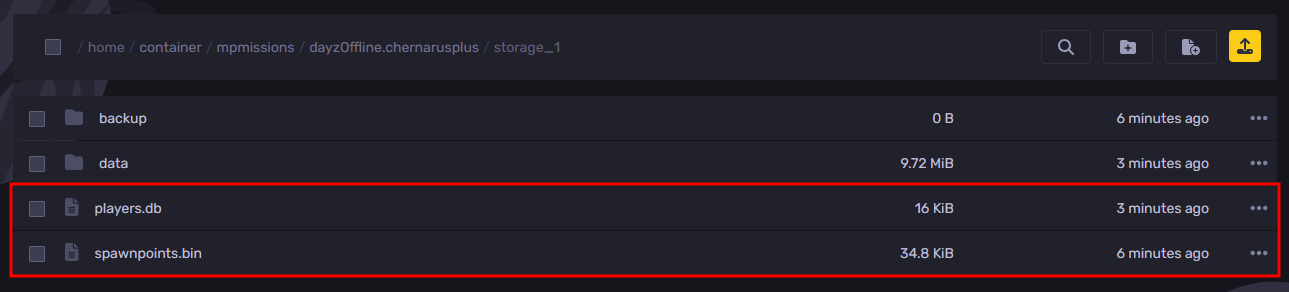
- Start your server, and when you join it, you will see that only the player data has been wiped.
Still have some questions about wiping a DayZ server?
If you need any further instructions, you can log in and create a ticket here
Updated on: 13/05/2026
Thank you!