Can't Play Hytale Multiplayer? Here's Some Fixes
Can't play Hytale multiplayer? Whether your friends can't join your world, the game gets stuck on the loading screen, or you can't connect to a server at all, the cause is usually something small.
A wrong code or password, a host who isn't online, or a connection that never completes can all block you. This guide covers how to join a friend's world, how to host one yourself, and how to fix the most common errors. If hosting from your own PC keeps causing problems, a dedicated server gives everyone a stable place to play without depending on one person's setup.
Why You Can't Play Hytale Multiplayer
- The server is offline.
- The password doesn't match.
- Not added to the whitelist.
- The game is stuck on the loading screen
- Network Connection & VPNs.
- Game versions don't match.
Common Fixes For Hytale Multiplayer Issues
Server Status
- Open the Apollo Panel.
- Click on the "Start" button.
- Ensure that the server is running.
Password Doesn't Match
- Open the Apollo Panel.
- Navigate to the Properties tab.
- Find the `Password` field.
- Use the exact password you set. Leave blank for a public server.

Whitelist
If you have whitelisting enabled, do the following:
- Open the Apollo Panel.
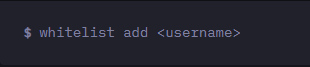
- Type `whitelist add <username>` in the console to add a player.
- Find more information about whitelisting here.
Stuck On The Loading Screen
Give it some time since larger worlds can take a while to load. If nothing happens, close Hytale, reopen it, and reconnect to the server. Try restarting your router or using a different network connection. If the loading screen keeps hanging, contact support.
Network Connection & VPNs
- Turn off your VPN, reopen Hytale, and try again. If you don't have a VPN enabled. You can try to enable one and give it a try.
- Use a wired connection.
- Restart your router**.**
- Test another network, such as a mobile hotspot.
Game Version
Ensure Hytale is updated to the latest version.
- Check the server's latest version by doing the following:
- Open the Apollo Panel.
- Stop the server.
- Navigate to the Settings tab.
- Click on Update Server.
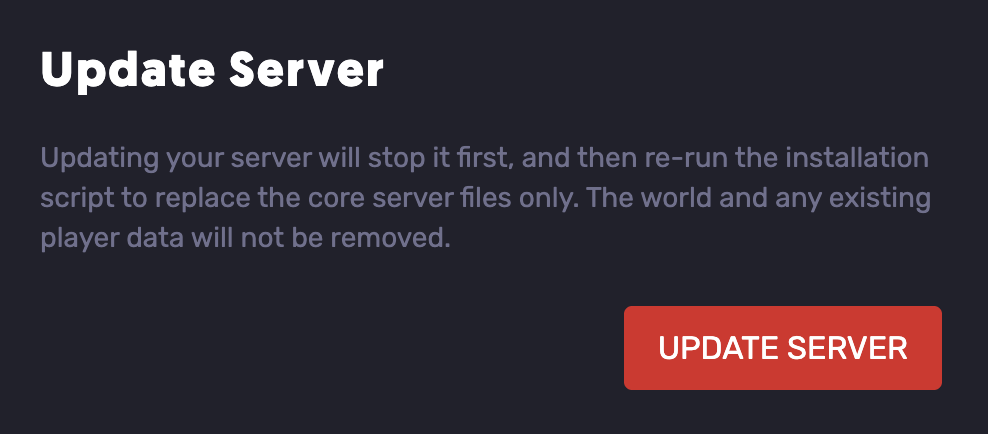
- Start the server and try again.
Updated on: 12/10/2026
Thank you!