How to Add Server Mods or Resources on a BeamMP Server
How to Add Server Mods or Resources on a BeamMP Server
Adding server mods or resources on a BeamMP server enhances gameplay by creating a unique experience. How to add server mods or resources on a BeamMP server allows owners to offer new vehicles, maps, and features, keeping players engaged and helping the server stand out while supporting a smooth, enjoyable experience.
Resources may have unique installation steps; make sure each mod is installed in the correct server or client folder.
Adding Mods or Resources
To add mods or resources, follow the steps below:
- Install a server mod or resource here.
- Access your Apollo Panel.
- Stop the server.
- Navigate to the file manager.
- Open the
Resourcesfolder.
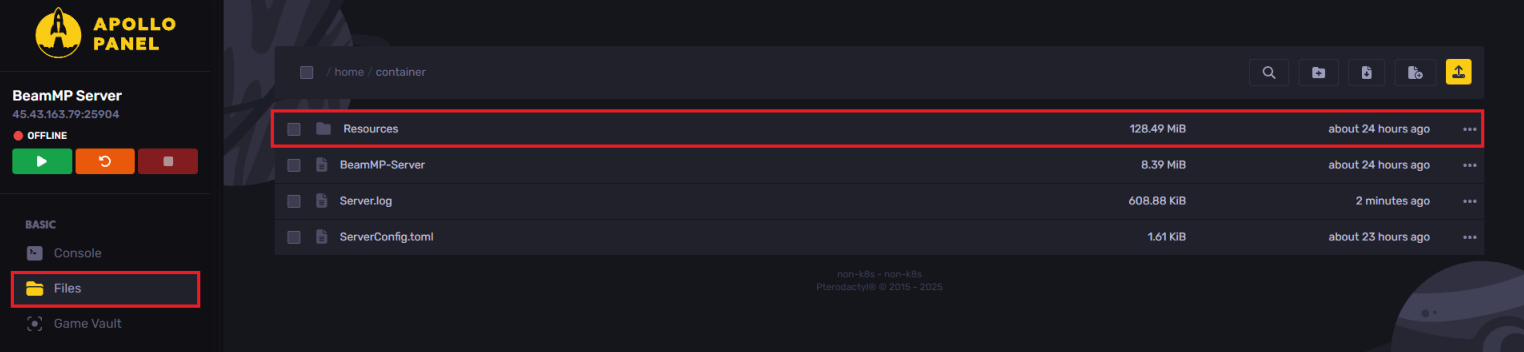
- Upload the downloaded zip file by dragging and dropping it.

- Extract the zip file.
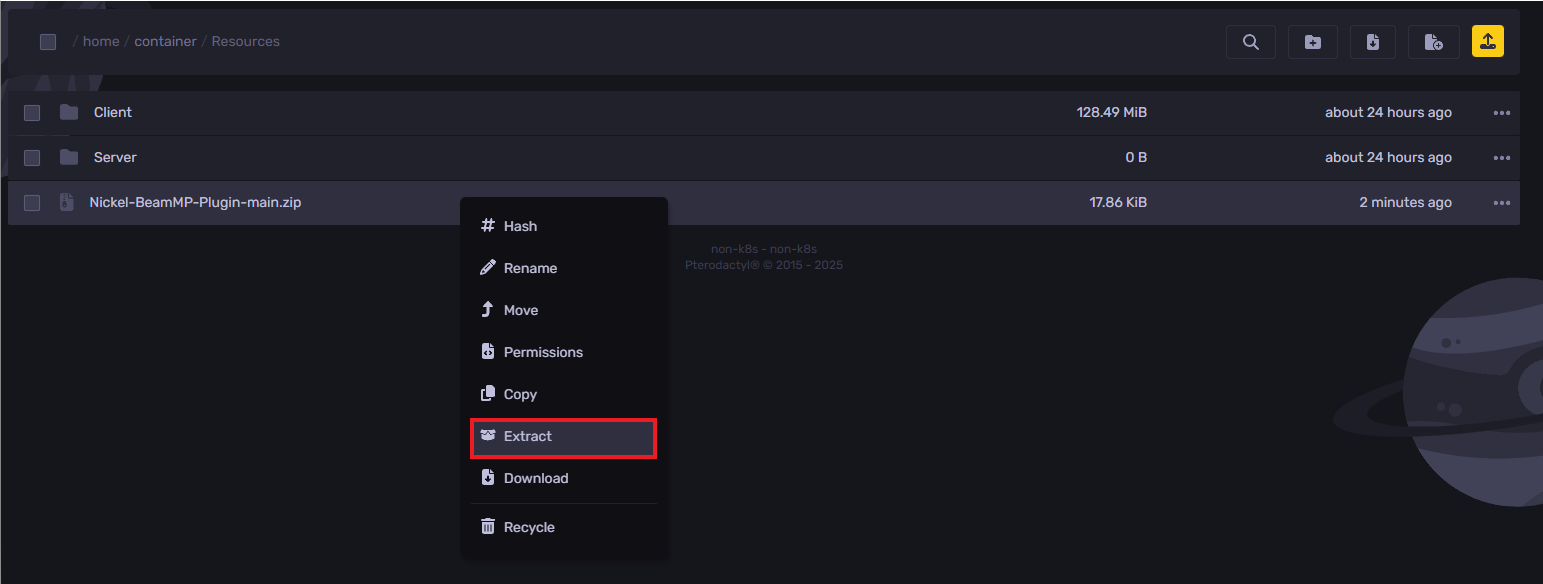
- Start the server.
Still have some questions?
If you encounter any issues, you can log a ticket here.
Updated on: 26/12/2025
Thank you!