How to Change the Autosave Interval on an Astroneer Server
How to Change the Autosave Interval on an Astroneer Server
Adjusting the autosave interval on your Astroneer server allows you to control how frequently the game saves world progress. A shorter interval improves data safety but may slightly impact performance, while a longer interval can reduce server load at the cost of higher rollback risk during crashes. This guide explains how to locate and change the autosave interval on an Astroneer dedicated server.
Changing the Autosave Interval
- Open the Apollo Panel and turn off your server.
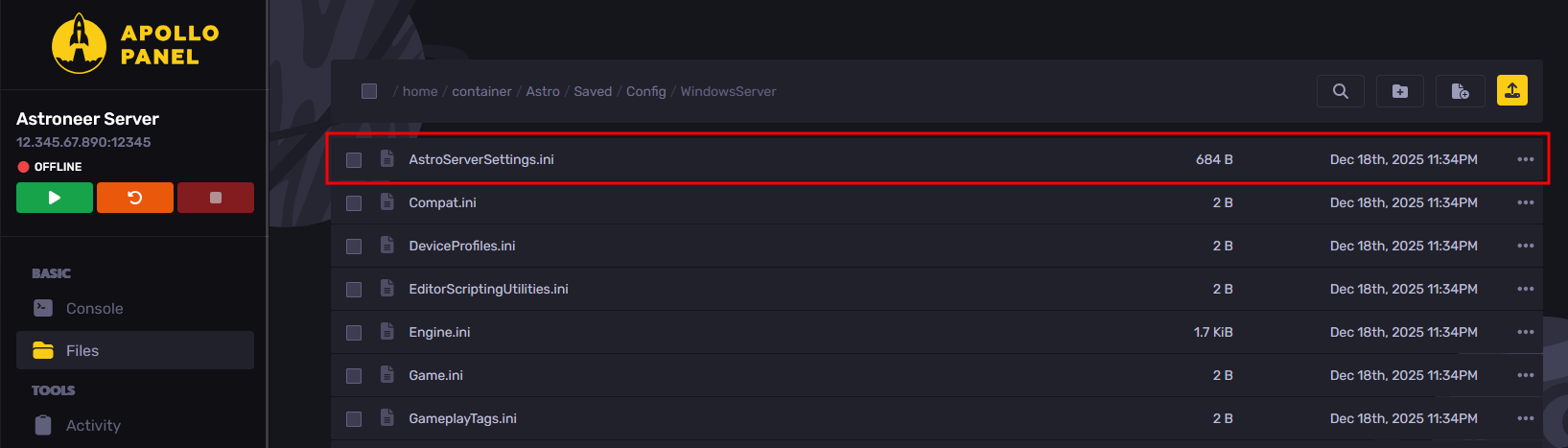
- Go to the Files Tab, and navigate to the "Astro/Saved/Config/WindowsServer" folder.
- Open the config file named "AstroServerSettings.ini".
- Edit the value of the "AutoSaveGameInterval" setting to your desired interval in seconds (e.g., 15 for 15 seconds, or 900 for 15 minutes).
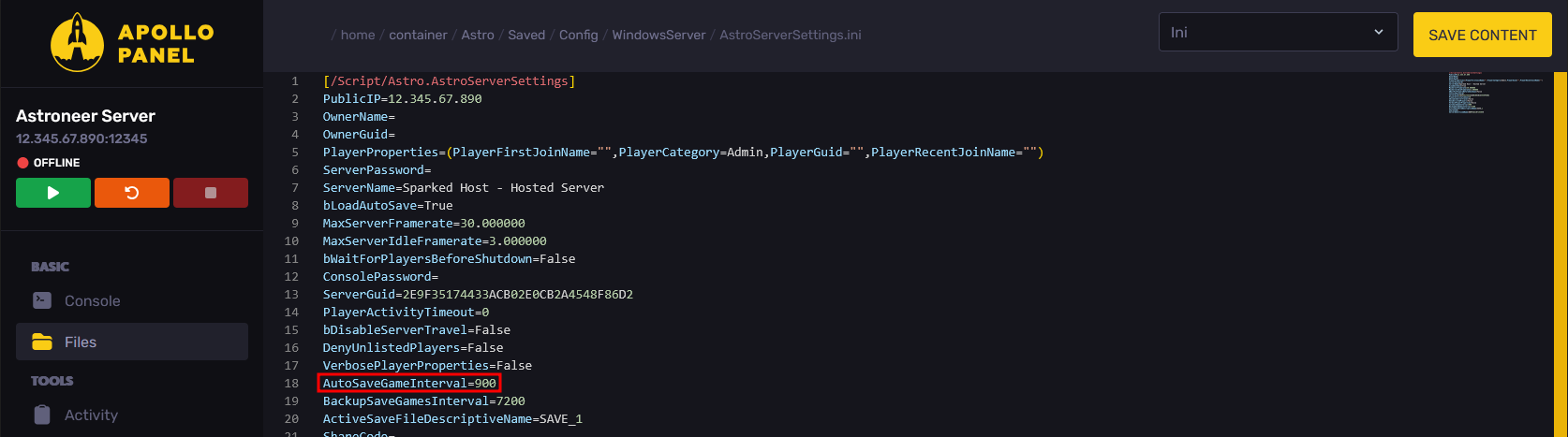
- Click on the "Save Content" button on the top-right to save your settings.
- Now, when you start the server, it will automatically save the game at the interval you specified.
Updated on: 10/02/2026
Thank you!