How to Change the Max Cars on a BeamMP Server
How to Change the Max Cars on a BeamMP Server
Adjusting the max cars on a BeamMP server helps balance performance and gameplay, ensuring each player can enjoy the server without errors. Understanding how to change the max cars on a BeamMP server allows owners to set the maximum number of vehicles per player, manage server load, and maintain a smooth experience for everyone joining. Properly configuring max cars is important for long-term server stability and overall fun.
Setting Max Cars on a BeamMP Server
To change the max cars, follow the steps below:
- Open your Apollo Panel.
- Stop the server.
- Go to the Startup tab.
- Locate the Max Cars field, and set the desired value as shown in the example.
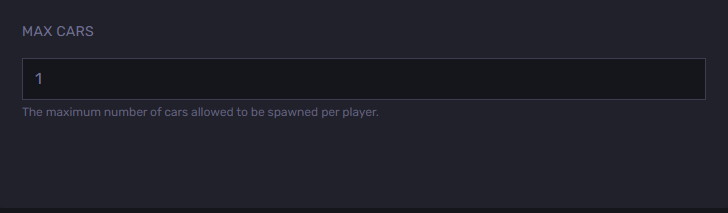
- Start the server.
Still have some questions?
If you need any further instructions, you can log in and file a support ticket here
Updated on: 26/12/2025
Thank you!