How to Change the Max Ping Limit on a Renown Server
How to Change the Max Ping Limit on a Renown Server
Adjusting the maximum ping limit is an important consideration for server owners, and knowing how to change the max ping limit on a Renown server helps provide a smooth, reliable gameplay experience. By managing this setting, administrators can reduce lag, maintain server stability, and ensure fair play for all participants, especially on Renown dedicated servers or larger multiplayer communities. Limiting high-latency connections helps protect server performance, enhance responsiveness, and improve the overall experience for players across supported platforms and regions.
- Access your Apollo Control Panel here.
- Stop the server.
- Navigate to the Properties tab.
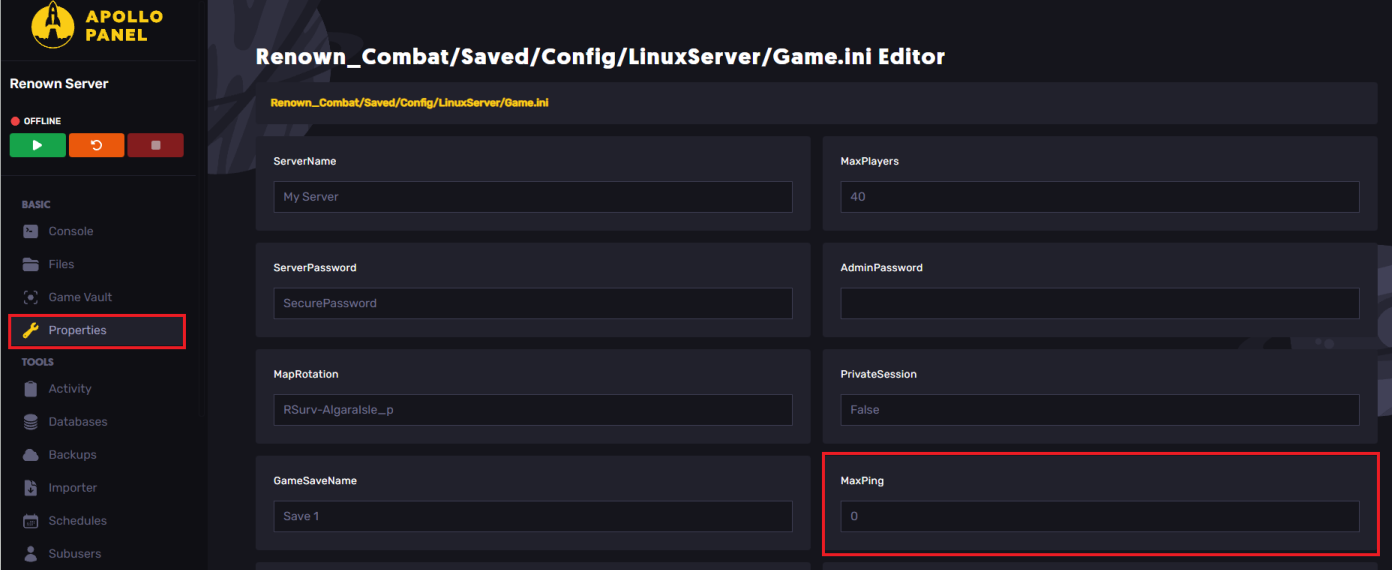
- Locate the MaxPing field and change it as desired.
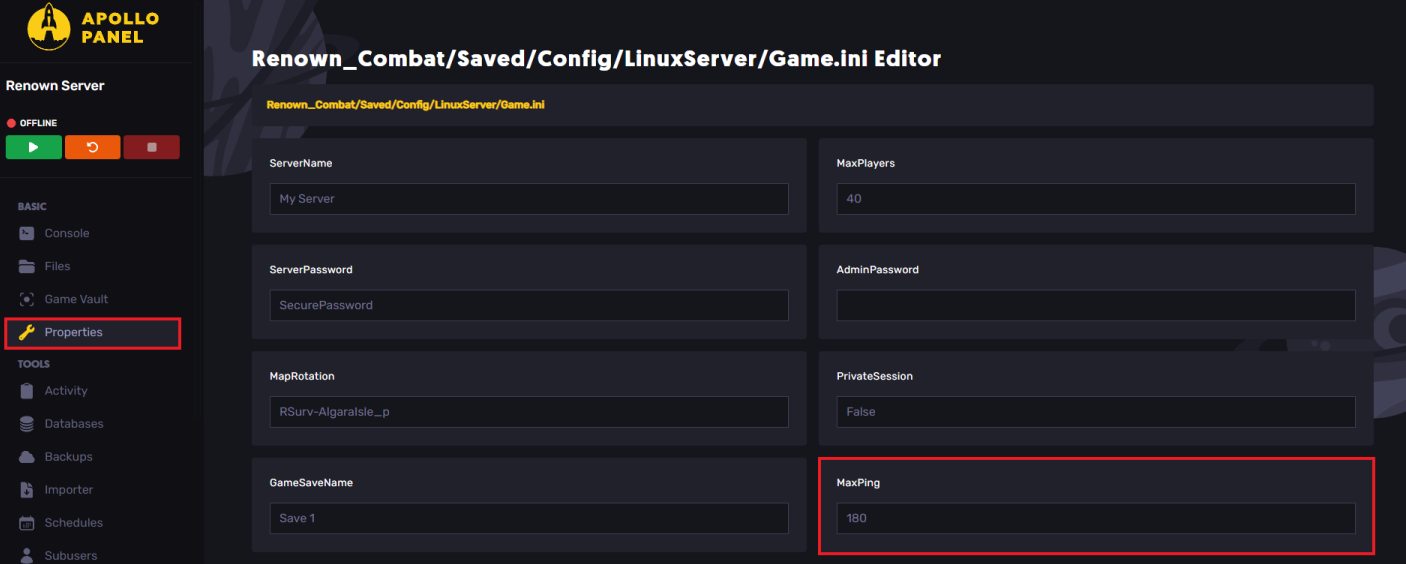
- To change the max ping limit, set it to
0
- Start the server.
Still have some questions?
If you require any further assistance, please create a support ticket here.
Updated on: 26/12/2025
Thank you!