How to Change the Server Name on a BeamMP Server
How to Change the Server Name on a BeamMP Server
Changing the server name on a BeamMP server is a popular way to make your server stand out and reflect its community or special events. Understanding how to change the server name on a BeamMP server allows owners to create a unique name that appears clearly in the server list, helps players recognize the server, and improves the overall user experience. A well-chosen BeamMP server name and descriptive text can highlight the server’s identity, encourage players to join, and make the server easier to find, especially for communities hosting public or customized setups.
Changing BeamMP Server Name
To change the server's name, follow the steps below:
- Open your Apollo Panel.
- Click on the Startup tab.
- Enter the desired Server Name, as shown in the example below.
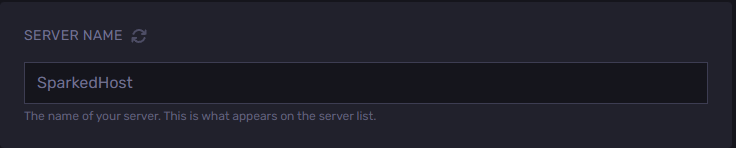
- Start or restart the server to apply the changes.
Still have some questions?
If you require any further assistance, don't hesitate to contact us here.
Updated on: 26/12/2025
Thank you!