How to Disable Auto-Pause when Empty on a Don't Starve Together Server
By default, Don't Starve Together servers pause the game when no players are connected. While this helps preserve the world state, some server owners prefer the world to keep running even when empty for farms, timers, or continuous progression. This guide explains how to disable auto pause when the server is empty using the Apollo Panel.
Disabling Auto Pause
- Open the Apollo Panel, and ensure that your server is offline.
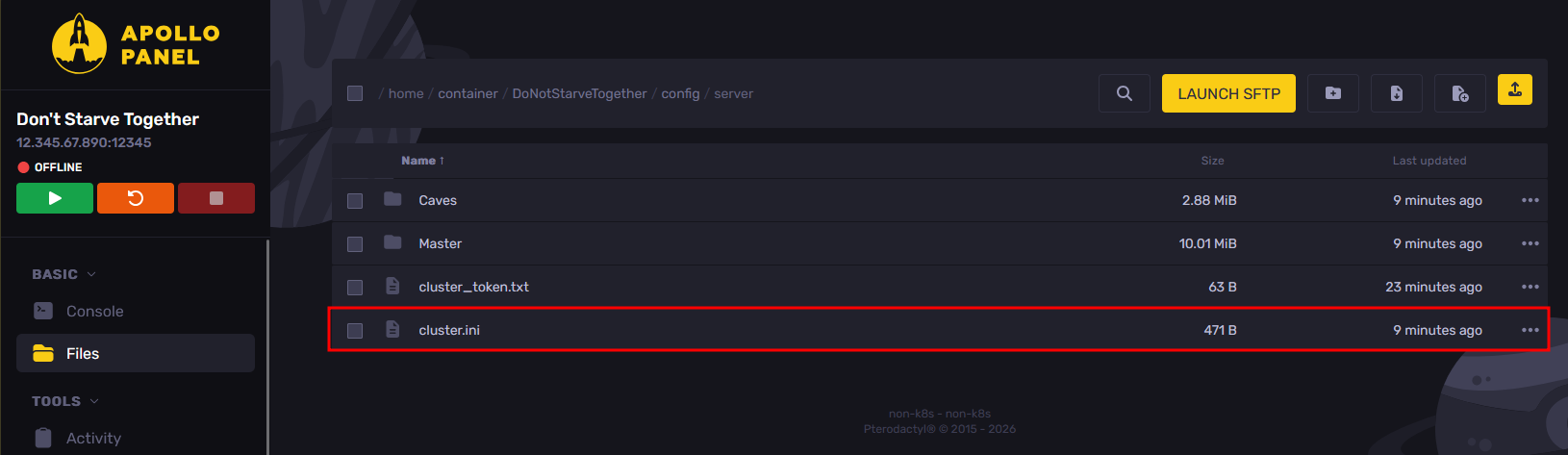
- In the Files tab, open the "DoNotStarveTogether/config/server/cluster.ini" file.
- Set the "pause_when_empty" setting to false to disable auto pausing when the server is empty.
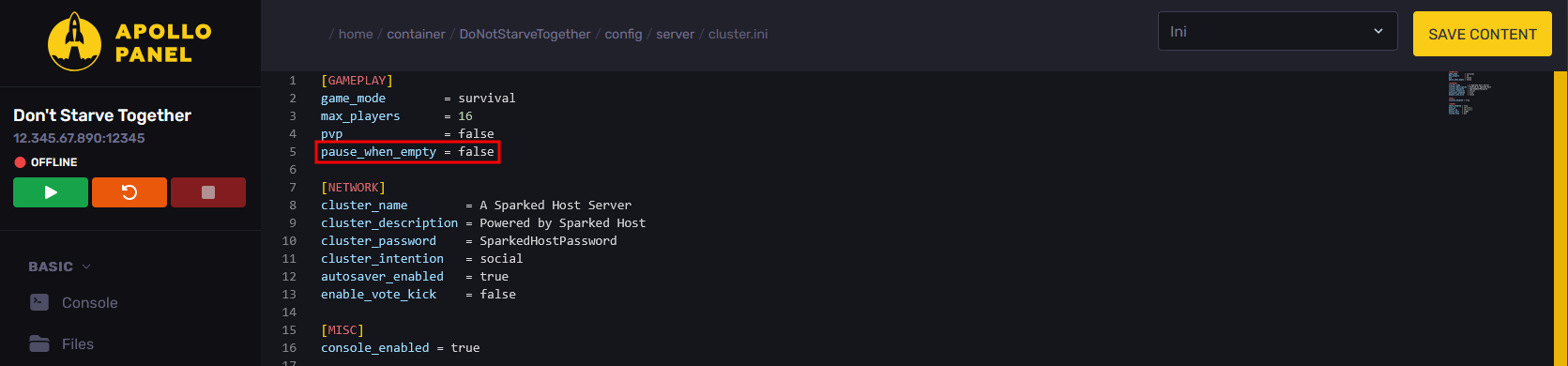
- Once you have disabled auto pause, click on the "Save Content" button to save the current configuration changes.

- Start your server, and it should now pause whenever there are no players online.
Updated on: 15/05/2026
Thank you!