How To Enable PVP In Hytale Server
Want to enable PVP on your Hytale server? Whether you're running a challenge-focused survival world or just want a fun way for players to fight each other, PVP is a setting you can change for your world. This guide covers the steps to toggle PVP on, where to find the configuration file and settings menu, and how to customize related options like fall damage. Follow along to apply the change to your universe so players can join your multiplayer game and start fighting.
Is PVP Enabled by Default in Hytale?
No. PVP is turned off by default. If you want to enable PVP. You'll need to enable it in each world, since each world has its own configuration file, so turning it on in one world doesn't affect the others.
How To Enable PVP in Hytale Server (Step-by-Step)
Enabling PVP In The Settings Menu
- Open Hytale and select Worlds from the main menu.
- Click Create World, or choose an existing world to edit.
- Right-click the world to open the world settings.
- Enable PvP.
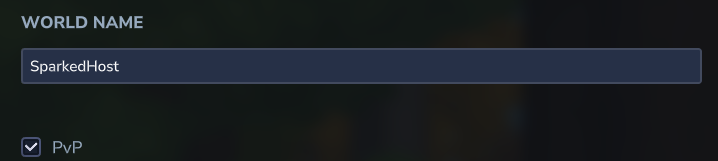
- Hit Save World Settings.
- Launch the world.
Enabling PvP in the Configuration File
- Access the Apollo Panel.
- Go to the Files tab.
- Navigate to the following directory: `universe/worlds/`
- Choose your world folder.
- Open the `config.json` file.
- Find the line `"IsPvpEnabled": false,`

- Change `false` to `true`

- Save the file.
- Start the server.
Each world has its own `config.json`, so repeat these steps for any other world you want PVP on.
Enabling PVP With A Command
You need OP permissions to use this command:
- In your console. Type `world config pvp true`
- In the in-game chat, type `/world config pvp true`
How To Turn Off PVP In Hytale
World Settings
- Launch Hytale.
- Find and right-click the desired world.
- In the world's settings, disable PvP.
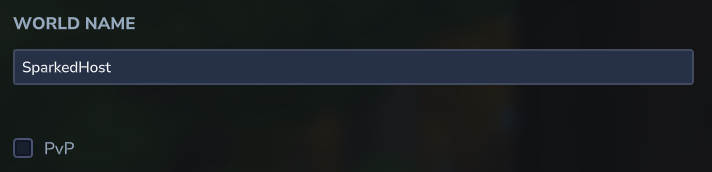
Configuration File
- Access the Apollo Panel.
- Go to the Files tab.
- Navigate to the following directory: `universe/worlds/`
- Choose your world folder.
- Open the `config.json` file.
- Find the line `"IsPvpEnabled": true,`
- Change `true` to `false`
Using Commands
- In your console. Type `world config pvp false`
- In the in-game chat, type `/world config pvp false`
Updated on: 12/10/2026
Thank you!