How to Kick or Ban Players on a Don't Starve Together Server
Managing player behavior is important for keeping your Don't Starve Together server fair and enjoyable. Server admins can kick or ban players using in-game commands. This guide explains how to identify a player’s ID and how to use kick, ban, and unban commands.
Using The In-Game Interface
- Launch the Don't Starve Together game on your computer and join the server.
- Find the player you want to kick/ban, then click the shoe icon to kick the player or the hammer icon to ban the player.
Using Admin Console Commands
- Launch the Don't Starve Together game on your computer and join the server.
- Open the Local Console by pressing Ctrl + ~ on your keyboard.
- Enter the command "c_listallplayers()" to return a list of connected players with their player IDs. Note that the text inside the parentheses is the player ID we need to kick/ban players.
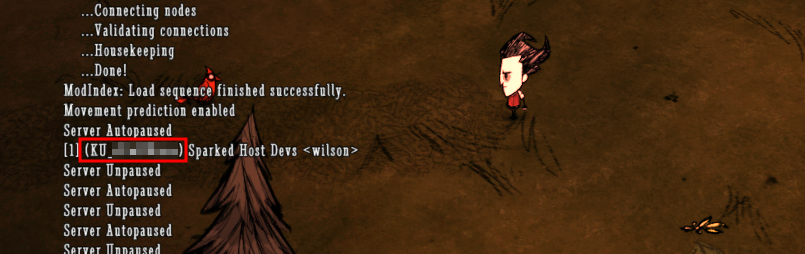
- Open the Remote Console by pressing ~ on your keyboard, and run one of the following commands to ban, kick, or temporarily ban a player.
- TheNet:Kick("User ID") - Removes a player from the server temporarily; the kicked player can rejoin instantly.
- TheNet:Ban("User ID") - Bans a player from the server and prevents them from joining permanently.
- TheNet:BanForTime("User ID",Time_In_Seconds) - Bans a player from the server and prevents them from rejoining for a set period.
Updated on: 15/05/2026
Thank you!