How to Use the Cluster Feature for ARK Survival Servers
How to Use the Cluster Feature for ARK: Survival Servers
The cluster feature in ARK: Survival Evolved allows multiple servers to be linked together so players can transfer characters, dinosaurs, and items between different maps like Scorched Earth and other ARK survival worlds. By using a shared cluster directory and matching cluster ID across multiple servers, server owners can run separate instances while keeping the data synchronized. This setup is commonly used on ARK servers to expand gameplay across multiple maps without losing progress, on both Windows and Linux, and is widely used in both the ARK: Survival Evolved and ARK: Survival Ascended communities. This guide will show you how to use the cluster feature for Ark Survival Servers.
Please note that to allow server clusters to work on an ARK server. Both servers MUST be on the same node. If you are unsure of what nodes your servers are on. Please submit a ticket here.
- Open the Apollo Panel.
- Stop both servers.
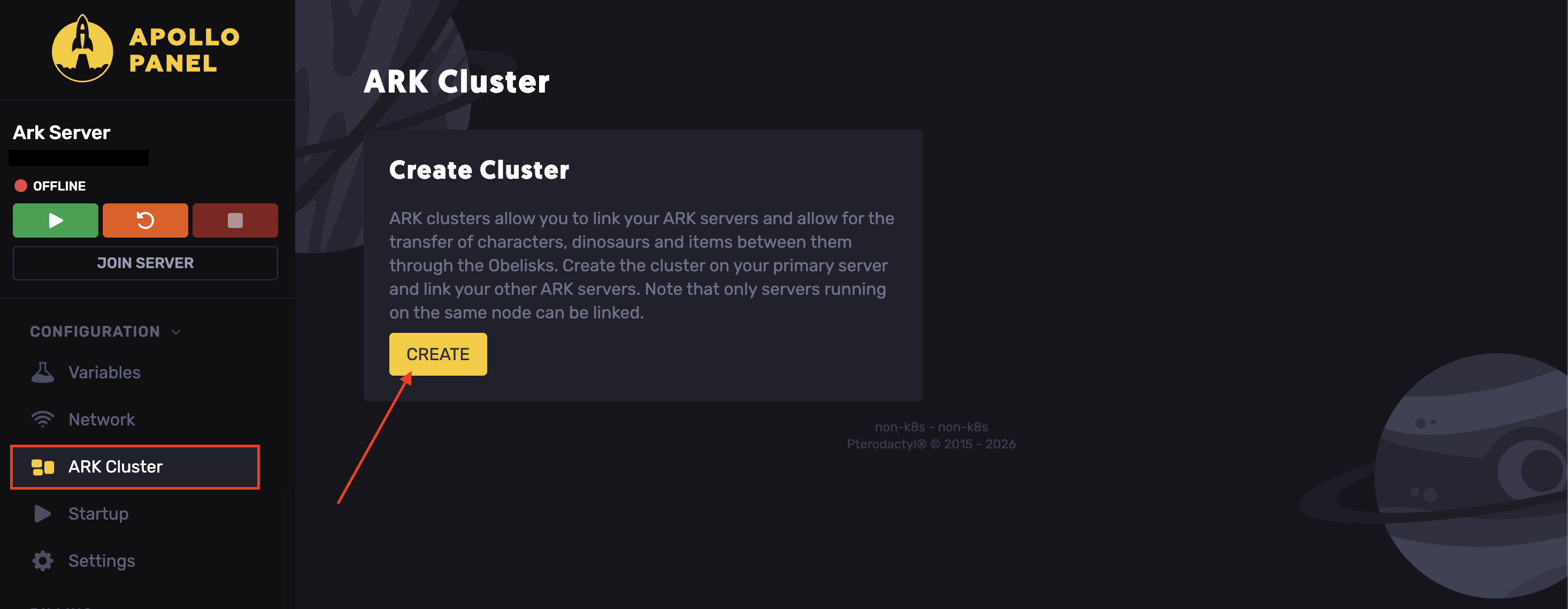
- Navigate to the ARK Cluster tab.
- Hit Create Cluster.
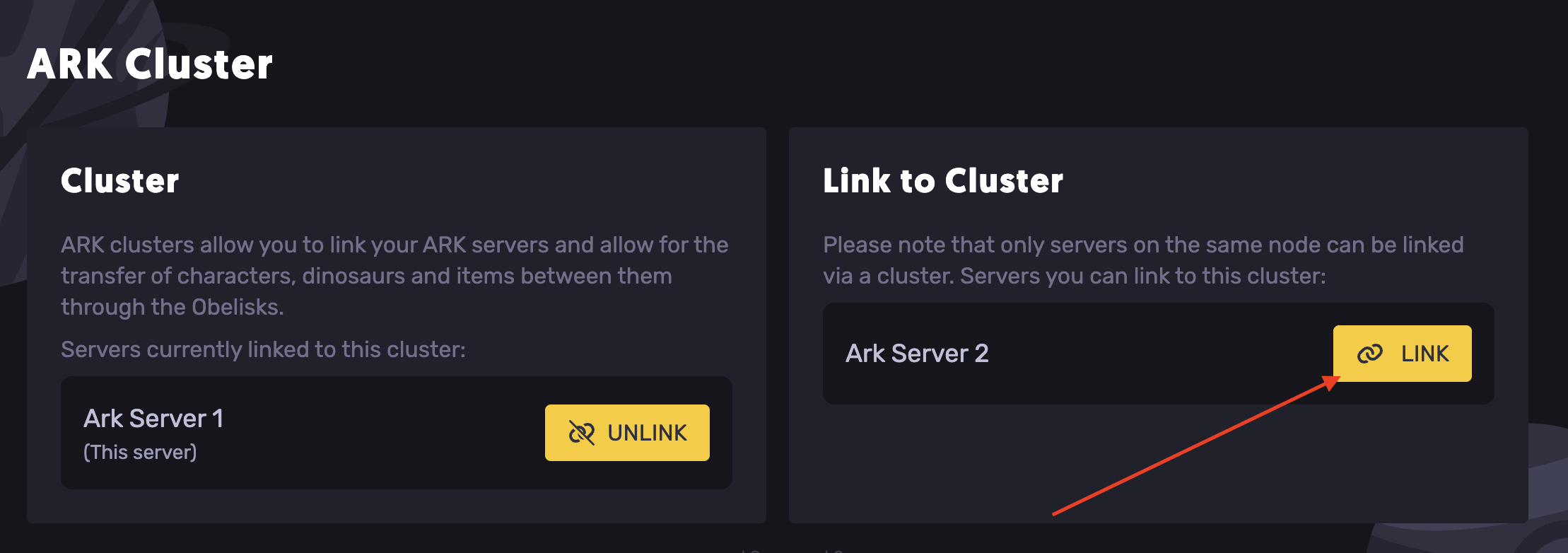
- Find the other server and hit Link.
- Start both servers.
Updated on: 03/06/2026
Thank you!