How to Add Weapons to FiveM Server
How to Add Weapons to FiveM Server
Enhancing your FiveM server with custom weapons is a great way to create a more unique experience for your players. This guide will walk you through the process of adding weapons, from installation to configuration.
To add weapons to a FiveM server:
- Access the Apollo Panel.
- Stop the server.
- Install your weapon pack.
- Open the
txDatafolder.
- Navigate to the folder ending with .base
- Open the
resourcesfolder.
- Upload the [resources] folder, which contains the weapon folders.
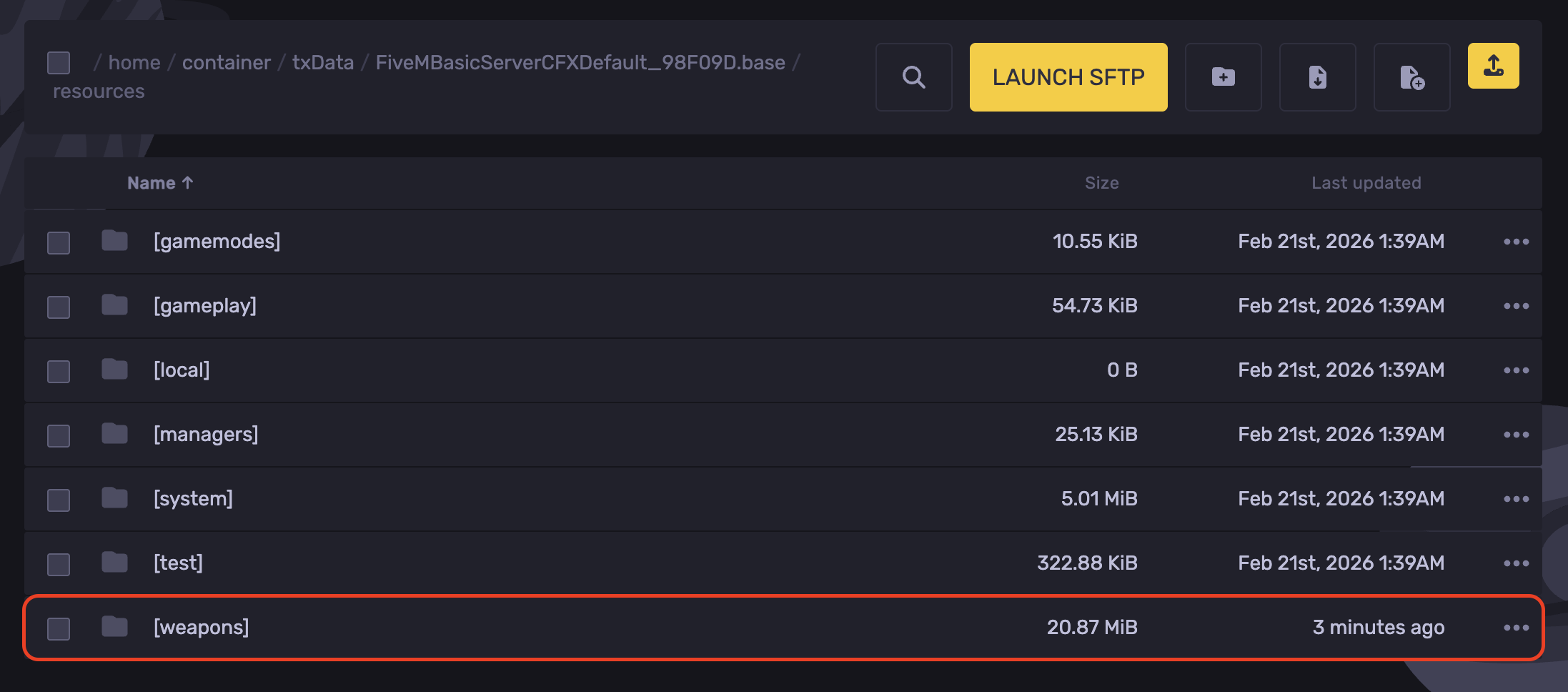
- This folder contains the weapon folders:
870,g17,m4, andx26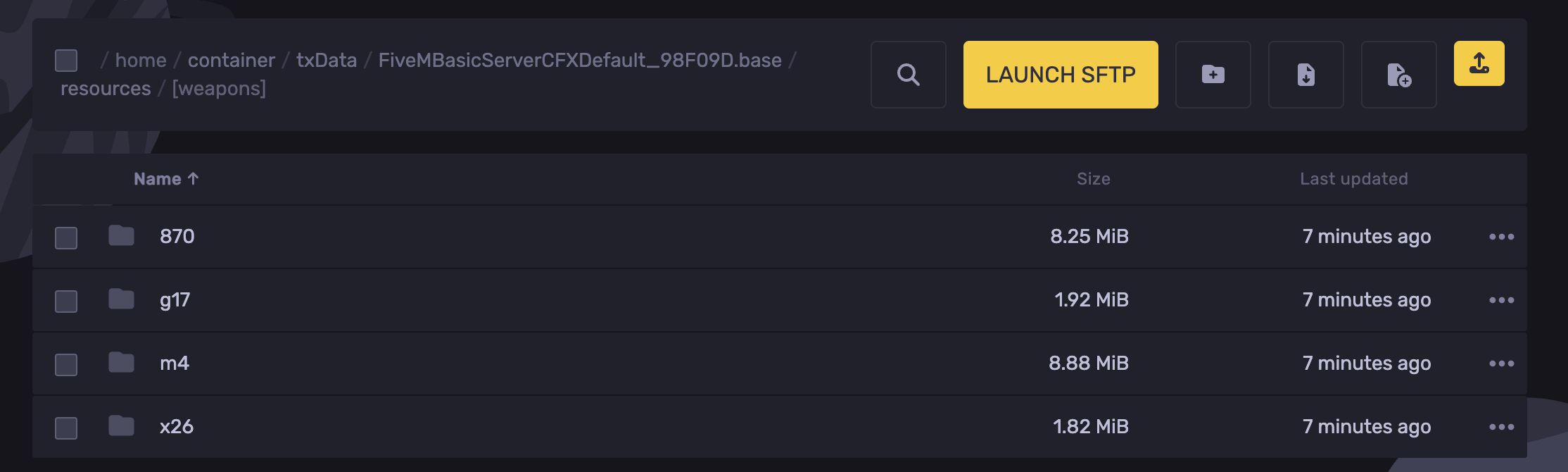
- Head back to the .base folder and open the
server.cfgfile.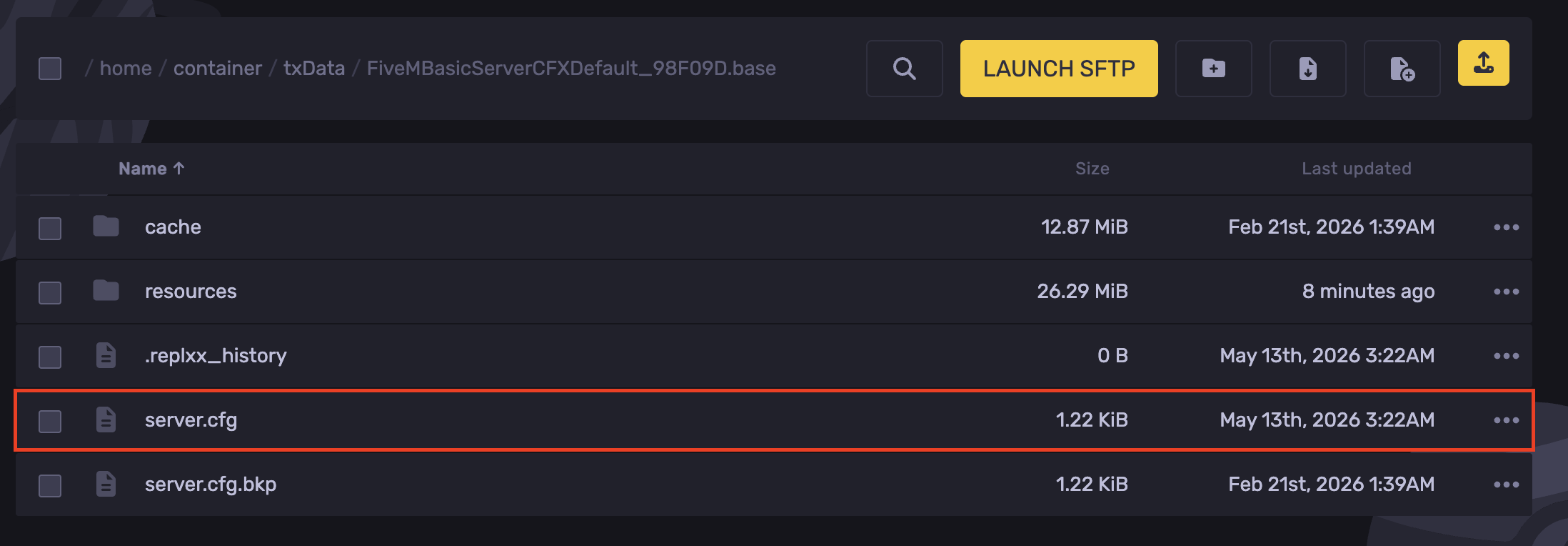
- In a new line, add a comment
#gununder this comment. Ensure all the weapons you'd like to install as shown in the example below.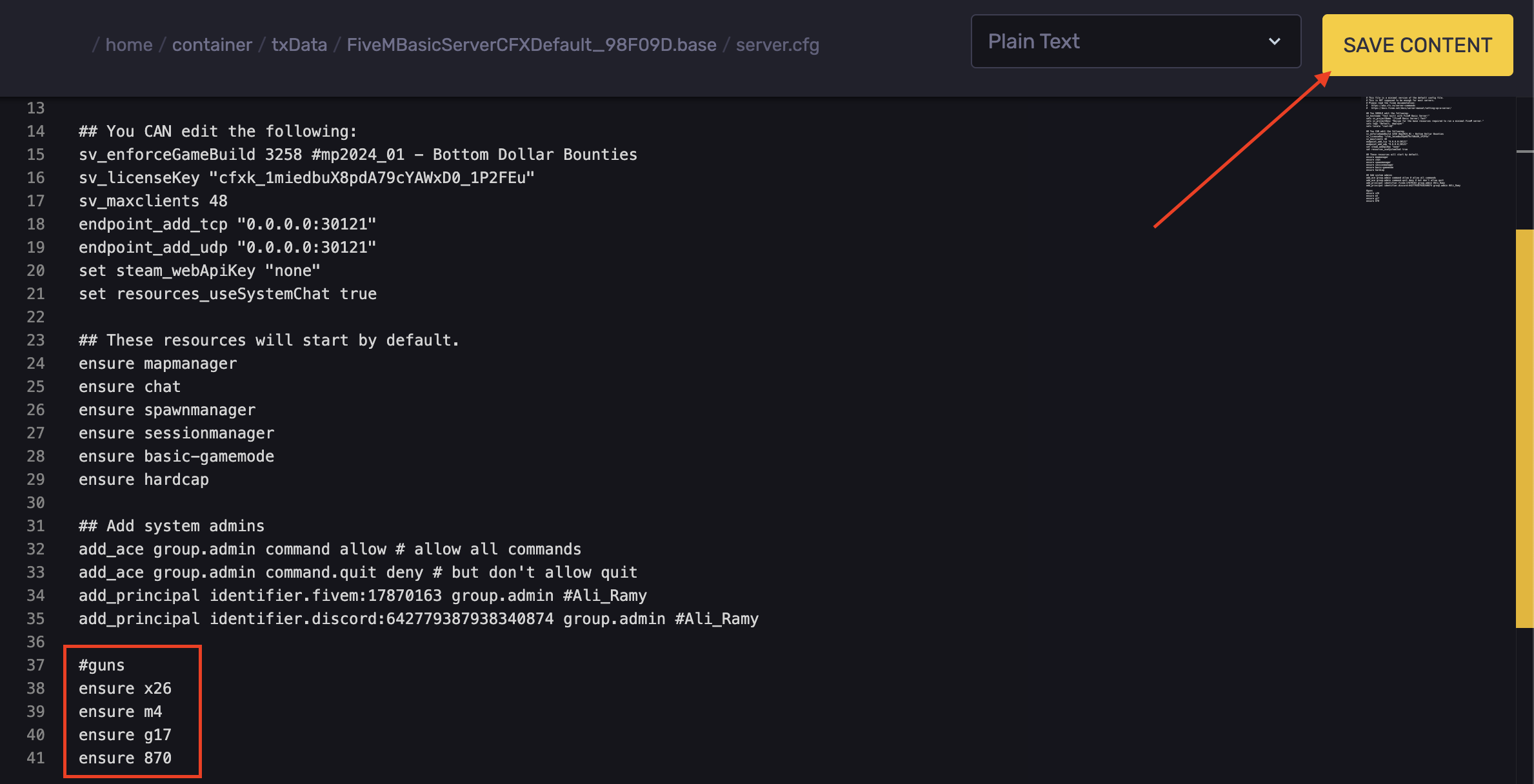
- Hit Save Content.
Configuring vMenu
If you want to spawn the weapons in via your menu, you will need to configure vMenu.
- Stop the server.
- In the .base folder. Navigate to the following directory:
resources/[appolo]/config/addons.json
- The folder should look like this.
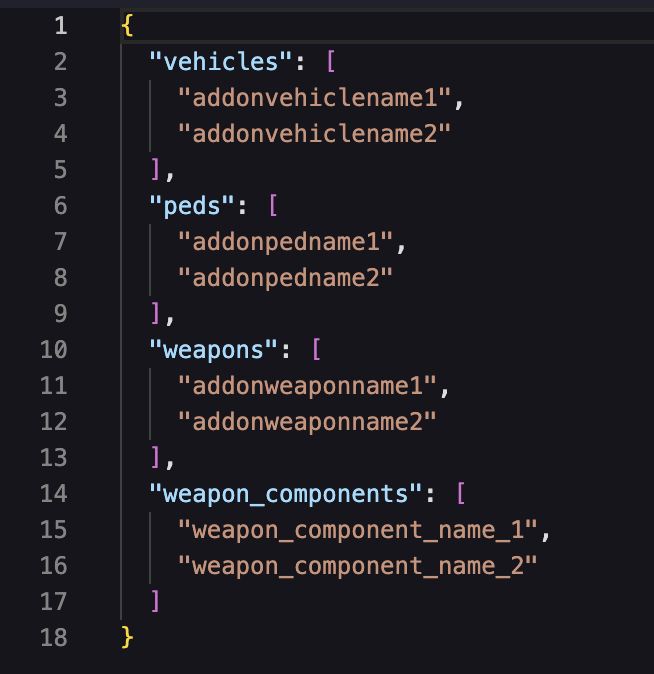
- Under "weapons" you will need to add the names of your weapons files. To find these, open the weapon's folder, then open the "stream" folder. Inside should look like this.

- Replace the
addonweaponname1with "shotgun" for our example.
- You will need to do this for each and every additional weapon in the pack.
- Hit Save Content.

- You have now uploaded custom weapons to your FiveM server. Adding them to the vMenu config lets you access them from the in-game menu.
Updated on: 17/07/2026
Thank you!