How to Update FiveM Server Build
How to Update FiveM Server Build
Keeping your FiveM server data up to date is essential to keeping your server secure. Regular updates ensure compatibility with new features and bug fixes. In this step-by-step guide, we’ll walk you through the process of updating your FiveM server artifacts to the latest artifact version and how to revert back to older server artifact versions.
Updating On Sparked Host's FiveM Server Hosting
To update your FiveM server build:
- Open the Apollo Panel.
- Stop the server.
- Ensure you create a backup before making changes to prevent any data loss.
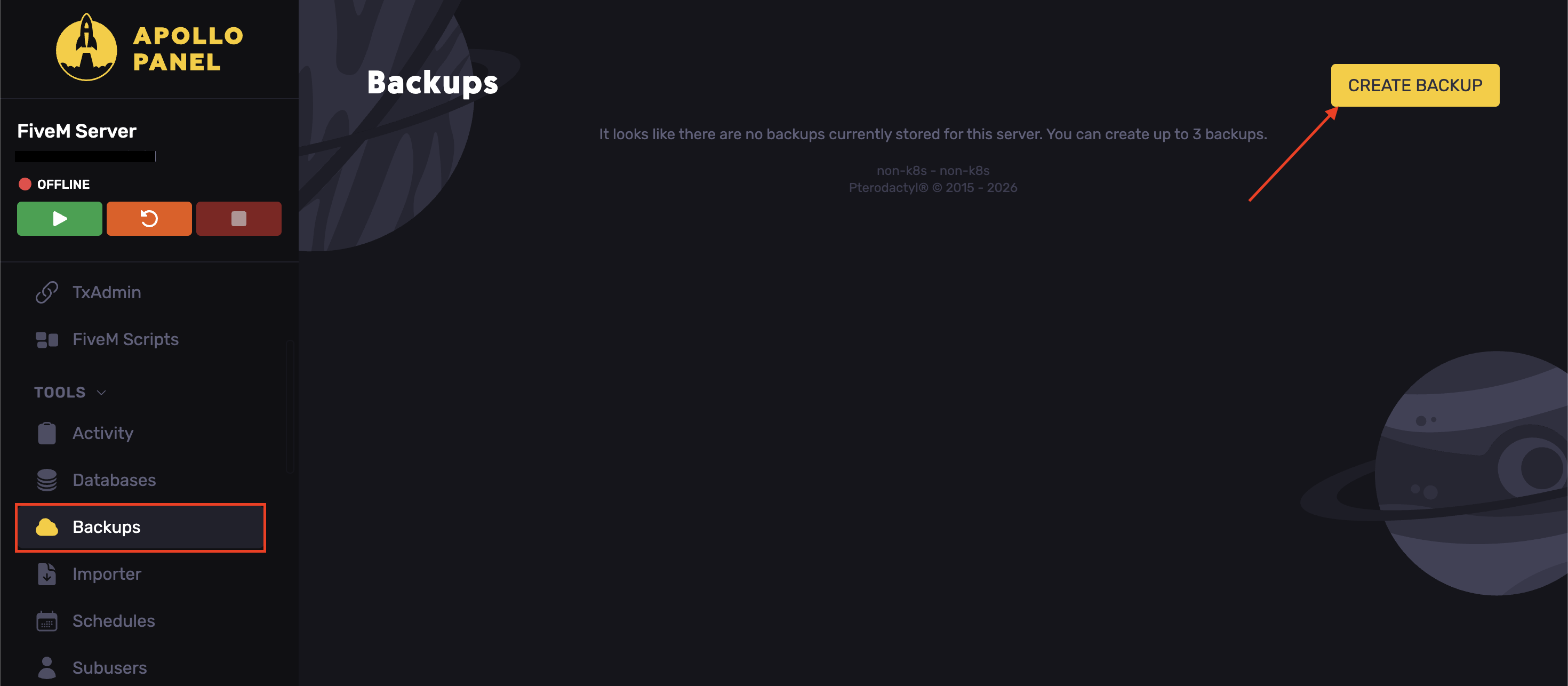
- Search for the desired FiveM artifact version here.
Find the FiveM server artifacts that you want to run. If you are trying to maintain compatibility with existing files and mods on your FiveM server, update your FiveM version to the build recommended by the mod developer.
- Navigate to the Startup tab.
- Find the Fivem Version field, adjust it as desired.
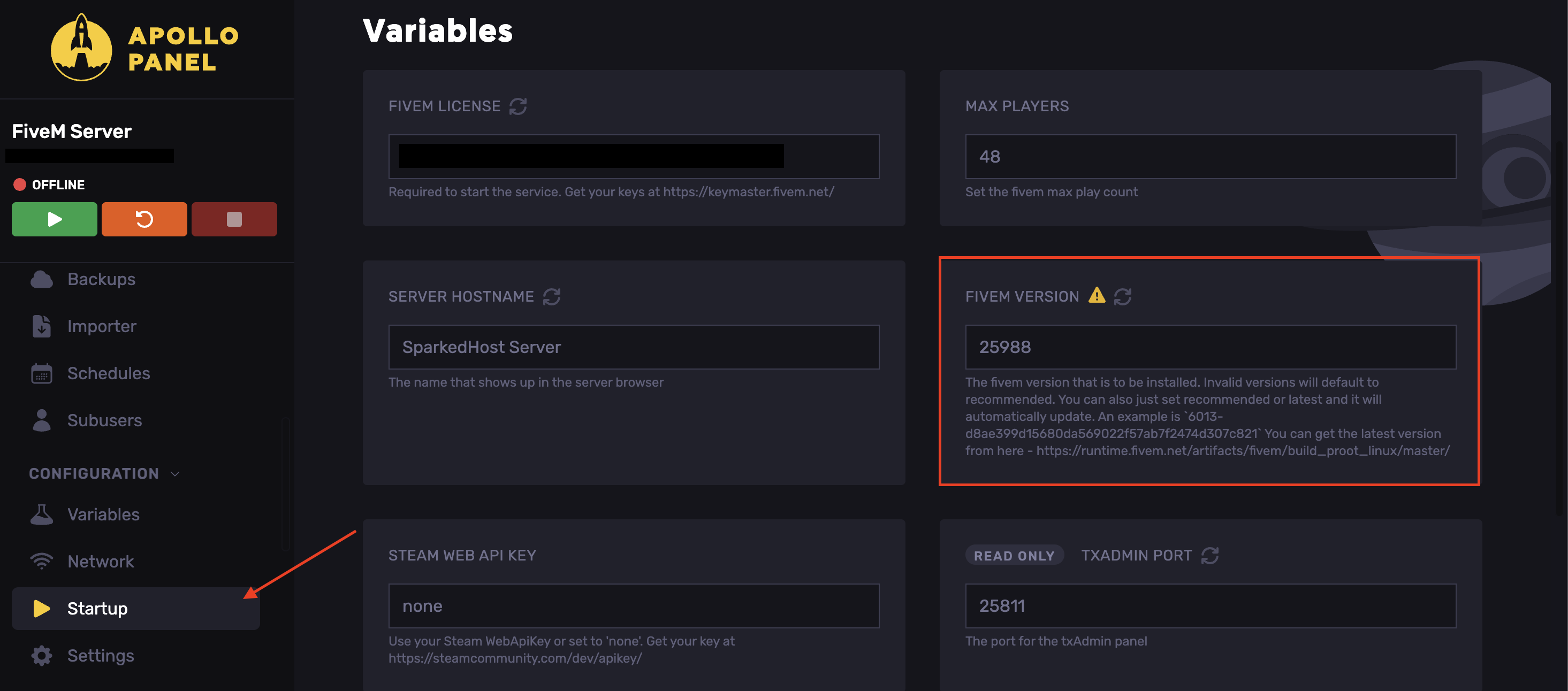
- Start the server
Updating On a VPS
To update your FiveM artifact on Linux Servers:
- Backup your server files before updating.
- Access and delete the "citizen" folder.
- Find the desired artifact version.
If you want to update to the latest version, it will be at the top.
- Download the FiveM artifacts file as a .zip file.
- Extract the .zip file to your FiveM server and replace any files.
Congratulations, you have successfully updated your FiveM server build!
Updated on: 17/07/2026
Thank you!