How to Install Mods on an Icarus Dedicated Server
Learning how to install mods on an Icarus dedicated server lets you add new features and gameplay changes that make your world more fun for everyone who joins.
NOTE: This guide is for .pak mod files only. Some mods also require you to install them on both the server and the client.
Installing Mods on a Server
- Install Icarus Mods here.
- Access the Apollo Panel.
- Stop the server.
- Go to the Files tab.
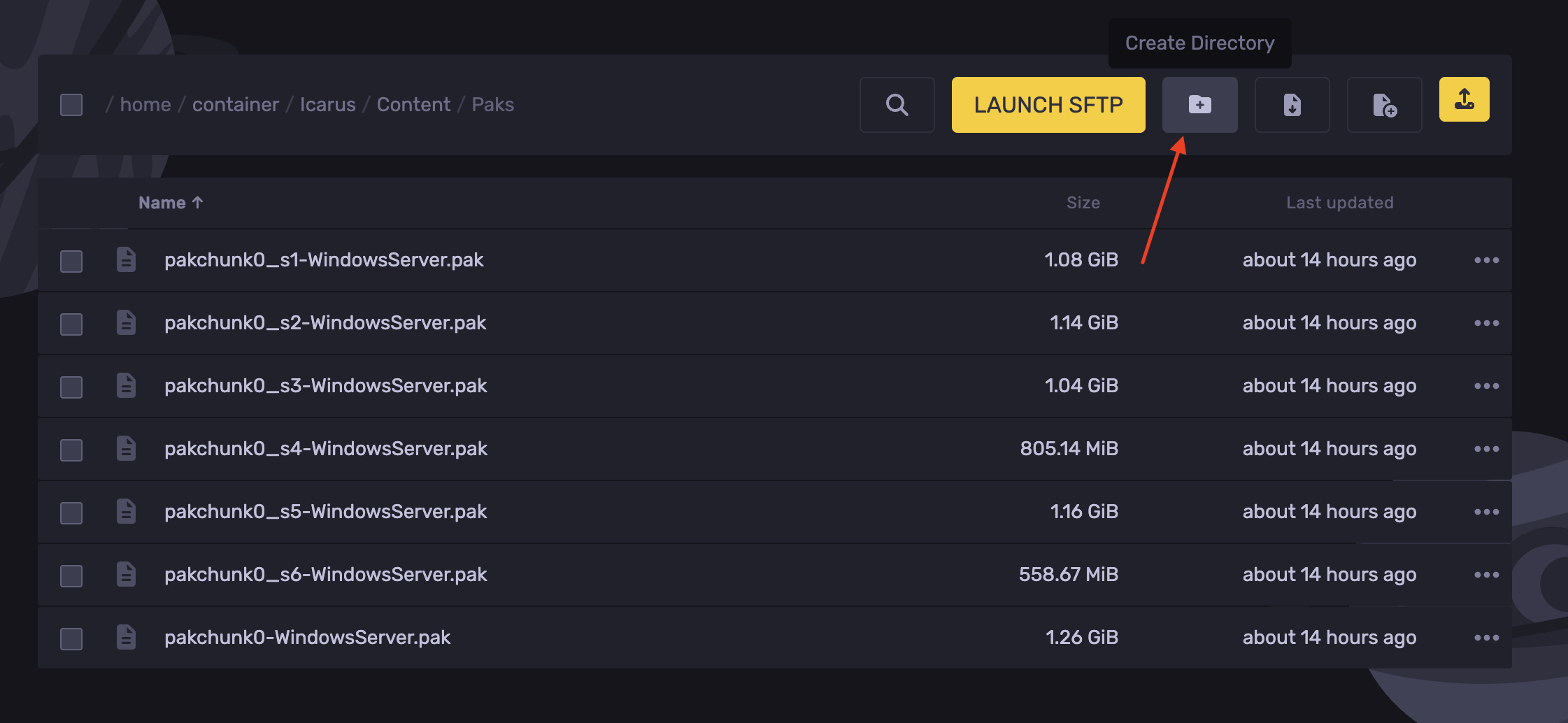
- Navigate to the following directory: `Icarus/Content/Paks`
- Click Create Directory.
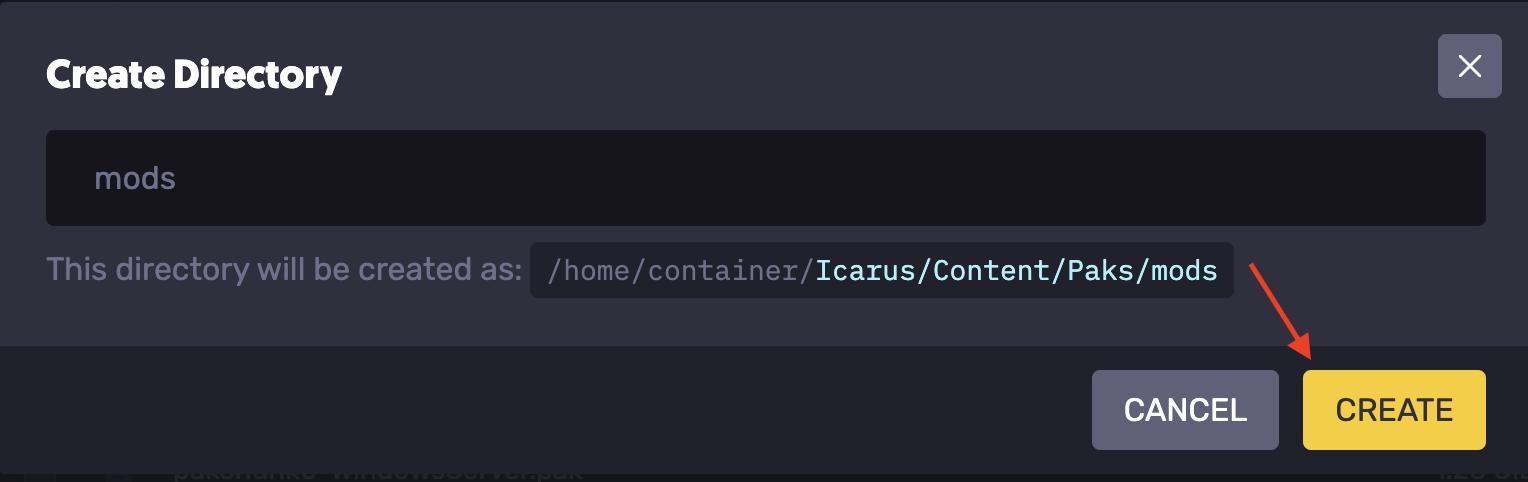
- Name the folder `mods`
- Hit Create
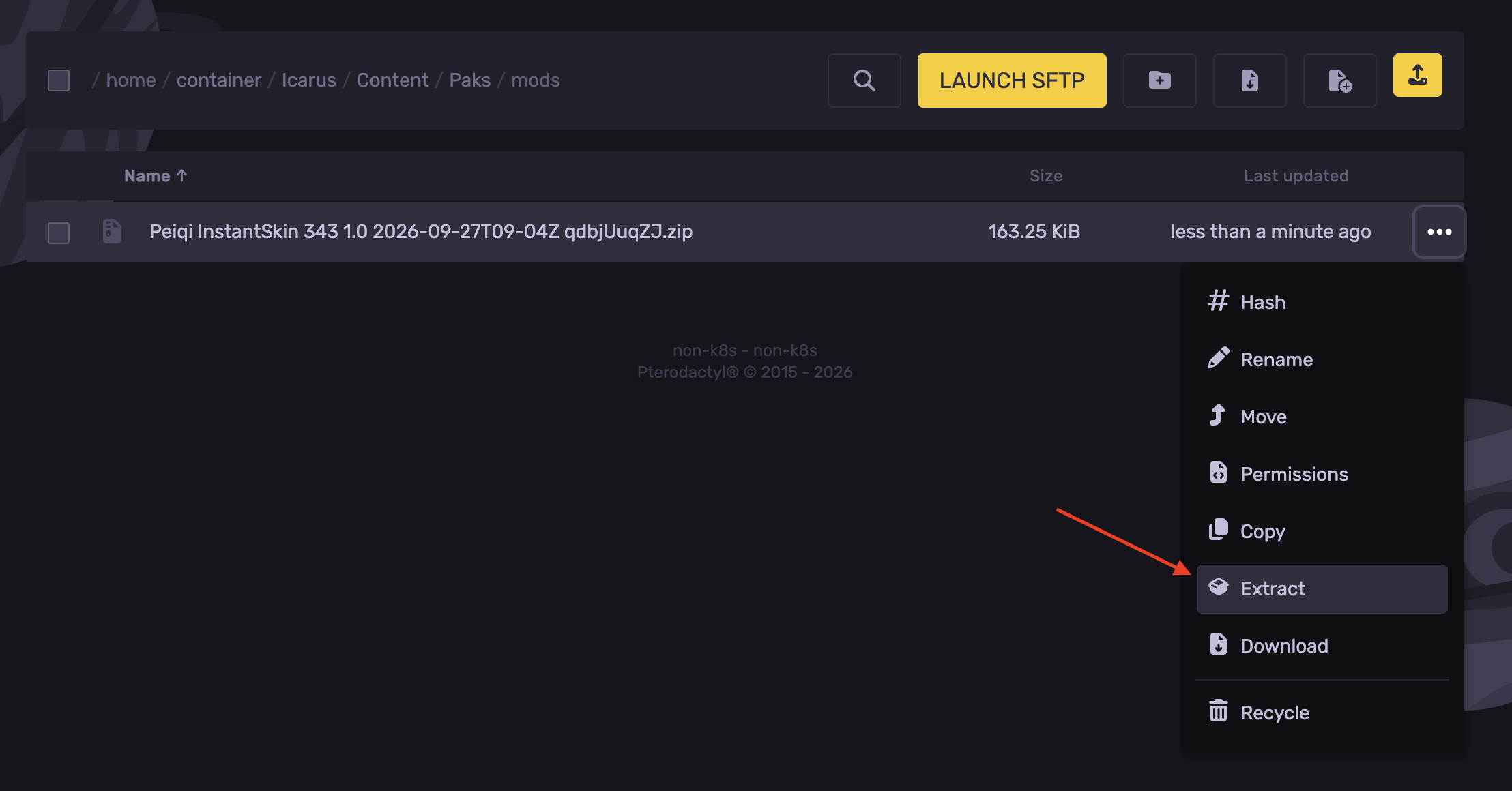
- Inside the `mods` folder. Upload the downloaded mod ZIP file.
- Right-click and hit Extract.
- Start the server.
Installing Mods Locally
- Open Steam and go to your Library.
- Right-click Icarus, choose Manage, then click Browse local files.
- Navigate to the following directory: `Icarus/Content/Paks`
- If there's no folder named `mods`, create one.
- Inside the `mods` folder. Upload the mod's `.pak` file. If it's a zip file, upload it and extract it to get the `.pak` file.
- Start Icarus and join your server.
Updated on: 07/10/2026
Thank you!