How to Add Custom Peds to FiveM Server
How to Add Custom Peds to FiveM Server
Custom peds (pedestrians) are one of the easiest ways to make your FiveM server stand out. This guide will show you how to add custom pedestrian models to your FiveM server.
How to Install Ped Models - FiveM
For this tutorial, the ped we will be installing will be Hasbulla.
To install ped models in FiveM:
- Go to GTA5 Mods and pick a model you want to download.
- Follow the download instructions and install the model locally on your computer.
- Extract the .zip file installed.
- Inside the
FIVEMandSP(SinglePlayer) folders, extract the FIVEM folder contents, since this model is for a FiveM server.
- Open the Apollo Panel.
- Stop the server.
- In the Files tab, head over to the following directory:
/txData/.base/resources
- Inside
resourcescreate a folder named[peds]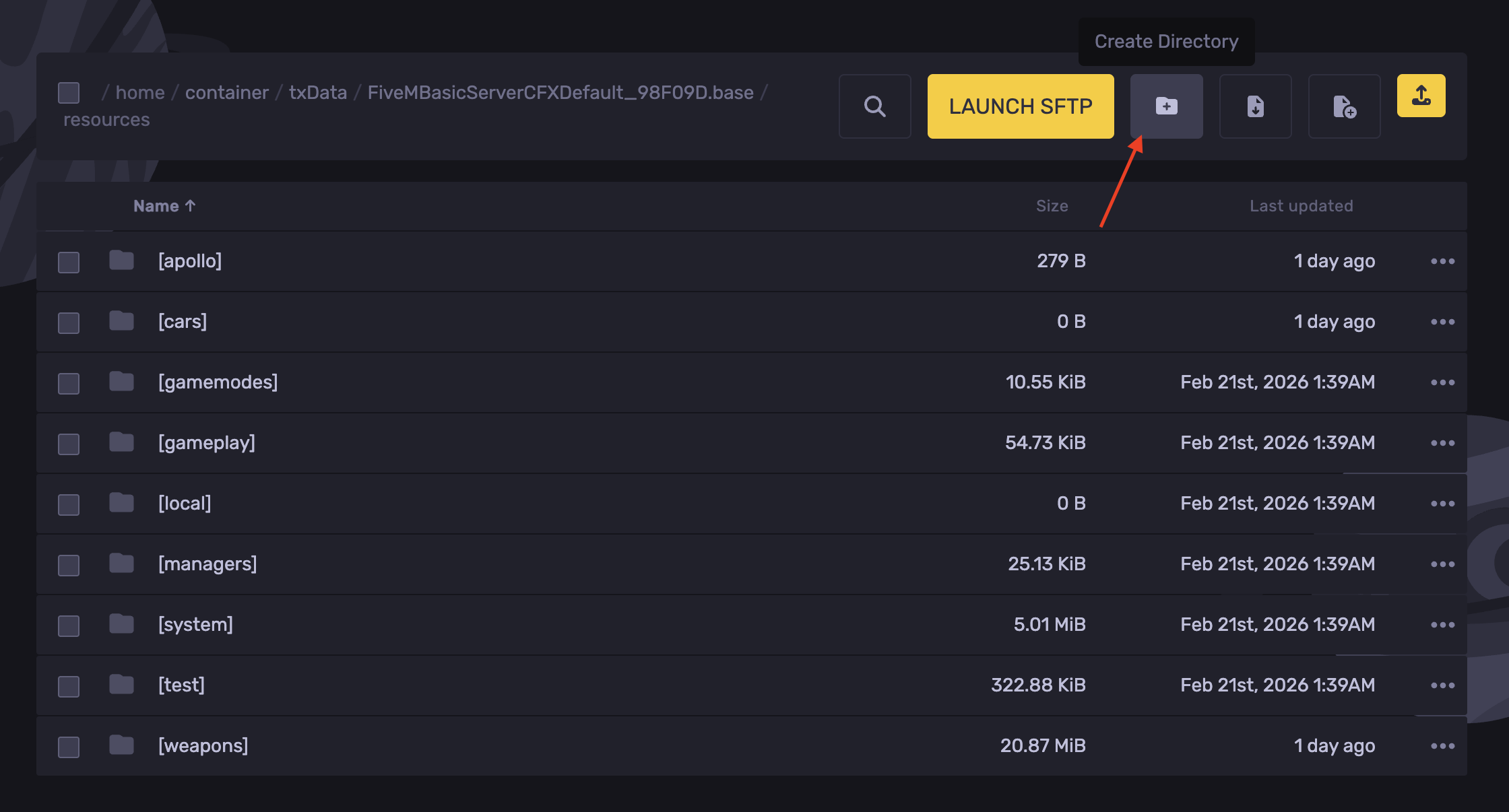
- Upload the folder found in FIVEM in the
[peds]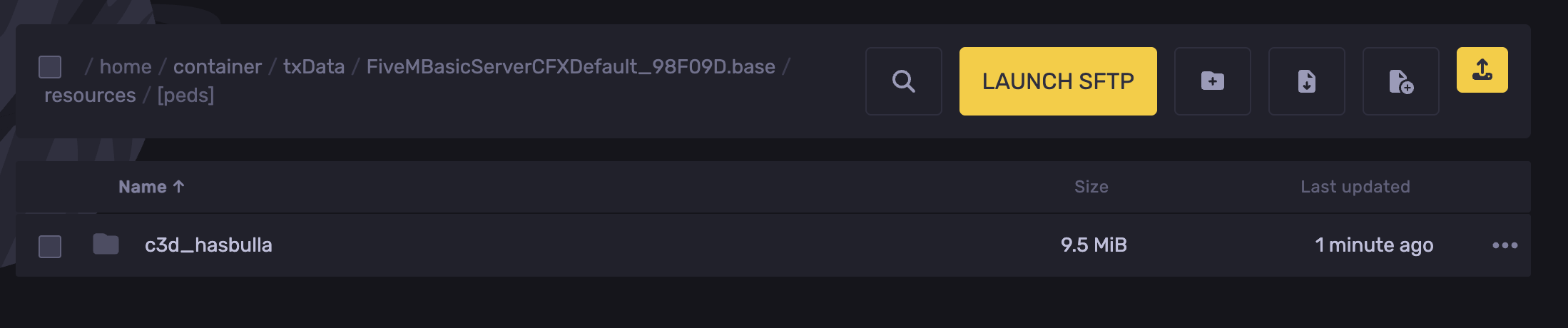
- Start the server.
How to Add Peds - FiveM
If we want to spawn peds, we will need to add them to a menu. For this tutorial, we will be using vMenu. Make sure vMenu is installed first before continuing.
- Open the ped folder, then open the stream folder.
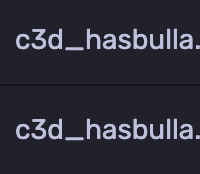
- Copy this name, as it is the name of the ped.
- Navigate to the following directory:
resources/[apollo]/vMenu/config/addons.json
- In this file, we will find a section titled
peds.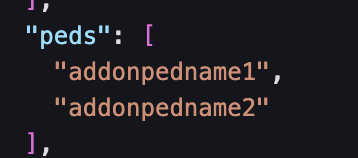
- Replace the addonpedname1 with our copied character's name.
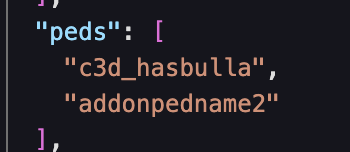
- Hit Save Content.
- Start or restart the server.
Updated on: 12/10/2026
Thank you!