How To Change RuneScape Dragonwilds Difficulty Settings
RuneScape Dragonwilds difficulty settings give players a way to shape the game around how they like to play. Some people want a relaxed survival experience where they can build, explore, and gather without worrying about dying, while others want a real challenge in combat and bosses. Changing the difficulty also helps groups of friends find a balance that works for everyone, so newer players don't feel stuck, and veterans don't get bored. In the end, it's about making the game more fun for your own playstyle.
Changing Difficulty
- Launch Dragonwilds and create a new world with your chosen difficulty.
- Join the world and make sure everything looks correct locally.
- Exit the world.
- Navigate to the following directory:
%localappdata%/RSDragonwilds/Saved/SaveGames
- Locate the
.savfile.
- Access the Apollo Panel.
- Stop the server.
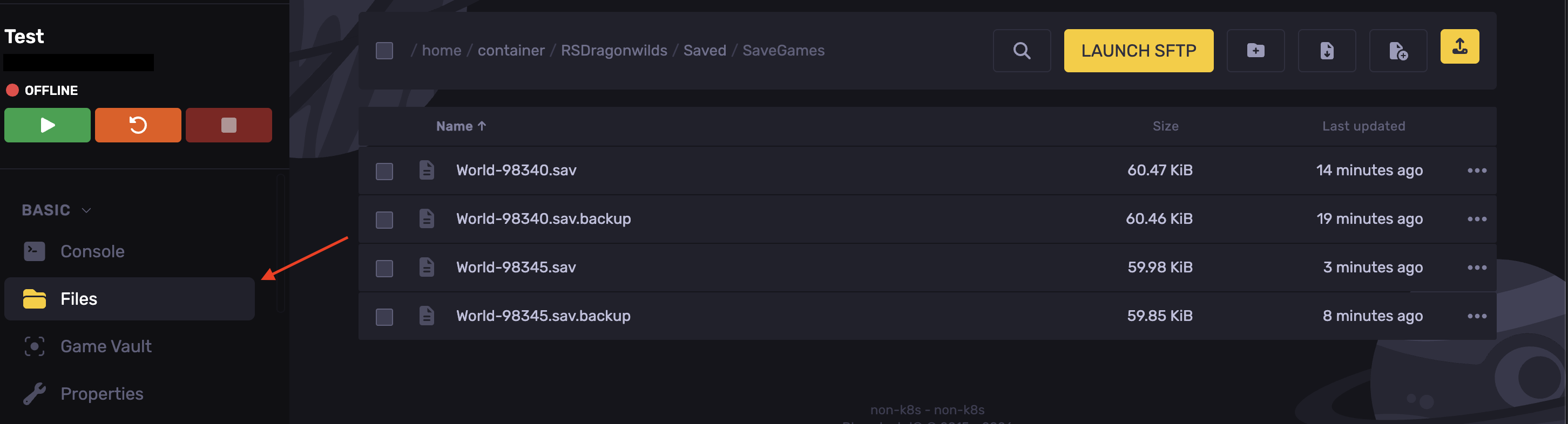
- Go to the Files tab.
- Navigate to the following directory:
RSDragonwilds/Saved/SaveGames
- Upload the
.savfile
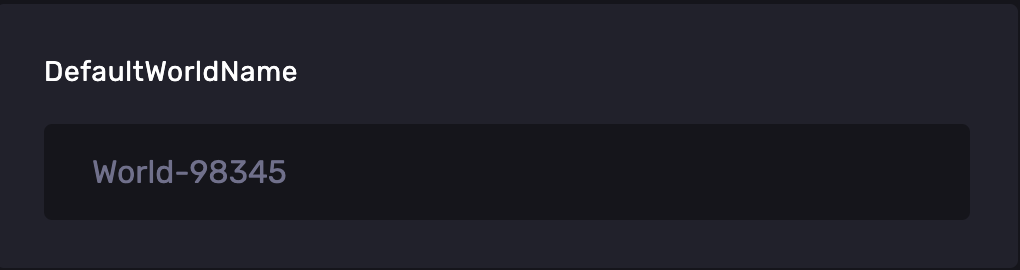
- Head over to the Properties tab.
- Change the DefaultWorldName field to match your uploaded world.
- Start the server and connect.
Updated on: 08/10/2026
Thank you!