How To Download A Runescape Dragonwilds World Save
A RuneScape world save is what holds your progress in Dragonwilds, and it matters because it's what lets you move between setups, back things up, or pick up where you left off elsewhere.
Downloading A Runescape Dragonwilds Save
To download a Runescape Dragonwilds Save:
- Access the Apollo Panel.
- Go to the Files tab.
- Navigate to the following directory:
RSDragonwilds/Saved/SaveGames - Right-click the desired save.
- Hit Download.
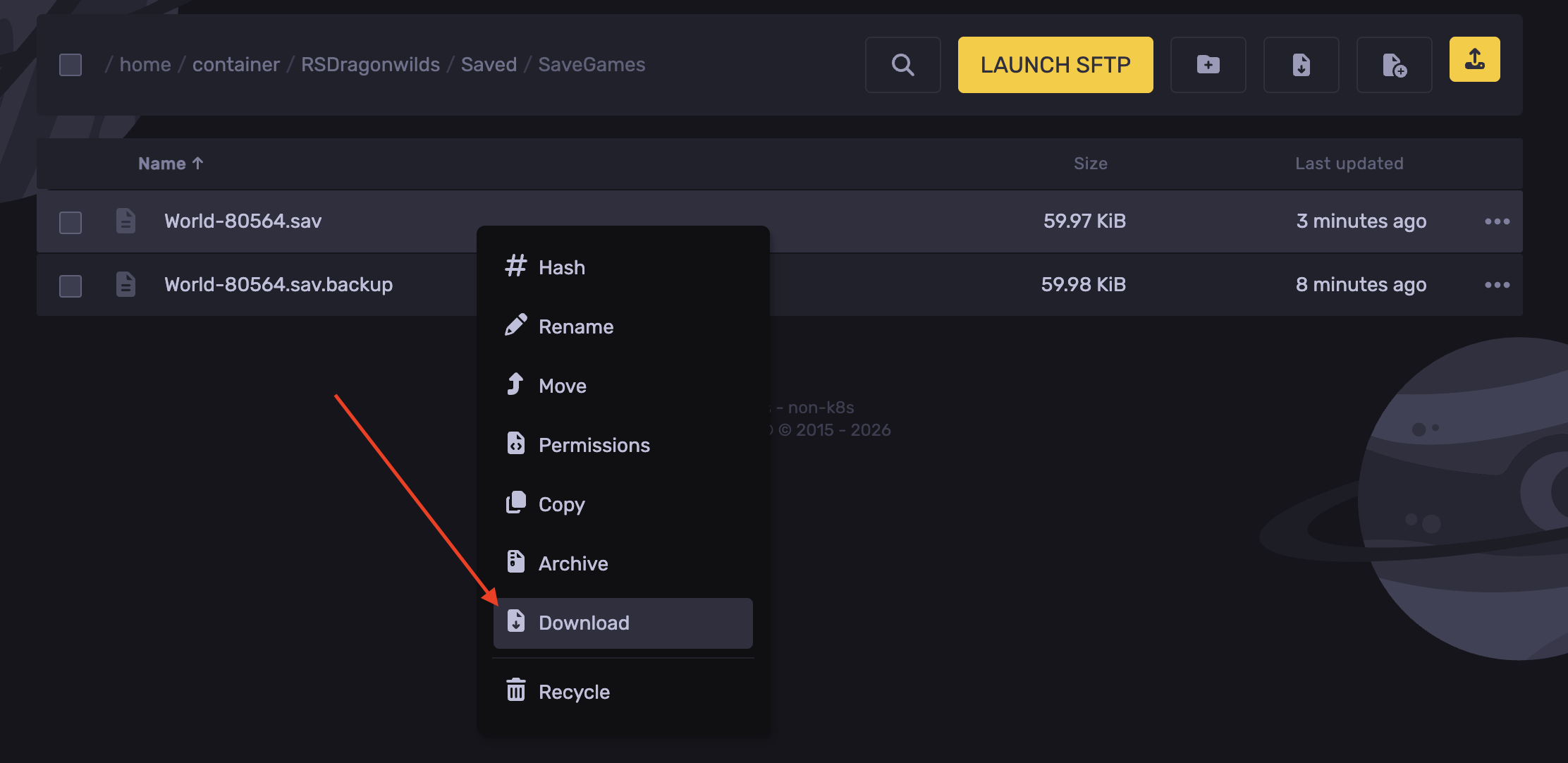
- You've now downloaded the world save!
Updated on: 08/10/2026
Thank you!