Runescape Dragonwilds New World Setup Explained
A RuneScape Dragonwilds new world is a fresh start in Ashenfall, the forgotten continent of the RuneScape universe, where you can craft gear, level your skills, and take on the dragon queen. Each world has its own map, progress, and rules, so you can shape the co-operative survival adventure however you and your friends like, on your own game or on dedicated servers.
Setting Up A New World On Your RuneScape Dragonwilds Server
If custom settings are needed. Refer to this guide.
- Access the Apollo Panel.
- Stop the server.
- Go to the Files tab.
- Navigate to the following directory:
RSDragonwilds/Saved/SaveGames
- Right-click and install the old
.savfile.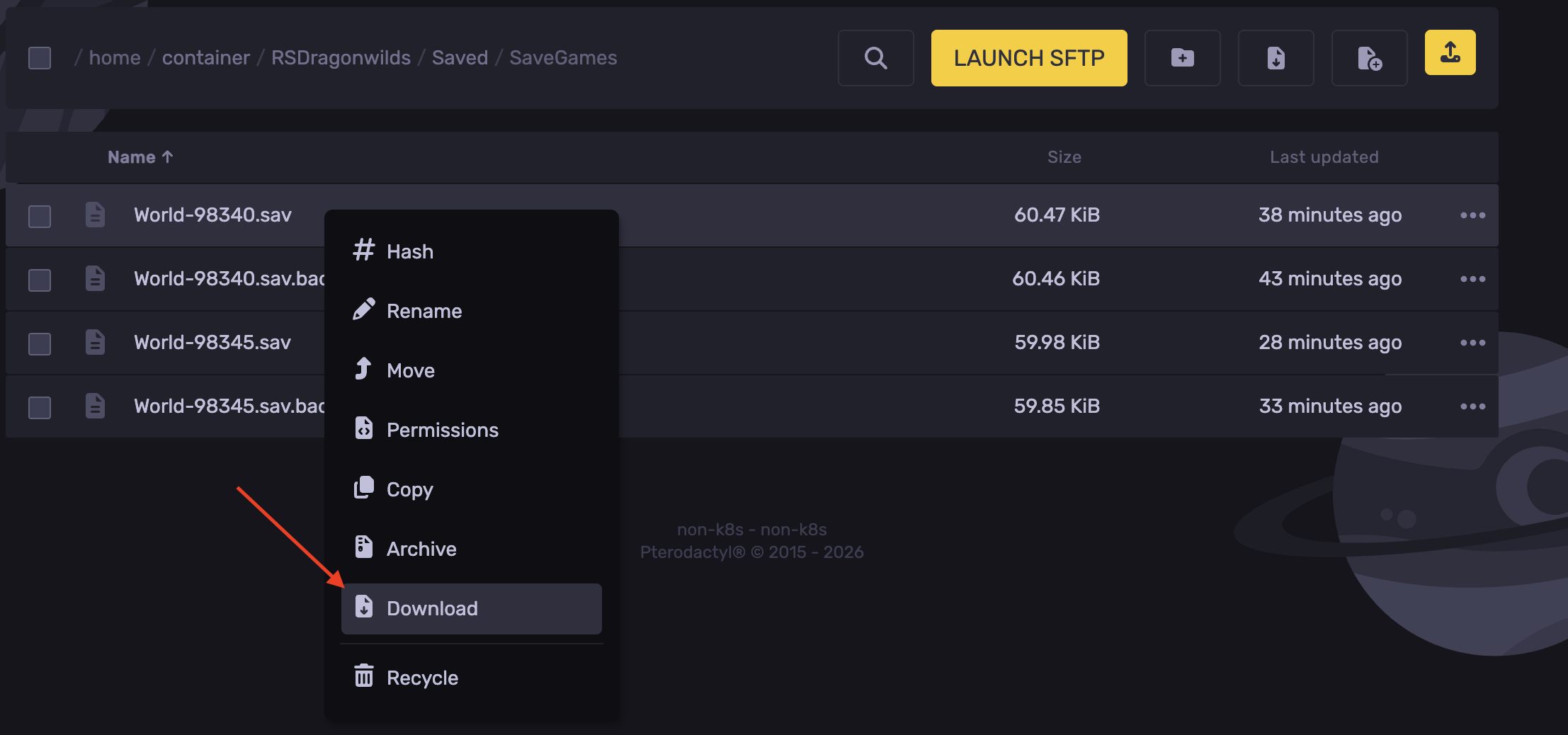
- Head over to the Properties tab.
- Change the DefaultWorldName field to your new world name.
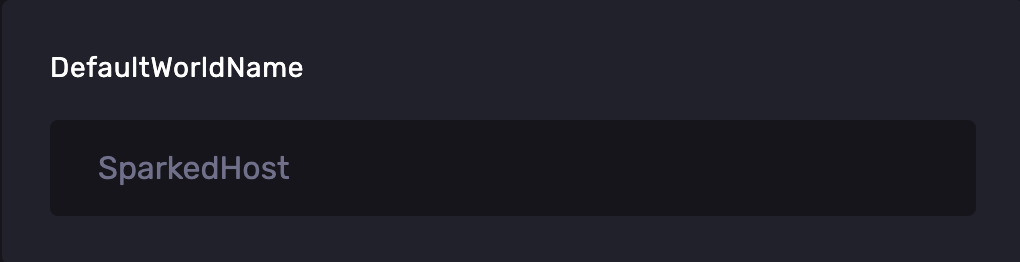
- Start the server and connect.
Setting Up A New World On Your RuneScape Dragonwilds Game
To setup a new world on RuneScape Dragonwilds:
- Launch Dragonwilds and click Create World.
- Pick a world mode: Standard, Creative, or Custom.
- Choose your difficulty: Normal or Hard.
- Enter a world name.
- Turn Friendly Fire on or off.
- Confirm your settings and enter the world.
Updated on: 08/10/2026
Thank you!