How to Make a Database for FiveM Server
How to Make a Database for FiveM Server
When managing your FiveM server hosting, you might want to create a database to store:
- Player Data
- Bank Accounts
- Property Information
- And much, much more...
In this guide, we’ll walk you through the entire process of creating and configuring a database for your FiveM server hosting to store this information.
Setting Up The Database
To make a database for your FiveM server:
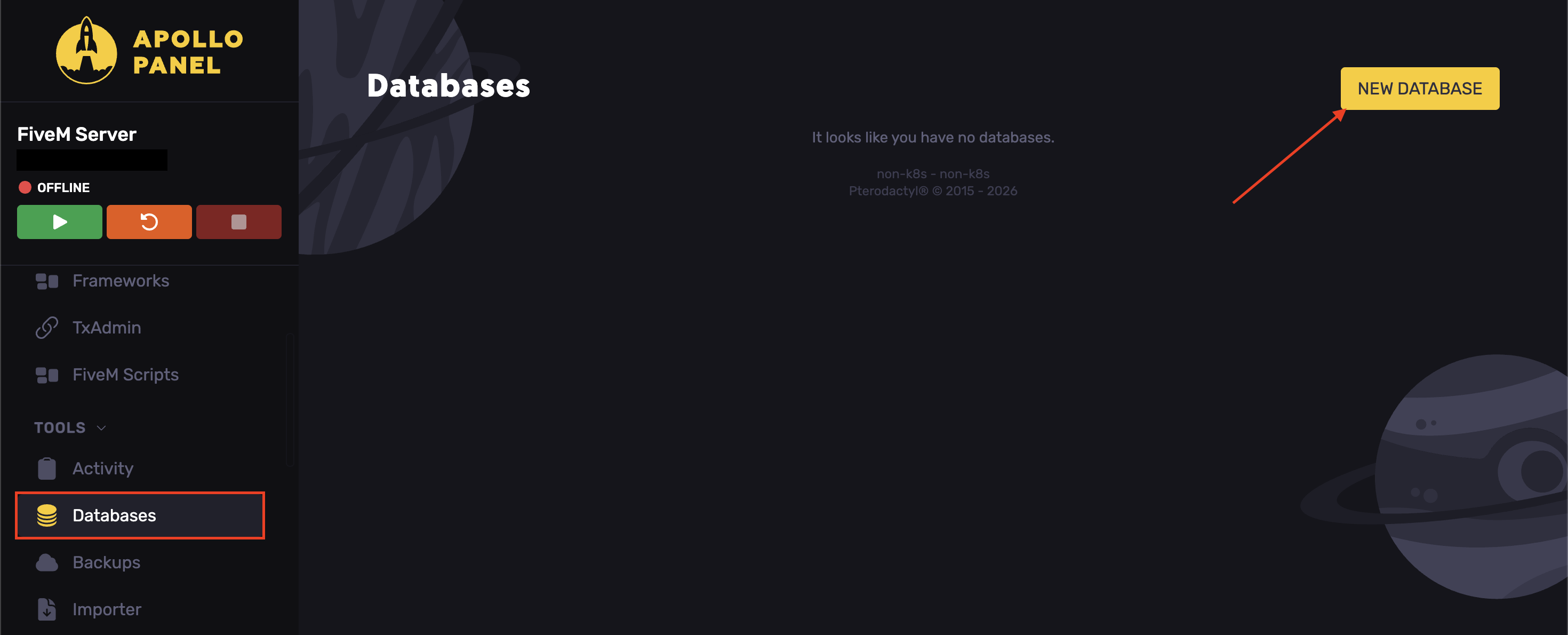
- Access the Apollo Panel.
- Navigate to the Databases tab.
- Click on New Database.
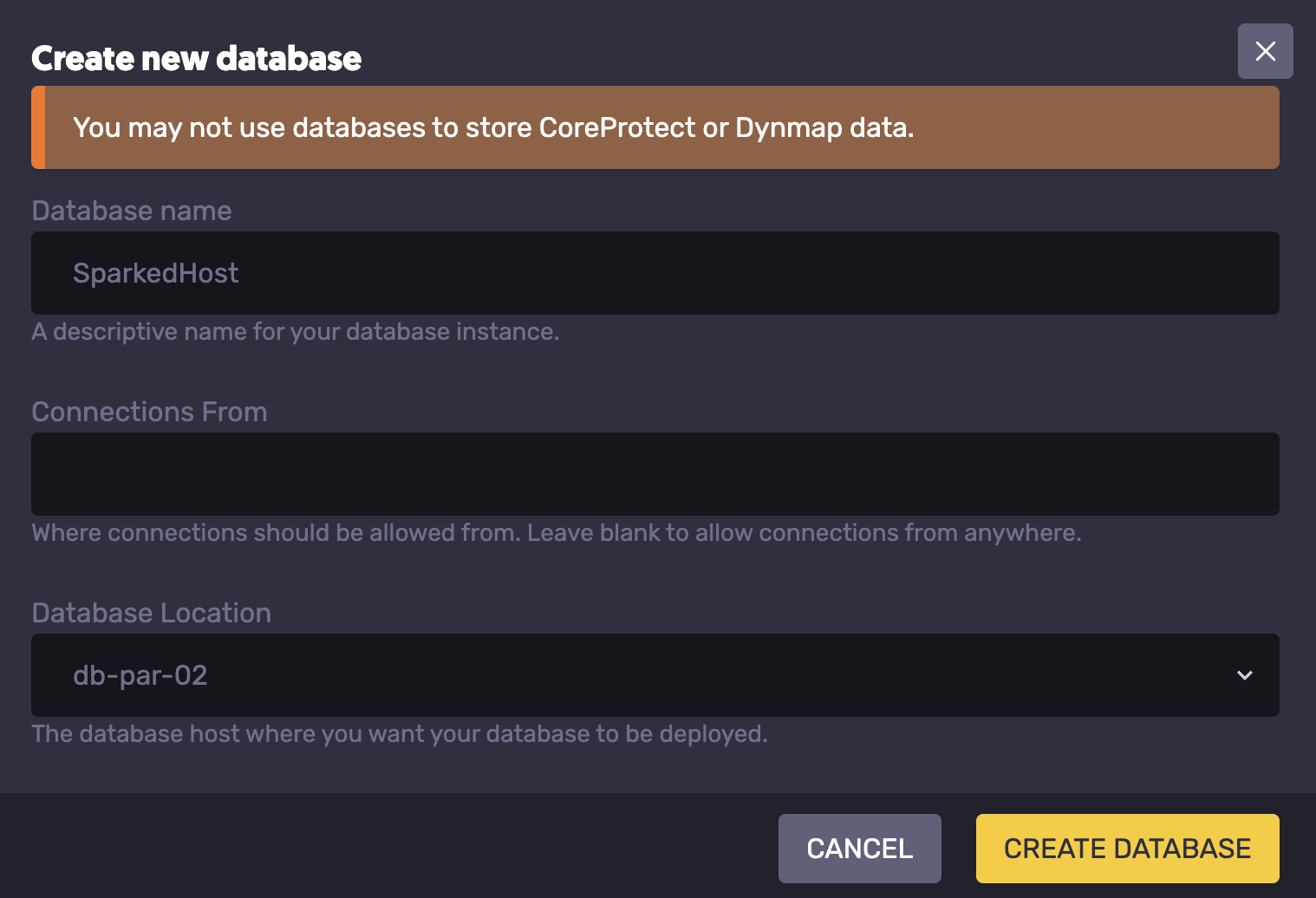
Once you click the "New Database" button, you will then get a pop-up that will ask you for the following:
- Database Name: Pick a database name that is distinct from your other databases.
- Connections From: The connections from field is typically left blank to allow connections from anywhere. Do not change this setting unless the plugin you are adding explicitly tells you to.
- Database Location: The database location is important. The location should match your FiveM server to reduce database latency. The database locations will have the same location prefix as the node name shown in the settings tab. For example, p-dtx means your server is in Texas, so you will want a database named dtx.
Connecting to phpMyAdmin
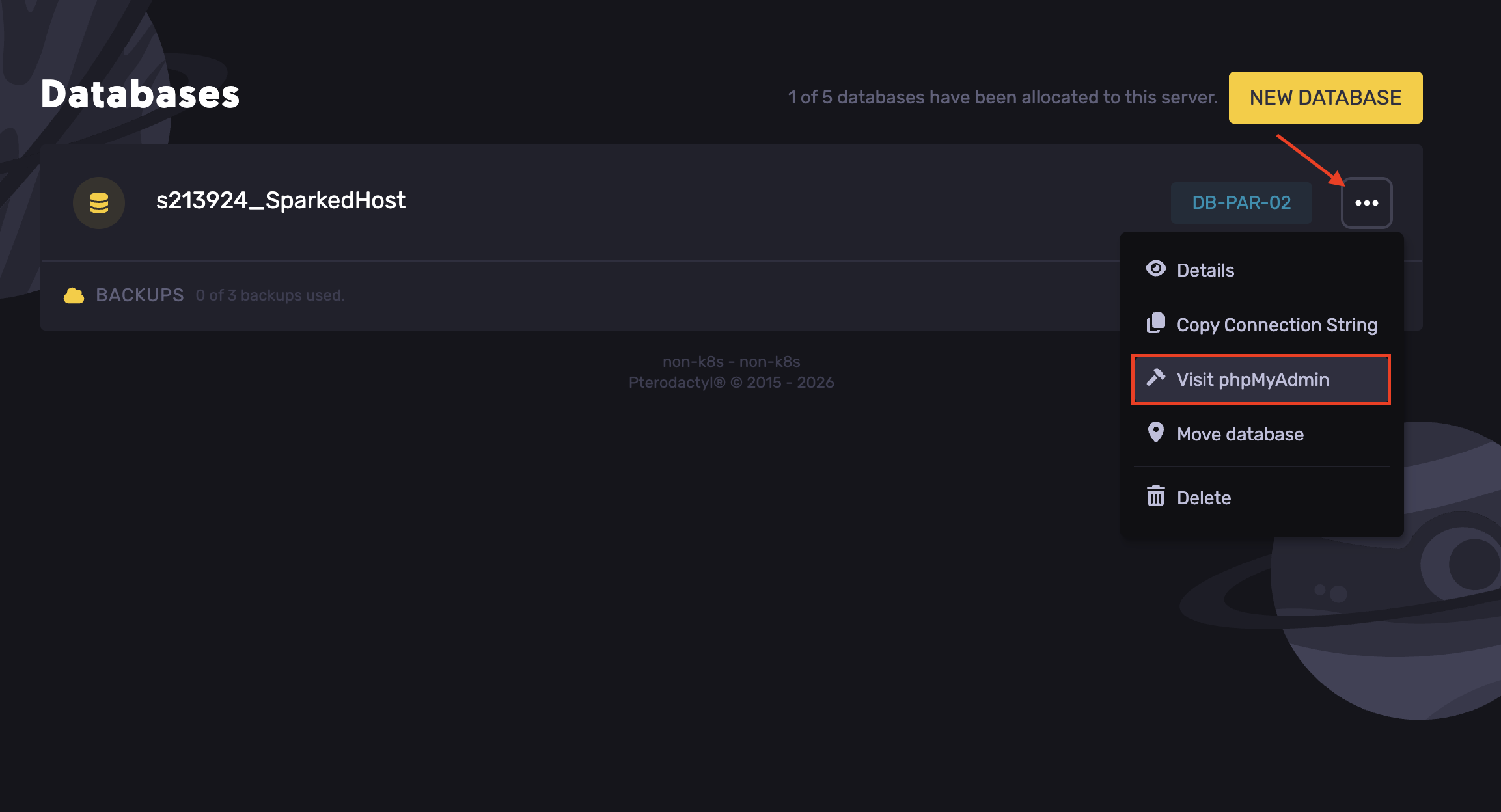
phpMyAdmin is used to create, set up, edit, delete, and manage databases, among other tasks. To connect to phpMyAdmin, navigate to the Backups tab.
- Click on the 3 dots of your Database and select "Visit phpMyAdmin"
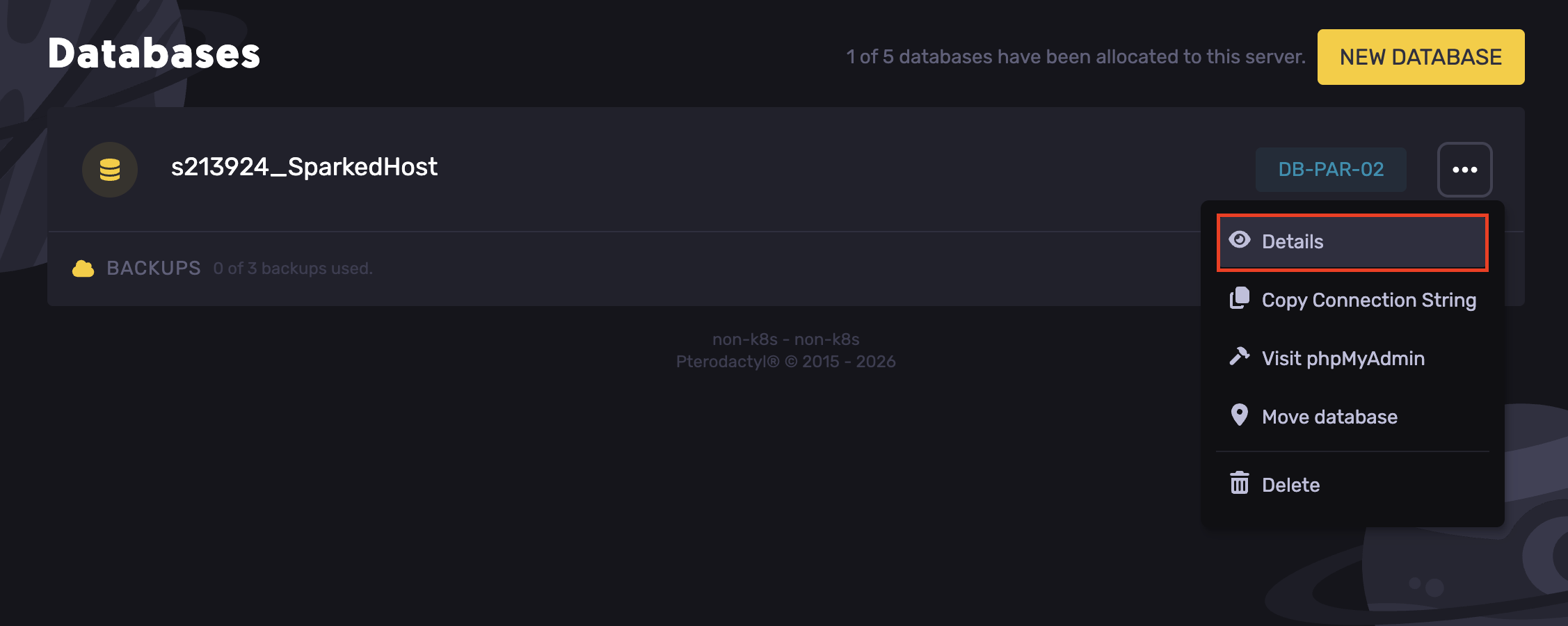
- Click on the "Details" option to find the credentials.
How to Get SQL Files into Your FiveM Database
To upload SQL files to your FiveM database, you will need to follow the steps above under "How to connect to your phpMyAdmin". Once you have logged in, your page will look something like this.
- Select Import.
- Click on the Choose File button.
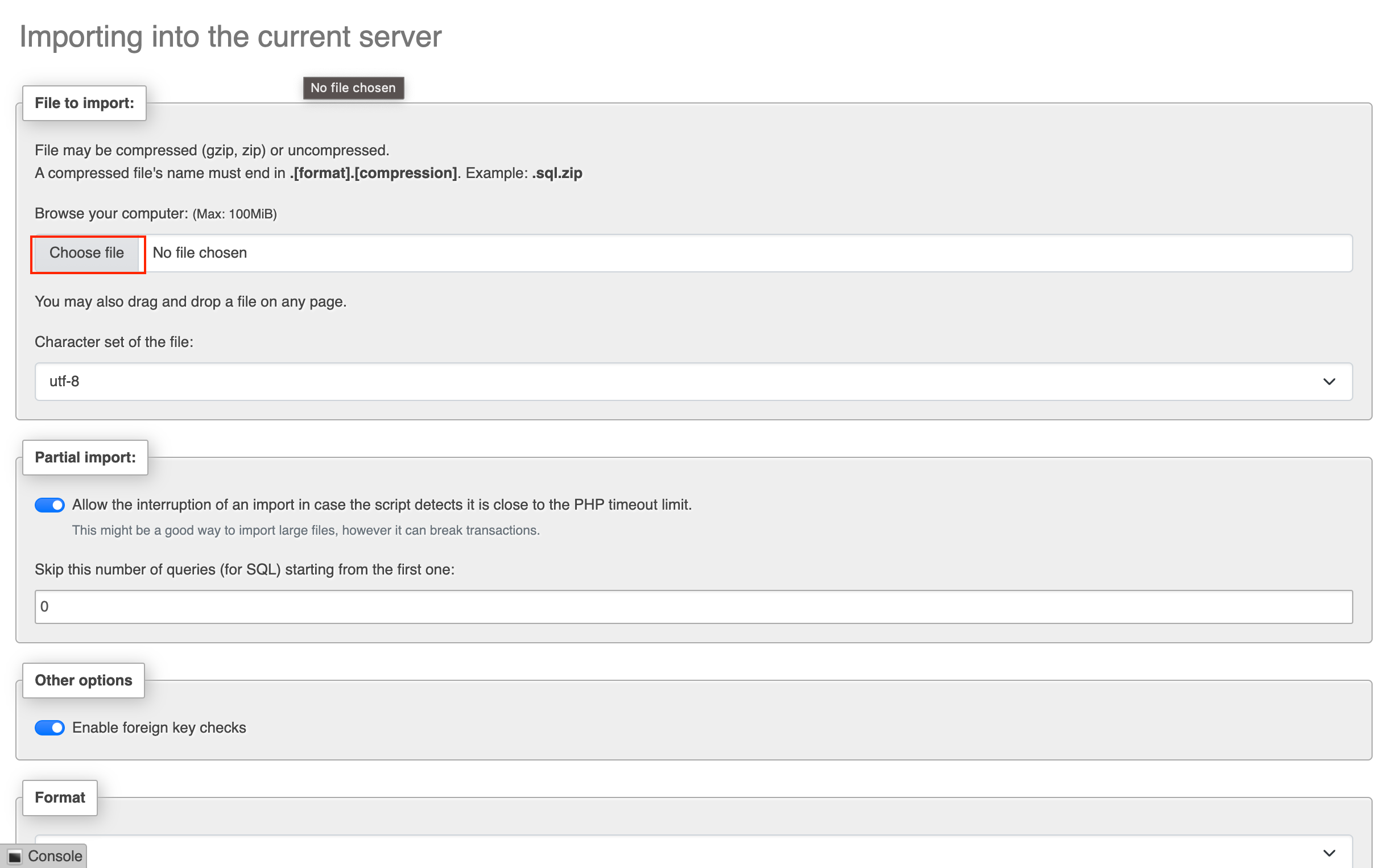
- There are options underneath that you can modify at your discretion. Then scroll to the bottom to find the import button.
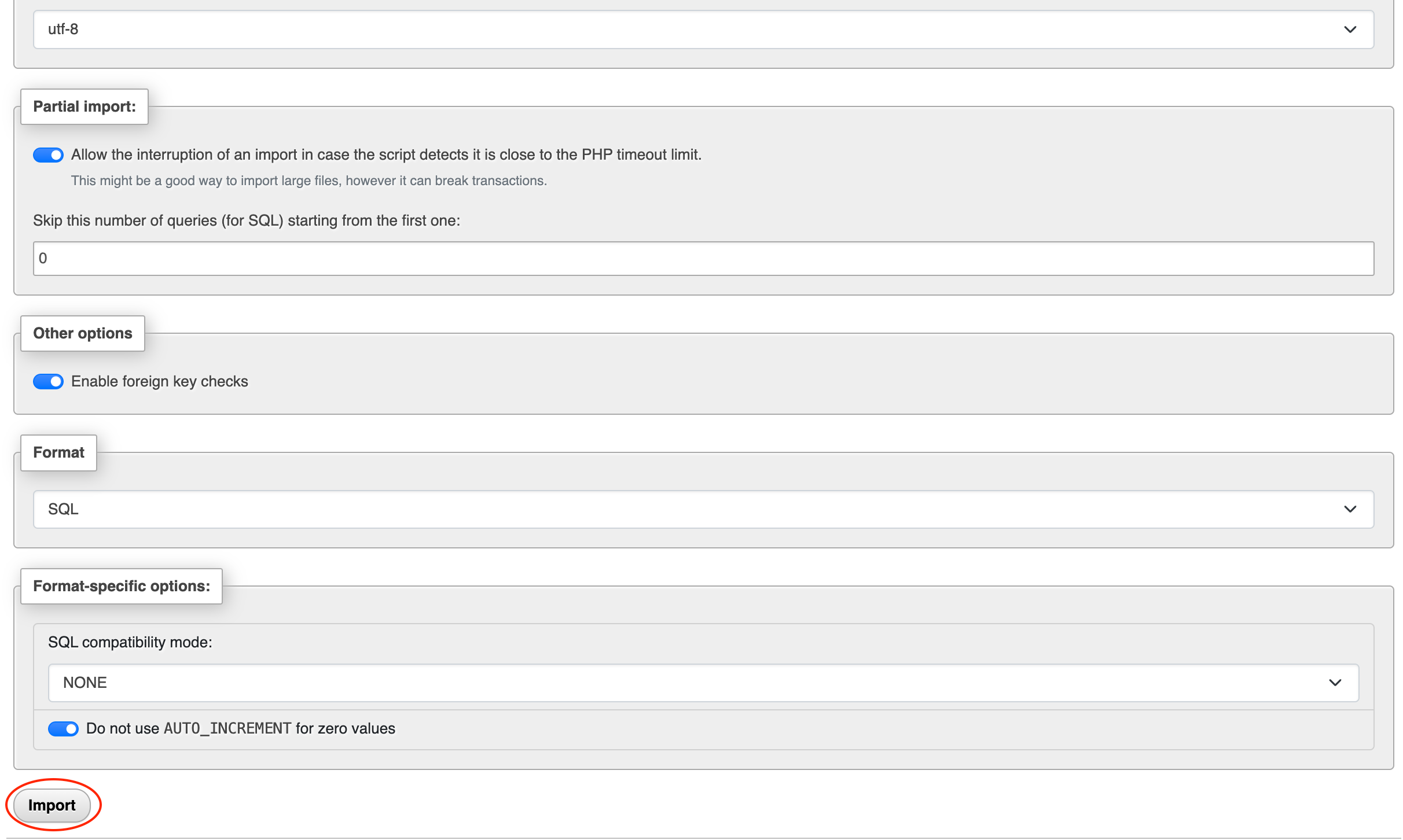
- Click this button to start uploading your SQL files.
Fixing Common FiveM Database Errors
"Unable to establish a connection to the database!"
If you are unable to connect to your database, head back to the details tab and ensure you have the correct endpoint and port. As well as the correct Username and the correct password. If you are still having problems, try another software or method. If you are still having problems, please create a support ticket, and we will look into it for you.
"Error 1049 Unknown Database"
If you are encountering this problem, the server cannot access the database because it doesn't exist. This may be because of a config issue, or the database may have been deleted. There isn't a simple fix for this; you will first need to ensure the database exists. If it does, you will need to reinstall your server or any add-on software you have installed. If the database does not exist, you will need to create it again.
Updated on: 17/07/2026
Thank you!