How to Transfer a Server's Location
How to Transfer a Server's Location
Transferring a server’s location lets you move it to a different location for better performance, lower latency, or improved reliability.
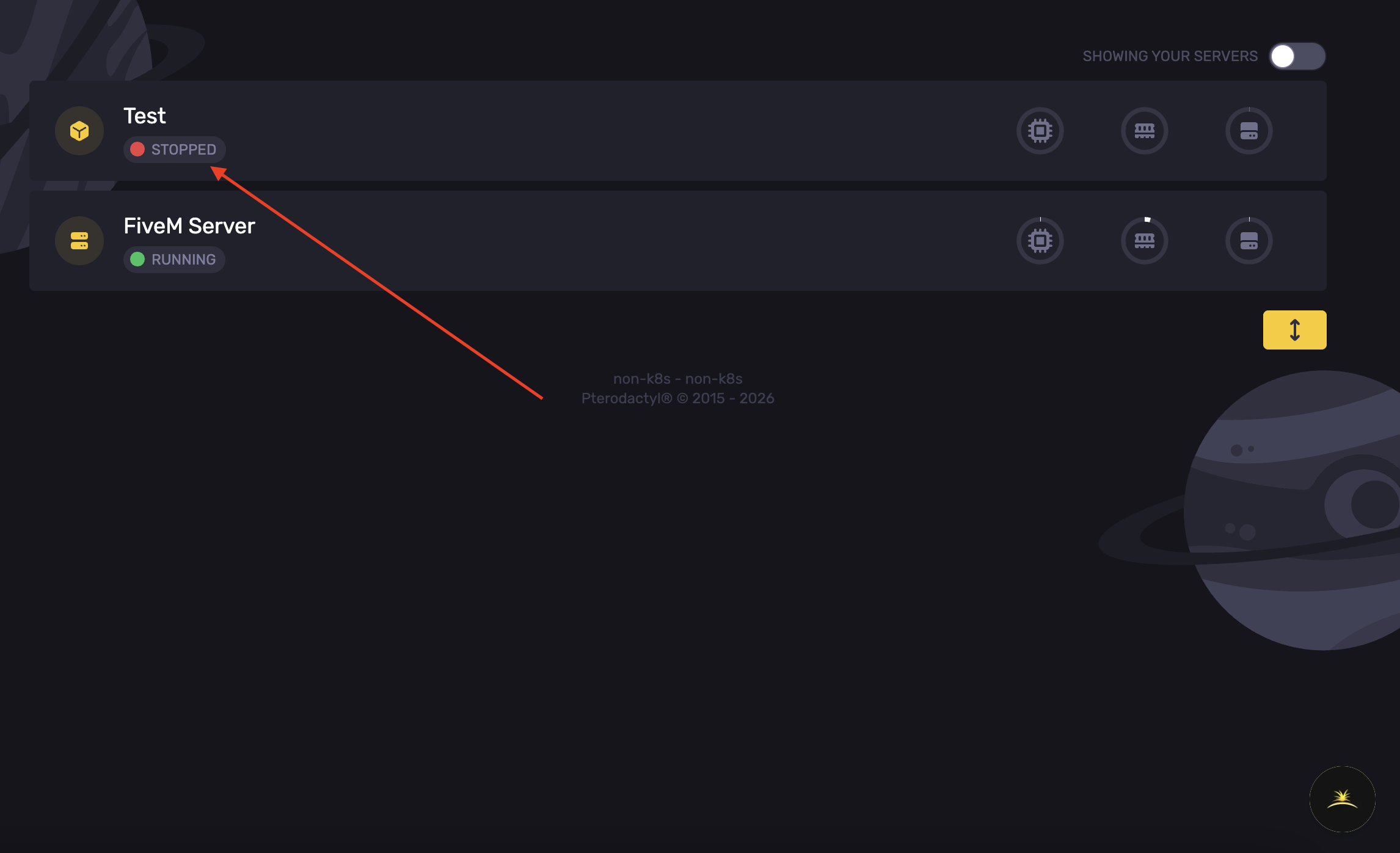
- Open the Apollo Panel.
- Choose the desired service.
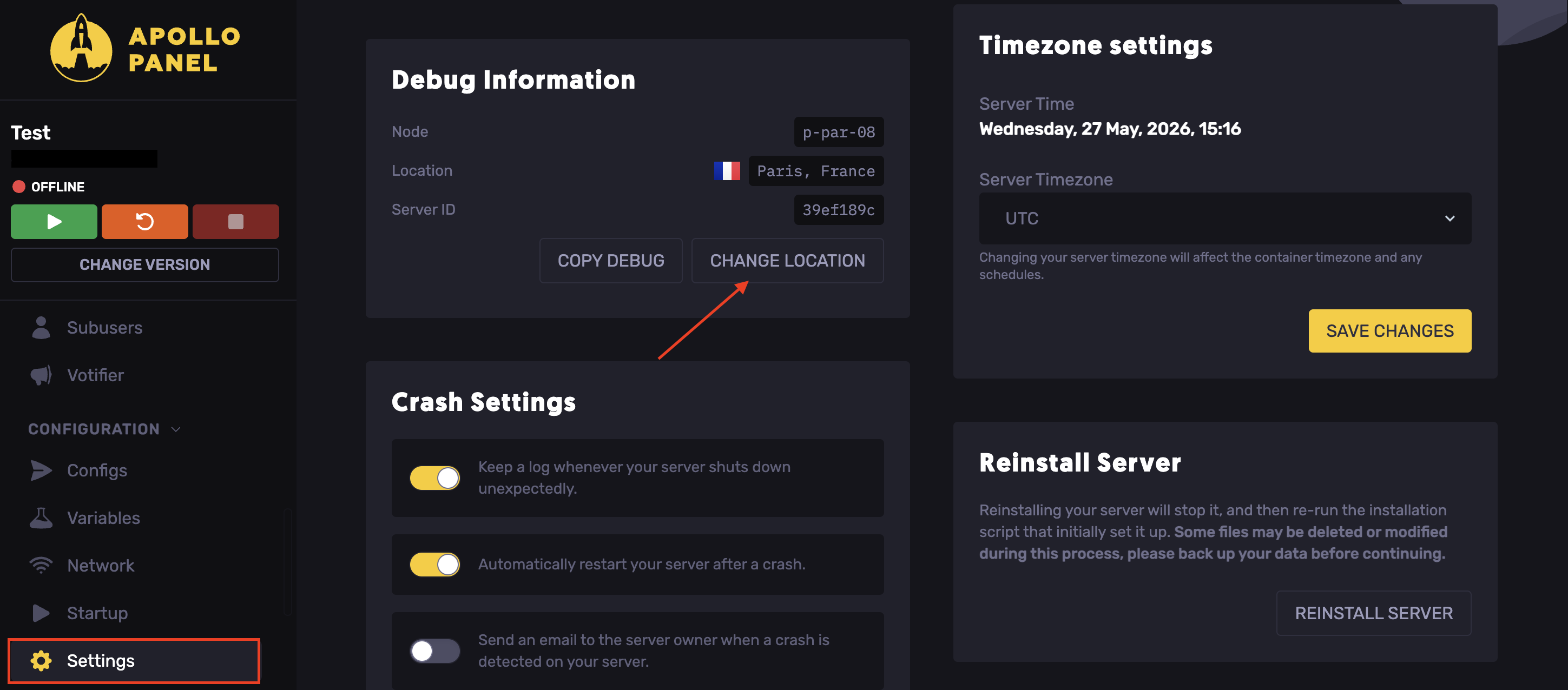
- Navigate to the Settings tab.
- Click Change Location.
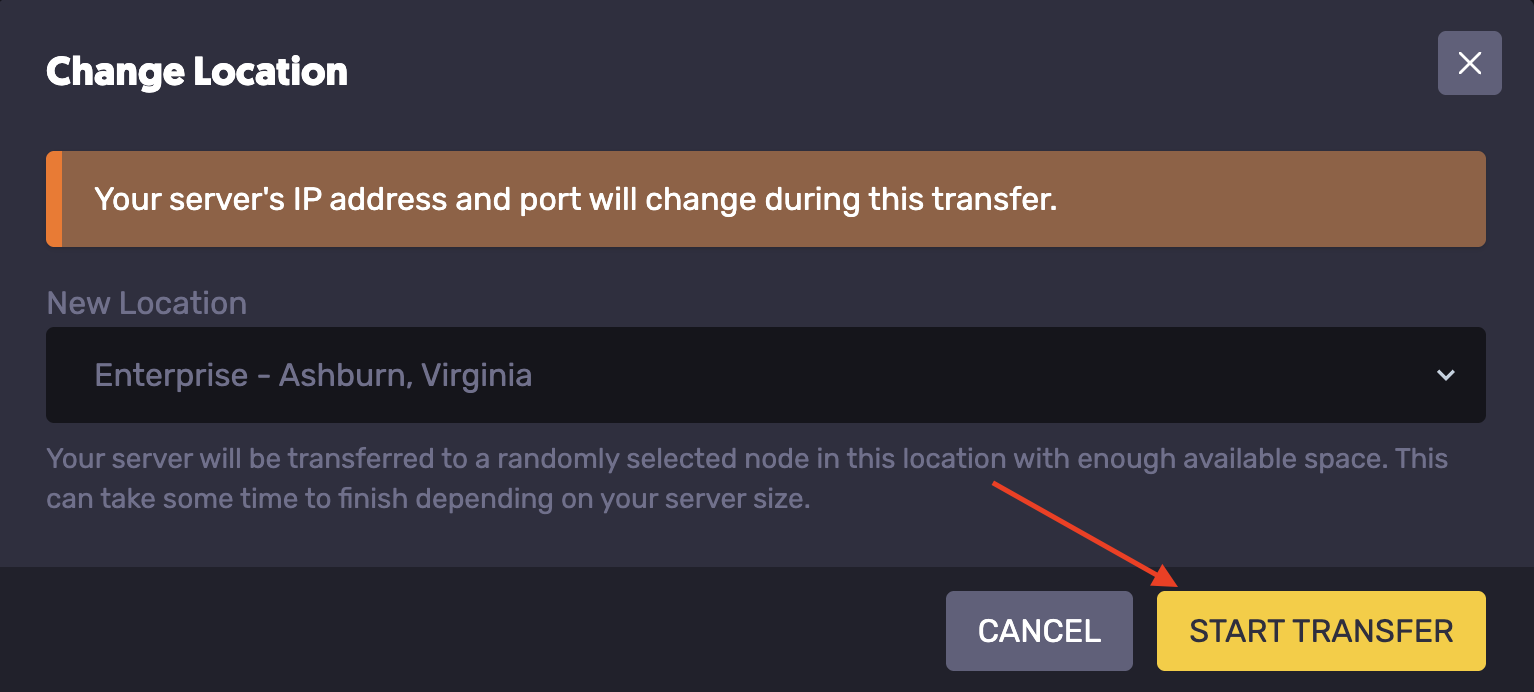
- Select the desired location.
- Hit Start Transfer.
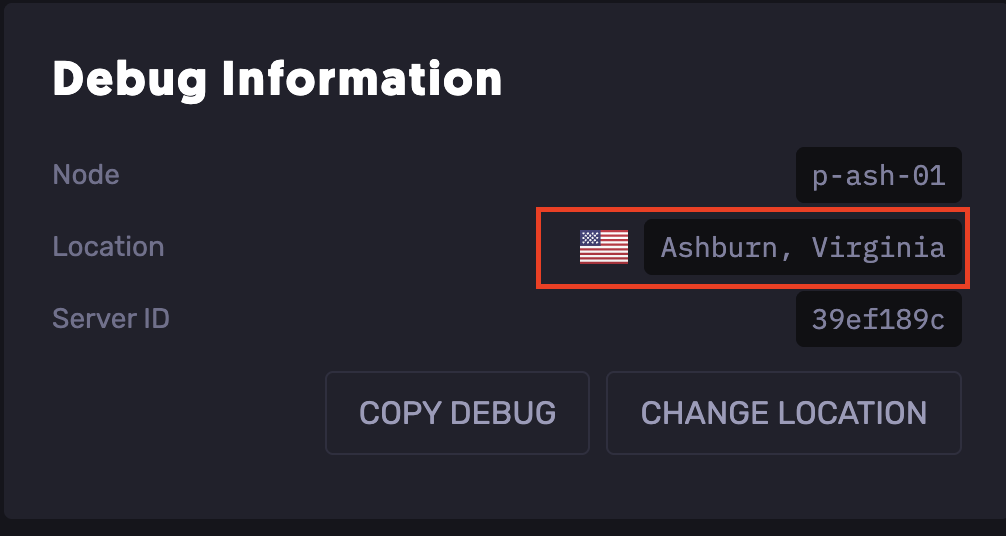
- Once the transfer is completed.
- Head over to the Settings tab.
- In the Debug Information field**,** check the server's current location to confirm that the transfer was successful.
Updated on: 30/05/2026
Thank you!