How to Change FiveM Server Region, Language & Tags
How to Change FiveM Server Region, Language & Tags
Selecting the server flag for your FiveM server is vital. By setting the correct location in your server configuration file, your server will display the correct locale in the FiveM client.
This guide will show you how to set different languages and flags in your server config so your community is shown to the right players.
How to Change FiveM Region & Language
To change the region & language of your FiveM server:
- Open the Apollo Panel.
- Stop the server.
- In the Files tab, open the
server.cfgfile.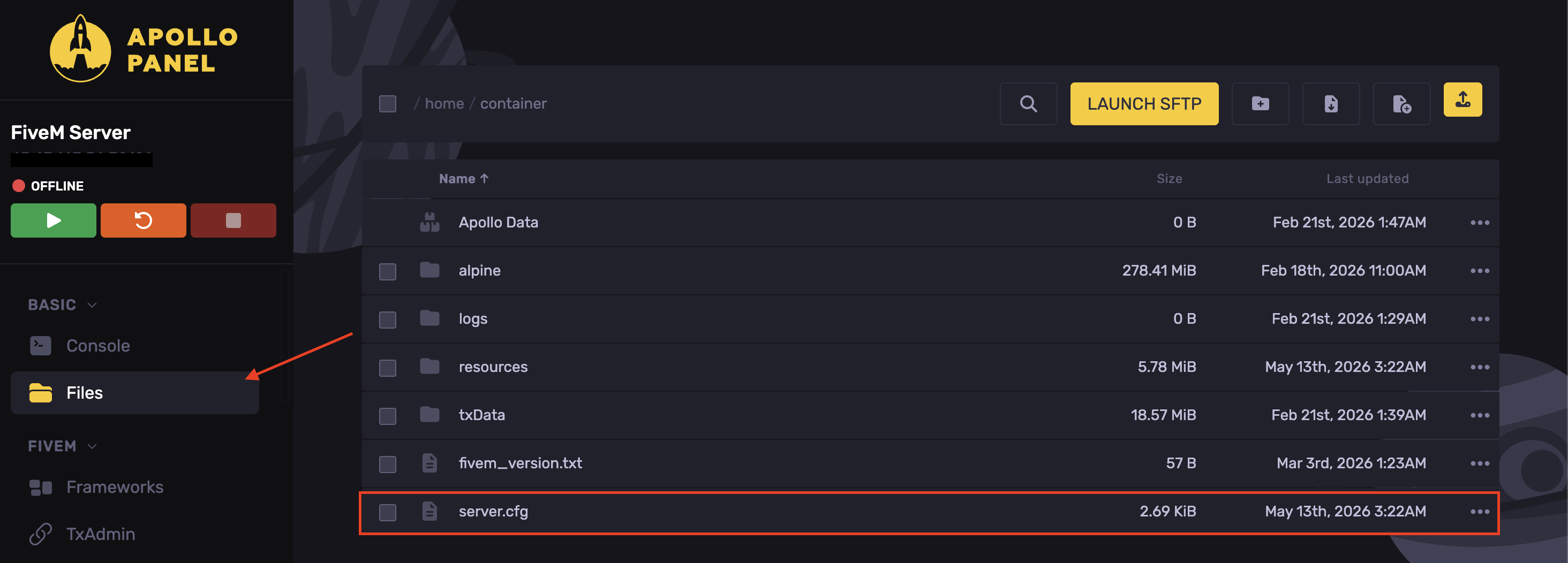
- Find the line
sets locale
- The command is
sets locale "language-REGION"so for example, to set the country flag to the USA and the language to English, the line will besets locale "en-US"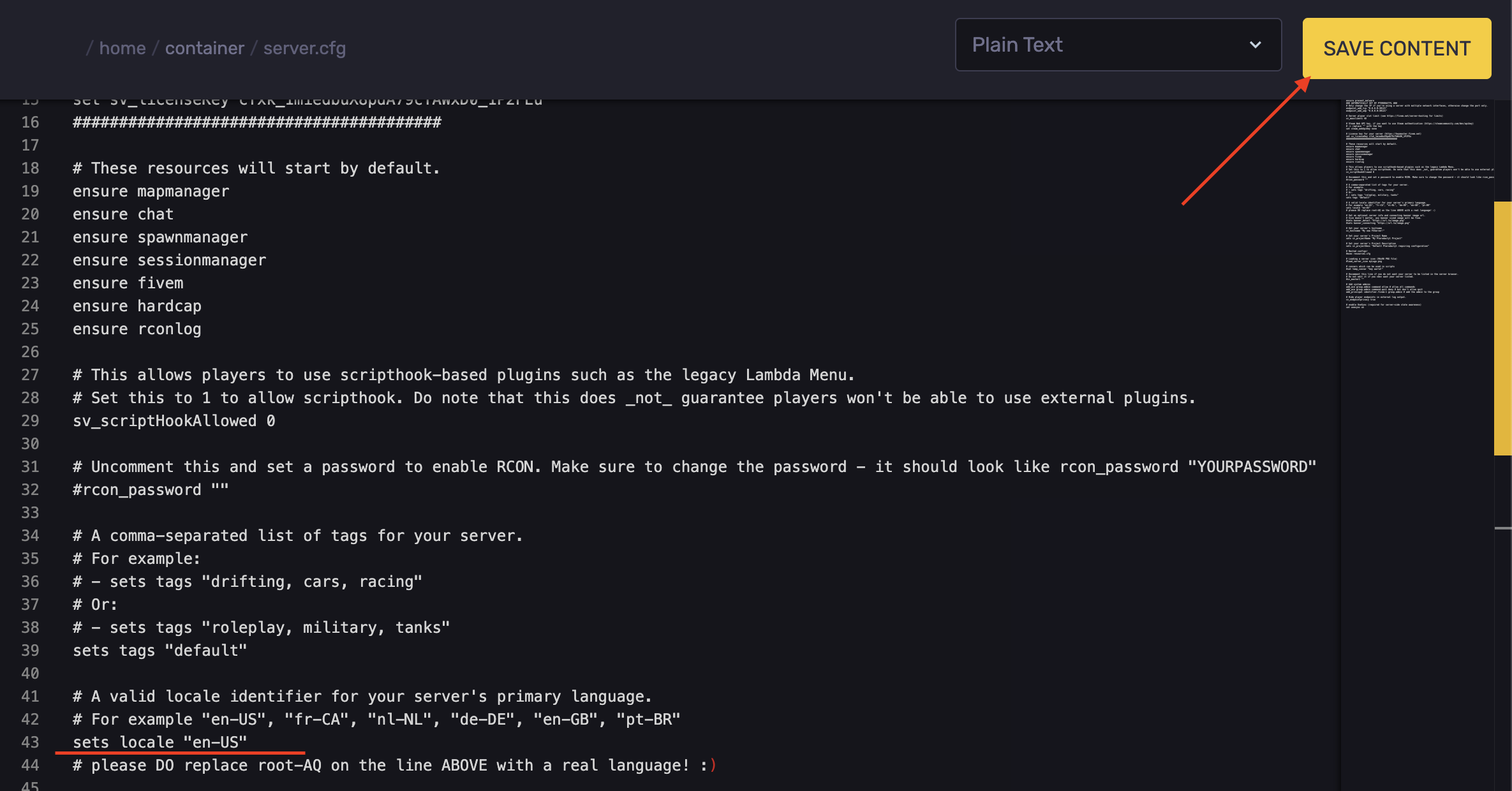
- Hit Save Content.
- Pick the location you want to set your language and locale to. Below is a list of common locales option settings that you can use to set your server flag and language.
Country Flag | Language | Command |
|---|---|---|
Germany | German | de-DE |
USA | English | en-US |
Canada | French | fr-FR |
Australia | English | en-AU |
United Kingdom | English | en-GB |
Netherlands | Dutch | nl-NL |
Provided is a list from Oracle of additional language/country codes. |
How to Change FiveM Server Tags
In the server browser, you might want your server's tags to be more descriptive.
To change a FiveM server's tags:
- Open the Apollo Panel.
- Stop the server.
- In the Files tab, open the
server.cfgfile.
- Find the line
sets tags "default"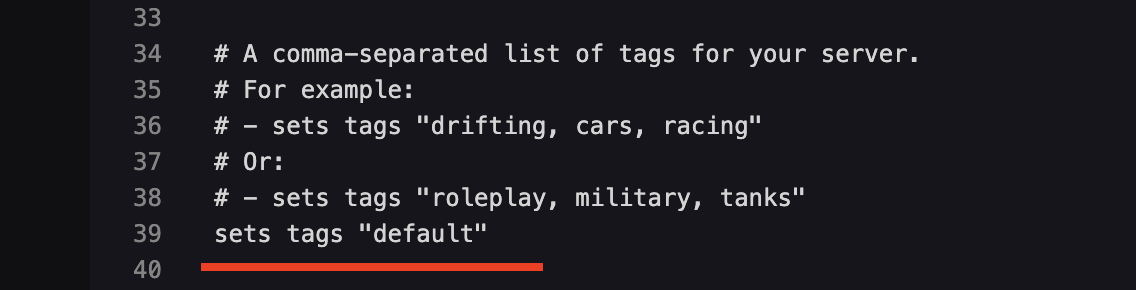
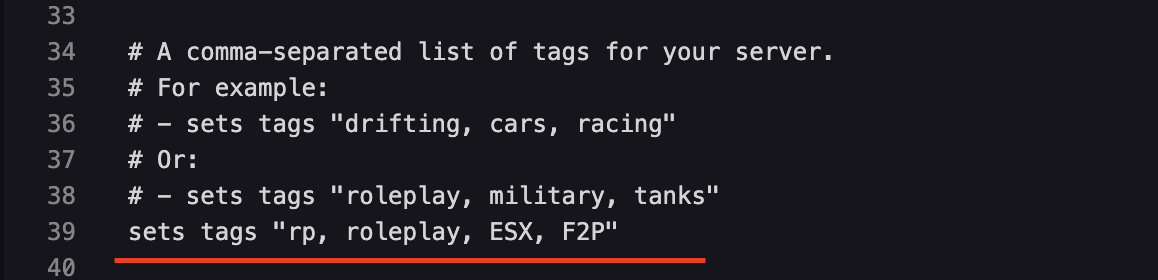
- Adjust the tag using whatever you'd like. Just make sure that each entry you add to the tags line is separated by a comma and a space. (Example: ***`***sets tags "rp, roleplay, ESX, F2P")
Updated on: 08/10/2026
Thank you!