How to Install VMenu - FiveM
How to Install VMenu - FiveM
vMenu is a server-side, permissions-based menu for FiveM that allows server owners to easily administer their servers. If you are trying to add users as administrators, ban and kick players, or manage aspects of the map, you should consider adding this script to your FiveM server. You can also:
- Set Health and Wanted Level
- Save Cars
- Customize Your Character
- And more...
Whether you're using Sparked Host's easier method via. Whether you're using Apollo Panel or performing a manual installation, this guide will walk you through the process step by step.
Installing VMenu Using Apollo Panel
To install VMenu on your FiveM server using Apollo Panel:
- Open the Apollo Panel.
- Stop Your FiveM Server.
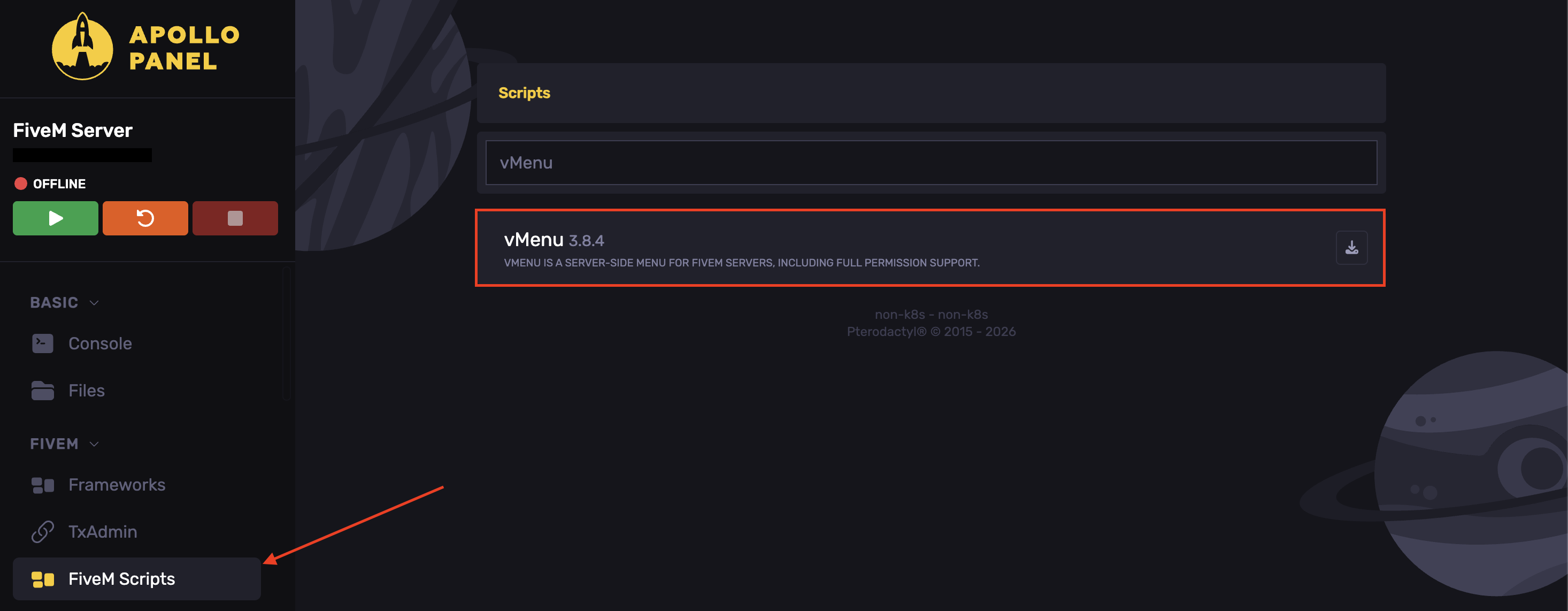
- Navigate to the FiveM Scripts tab.
- Search for VMenu.
- Hit Install plugin.
- Start the server.
Installing VMenu Manually
To install VMenu on your FiveM server manually:
- Download vMenu.
- Extract the .zip file installed.
- Open the Apollo Panel.
- Stop Your Server.
- In the Files tab, head over to the
resourcesfolder.
- Create a folder named
vMenu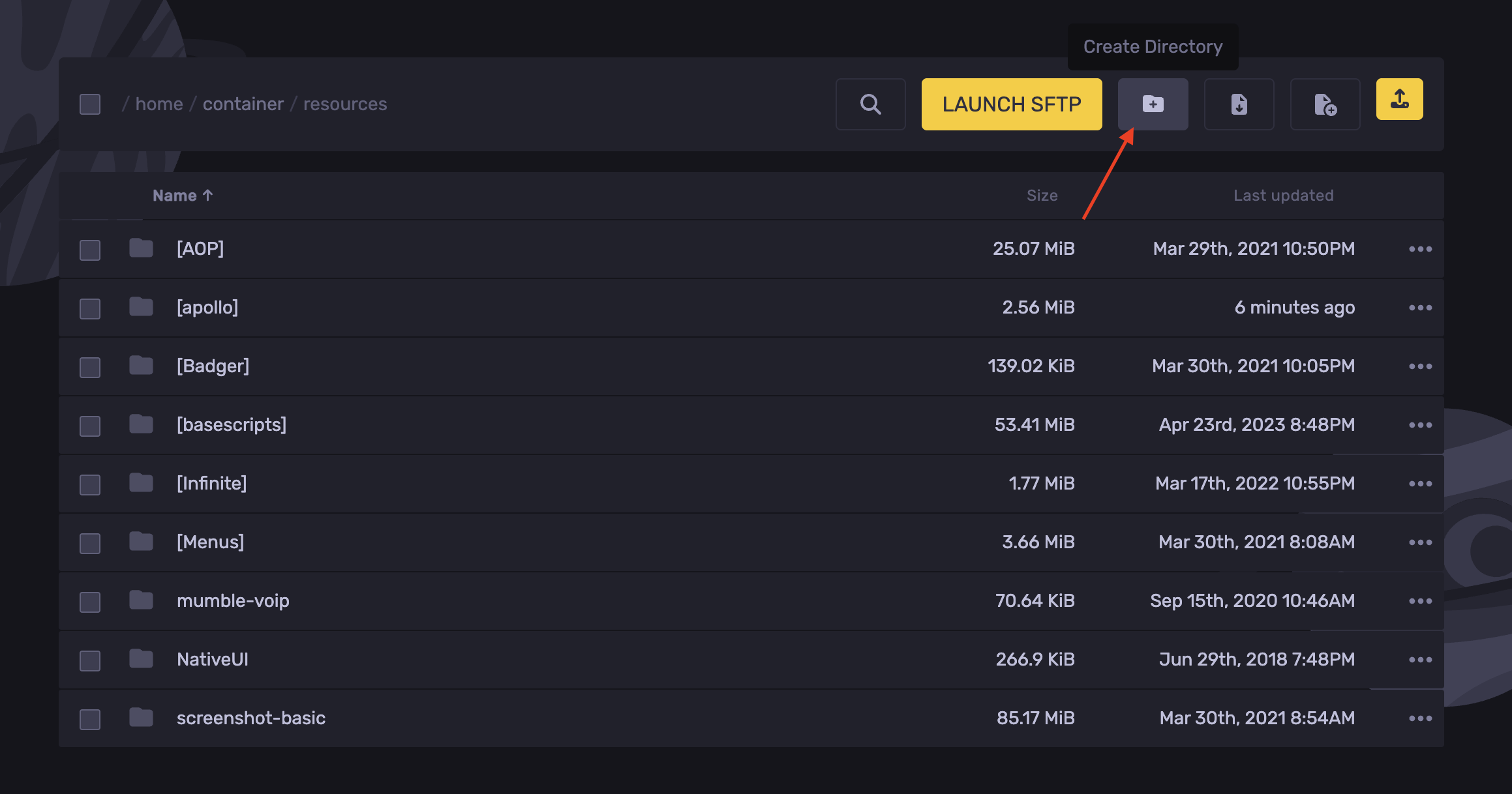
- Upload the extracted assets.
- Navigate to the following directory:
/resources/vMenu/config
- Open the
permissions.cfgfile. Adjust the variables to fit your server's requirements. After making changes, click the save button in the bottom-right corner.
- Open the server.cfg file and add the following lines:
exec @vMenu/config/permissions.cfg
    ensure vMenu
- Hit Save Content.
- Start the server.
How to Configure VMenu
Once installed, most menus should be accessible without additional configuration. By default, vMenu is set up with general permissions for all players, with administrator/moderator-specific options disabled in the permissions.cfg file.
To configure VMenu:
- Navigate to the following directory:
txData/.base file/resources/\[Apollo\]
Configure the following files:
- addons.json - Use this file to add additional addons to your VMenu installation.
- locations.json - Use this file to add different teleport locations and blips to the map.
- permissions.json - Use this file to set up permissions and vehicle options for your different groups.
If you are looking for additional information, check out VMenu's documentation page for in-depth help.
Updated on: 17/07/2026
Thank you!