How to Join a Necesse Server
How to Join a Necesse Server
Joining a Necesse server is done to access multiplayer worlds where players can explore, gather resources, build bases, and play cooperatively or competitively with others. How to join a Necesse server is commonly searched by players looking to connect through a server IP address, Steam friends list, or public server browser. This allows users to enter dedicated servers with custom world settings, player slots, and server configurations, making it easier to join friends or community-hosted Necesse worlds for shared gameplay experiences.
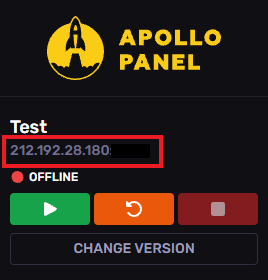
- Open the Apollo Panel.
- Start the server.
- At the top-left, copy the server's IP address.
- Launch Necesse.
- Click on Multiplayer.
- Hit Add Server.
- Enter the desired name, and the copied IP and port.
- Click Add.
- Hit Join Server.
Updated on: 03/06/2026
Thank you!