How To Add A Game Server Key To A Counter Strike 2 Server
How To Add A Game Server Key To A Counter Strike 2 Server
Learning how to add a game server key to a Counter-Strike 2 server is essential for anyone managing a dedicated server, as it helps authenticate the server with Steam and improves overall server management. A game server login token allows the Counter-Strike 2 server to communicate properly with Valve Anti-Cheat systems, appear in the Steam favorites list and browser, and provide a more stable gaming experience for players.
- Log in to the Steam Community.
- Head over to the Game Server Account Management.
- In the App ID field, enter
730and enter the desired name in the Memo field.
- Hit Create.

- Copy the game server key.

- Open the Apollo Panel.
- Stop the server.
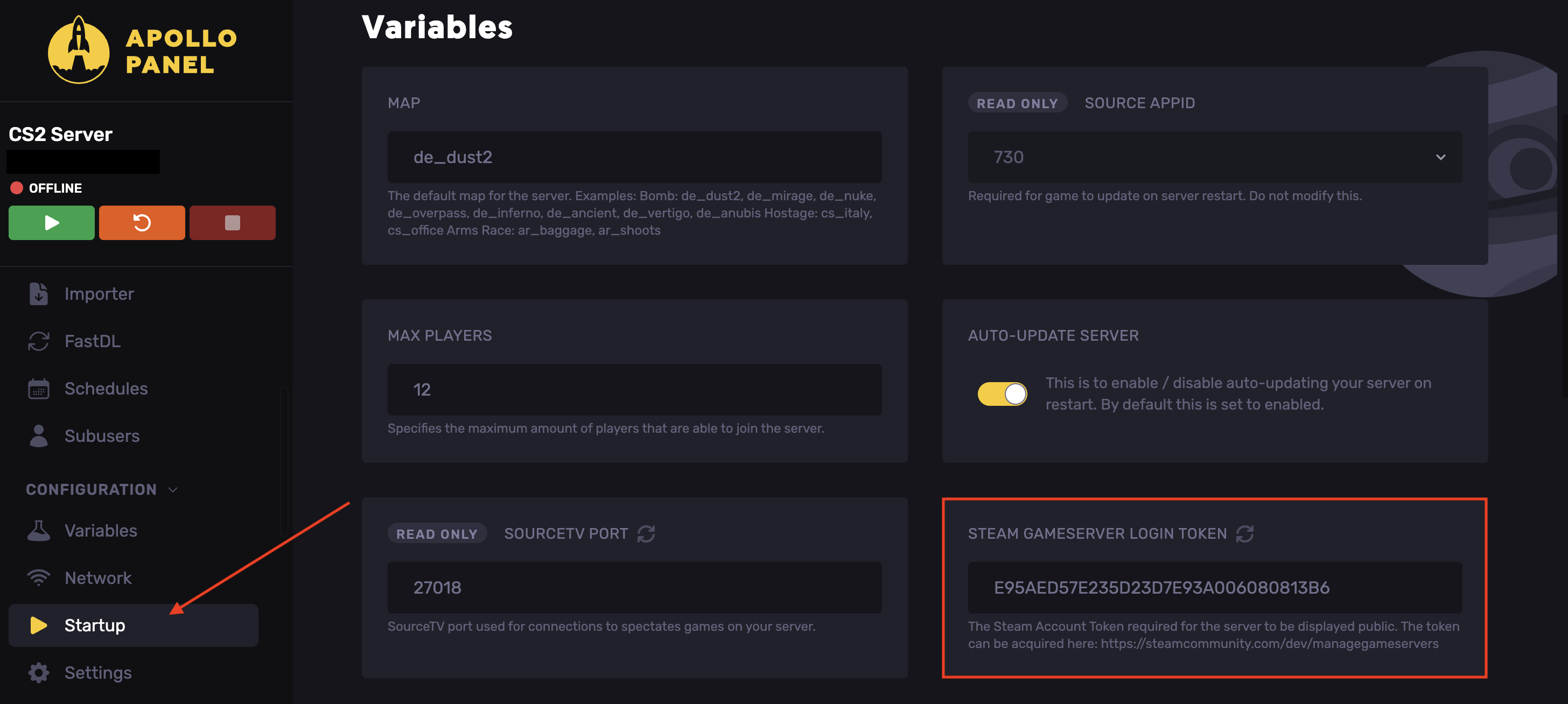
- Go to the Startup tab.
- Find the Steam Gameserver Login Token field.
- Paste the copied game server key.
- Start the server.
Updated on: 02/06/2026
Thank you!