How to Change the Password on a Windrose Server
Understanding how to change the password on a Windrose server is part of how a Windrose server manages access control on a dedicated server, helping determine who can connect and join the game. The server password is often used alongside features such as invite codes, player counts, and server settings to control access for friends or selected players. In a Windrose dedicated server, this system helps improve security, structure multiplayer sessions, and manage how users interact within the hosted world.
To Change the Server Password
- Open your Apollo Panel
- Stop the server.
- Navigate to the Startup tab.
- Change the Password Protected field from
falsetotrue
- Find the Server Password field.
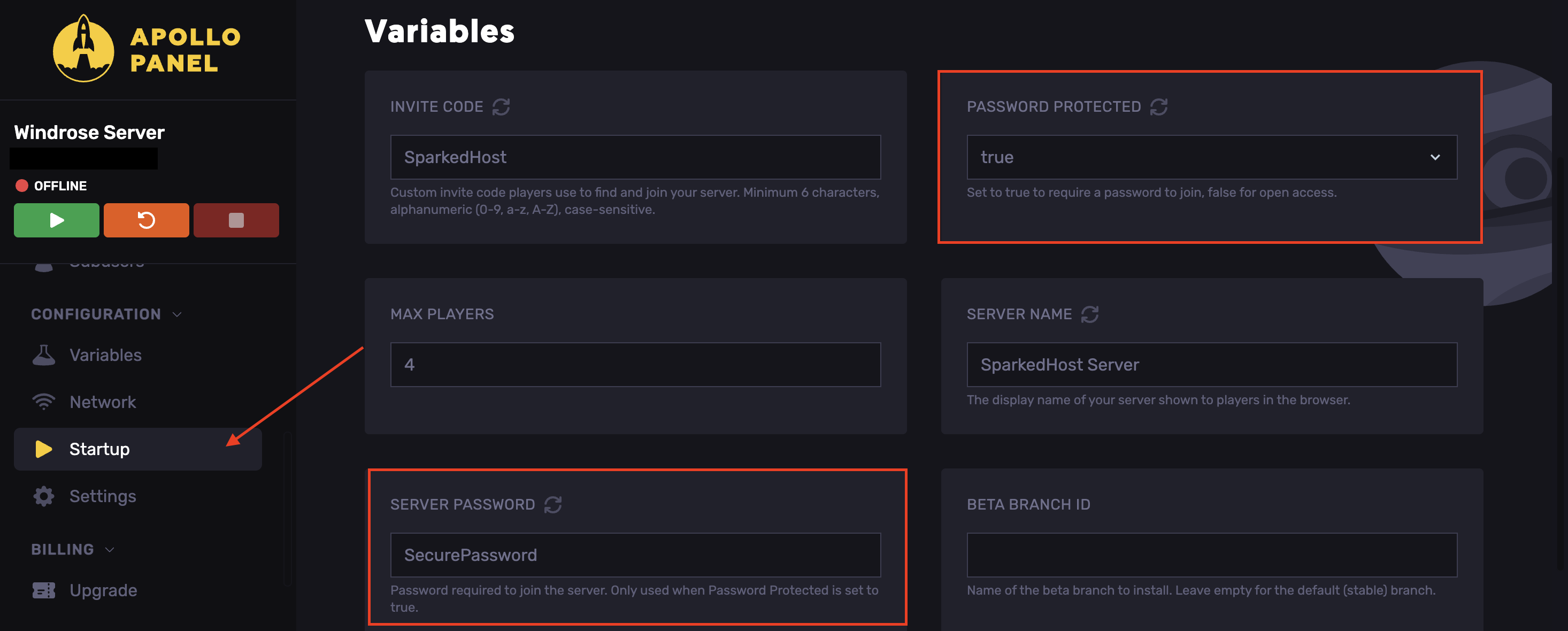
- Set a secure password.
- Start the server.
Updated on: 15/05/2026
Thank you!