How to Disable Shared Quest Completion on a Windrose Server
How to disable shared quest completion on a Windrose server relates to how a Windrose server handles shared quests in a co op environment on a dedicated server. It is usually done to give players a more individual experience, allowing quest progress and player-completed actions to remain separate rather than being shared across the same world. This can make gameplay more immersive and balanced, especially in multiple worlds or public server setups where players prefer to progress at their own pace.
To Disable Shared Quest Progress
- Open your Apollo Panel.
- Stop the server.
- Go to the Files tab.
- Navigate to the following directory:
R5/Saved/SaveProfiles/Default/RocksDB/version/Worlds/WorldFolder/WorldDescription.json
- Find the line
"{\"TagName\": \"WDS.Parameter.Coop.SharedQuests\"}": true,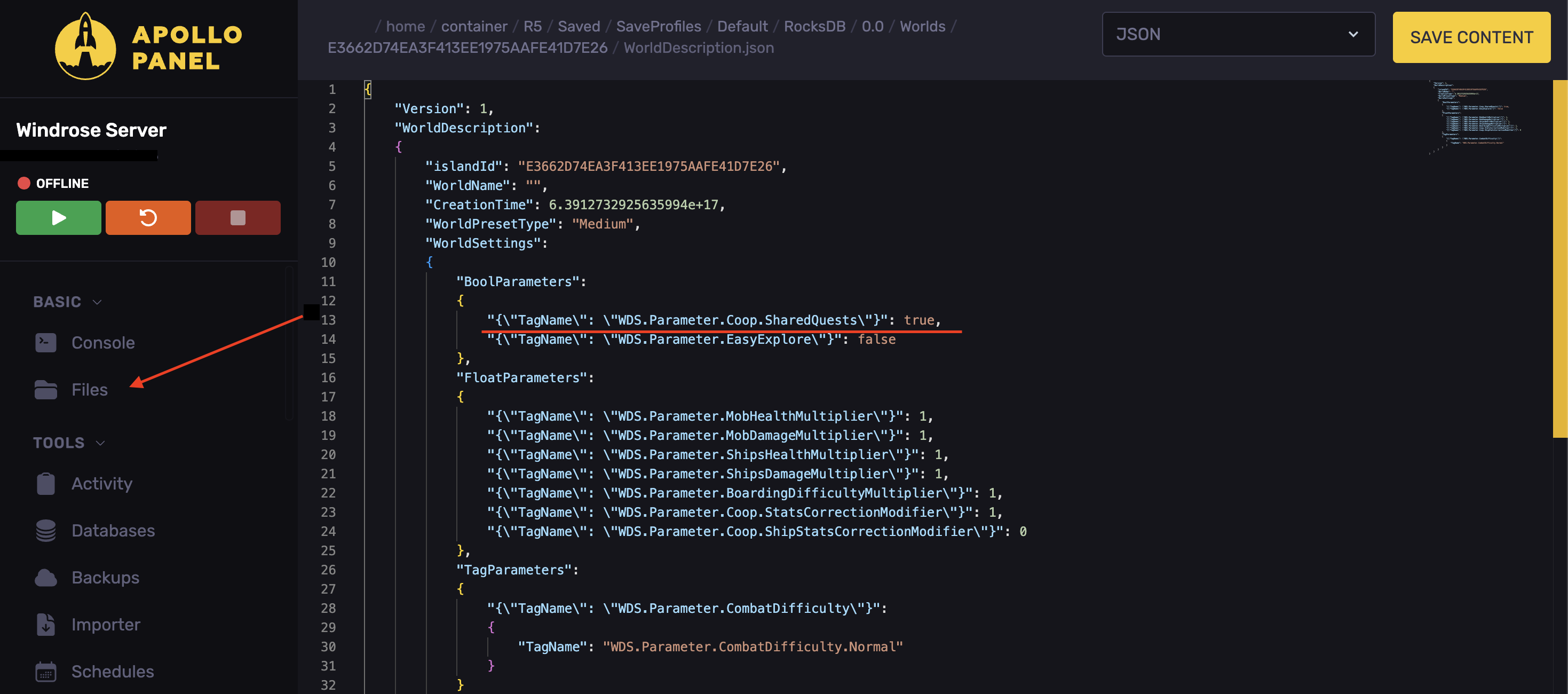
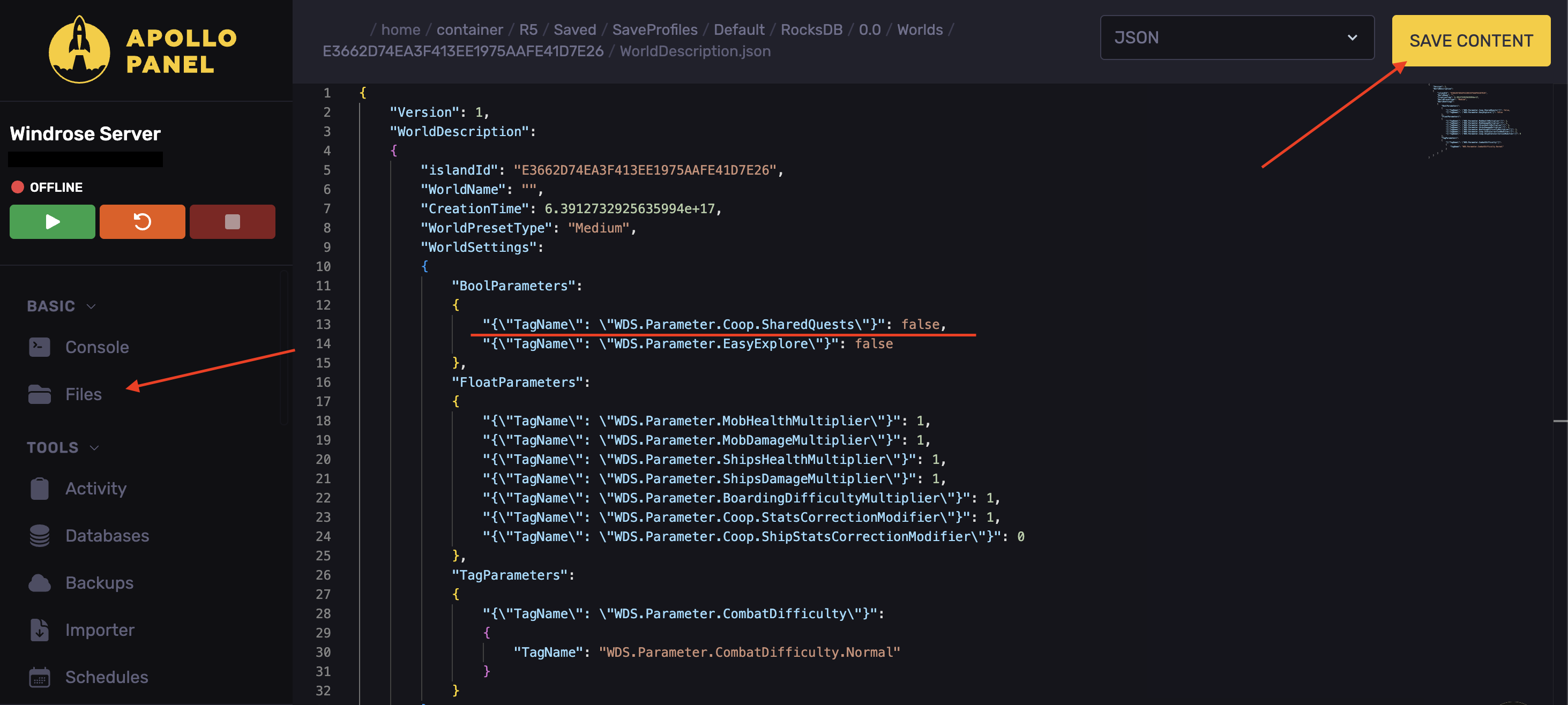
- Set it to
"{\"TagName\": \"WDS.Parameter.Coop.SharedQuests\"}": false,
- Click on Save Content.
- Start the server.
Updated on: 15/05/2026
Thank you!