How to Join a Windrose Server
Understanding how to join a Windrose server is essential for accessing it and entering a smooth co-op experience on game servers. Players typically connect through direct connect, an invite code, or a public server list, depending on server settings, player count, and whether password protection is enabled. This setup allows friends or random players to join the same world, with the experience shaped by how the dedicated server is hosted and configured.
Joining Using Direct Connect
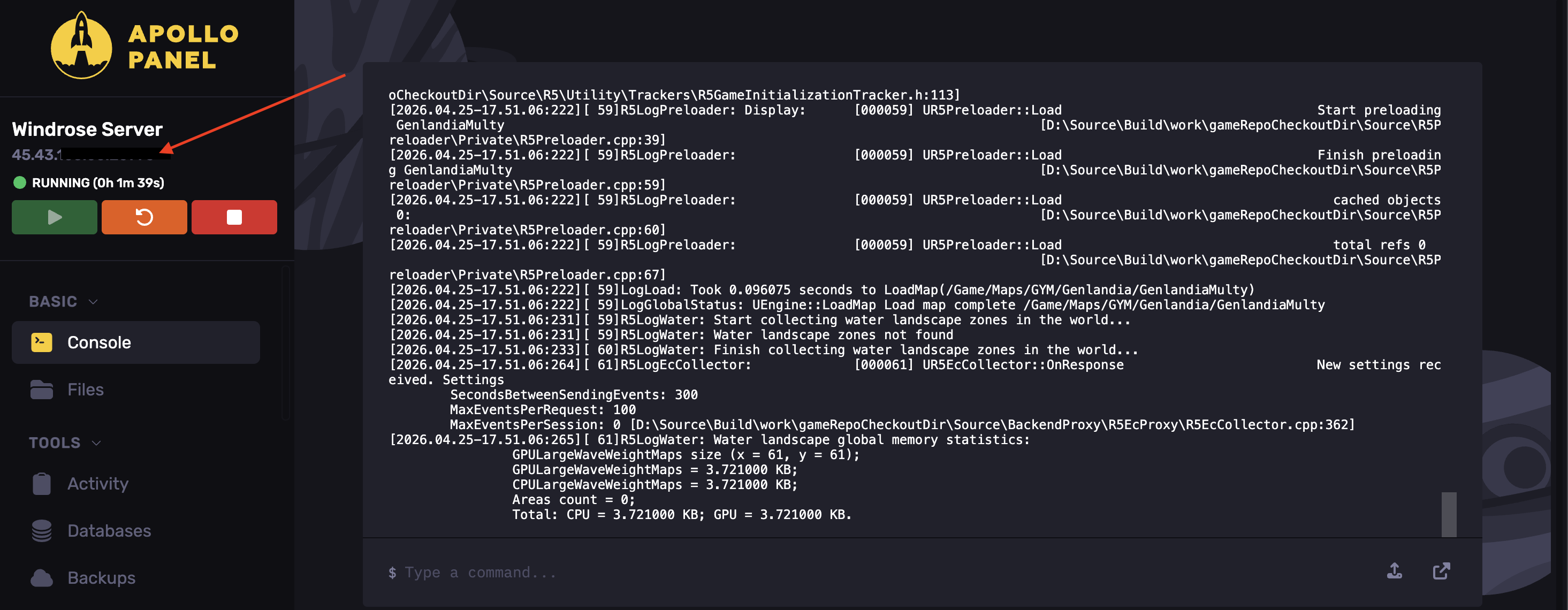
- Access your Apollo Panel.
- Start the server.
- Copy the server's IP address.
- Open Windrose and hit Play.
- Click Connect to server.
- Choose Direct IP and enter your server's IP address and port.
- Hit Connect via IP.
Joining Using an Invite Code
- Access your Apollo Panel.
- Start the server.
- Navigate to the Startup tab.
- Find the Invite Code field.
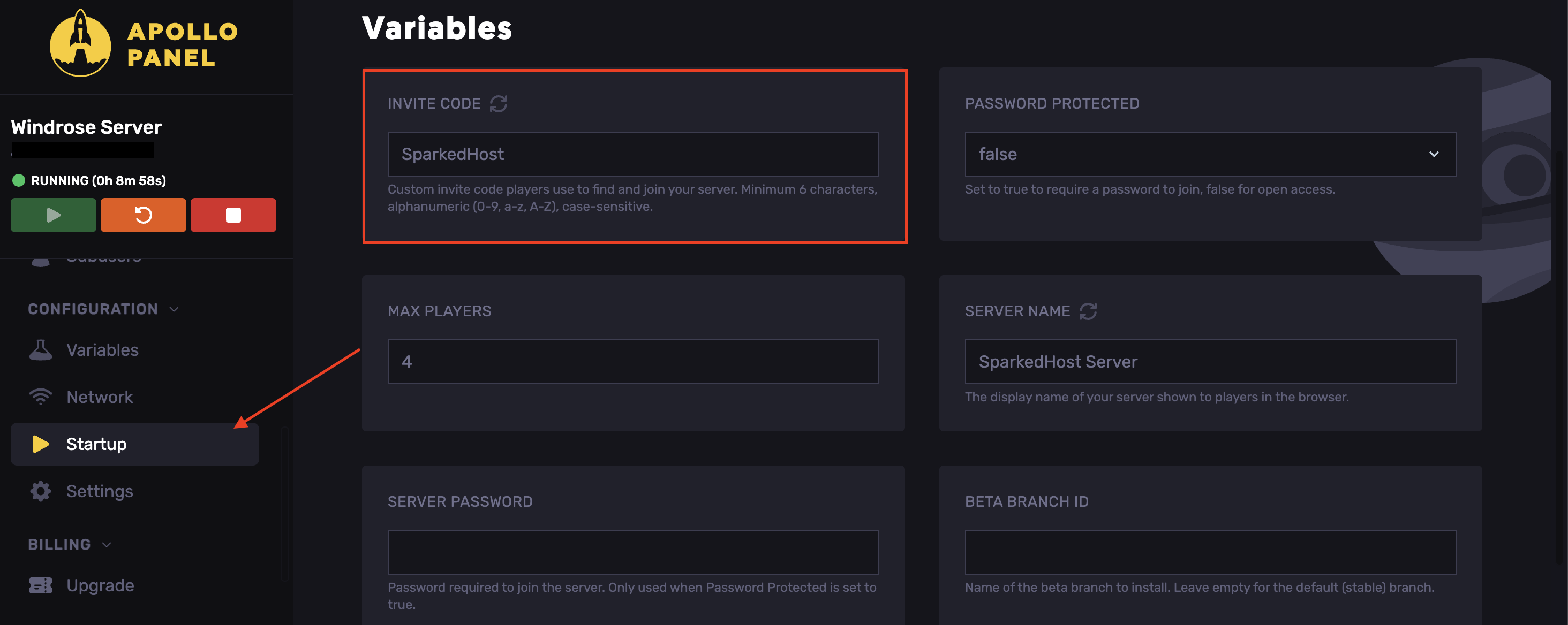
- Copy the code.
- Open Windrose and hit Play.
- Click Connect to server and enter the code
- Hit Find, then Connect.
Updated on: 15/05/2026
Thank you!