How to Create a New World on a Windrose Server
Creating a new world on a Windrose server is part of managing a dedicated server experience, allowing you to switch between multiple worlds or start a completely fresh world. Through the control panel and server files, manage different world settings, choose an active world, and keep multiple saves organized. This process is commonly used to reset progress, test new builds, or give players a new environment to explore on the same game server. If you are learning how to create a new world on a Windrose server, you typically use the file manager to locate the world folder, adjust configuration settings, and select a world before restarting the server so the changes take effect.
- Open your Apollo Panel.
- Stop the server.
- Access the Files tab.
- Navigate to the following directory:
R5/Saved/SaveProfiles/Default/RocksDB/version/Worlds
- Delete the world folder.
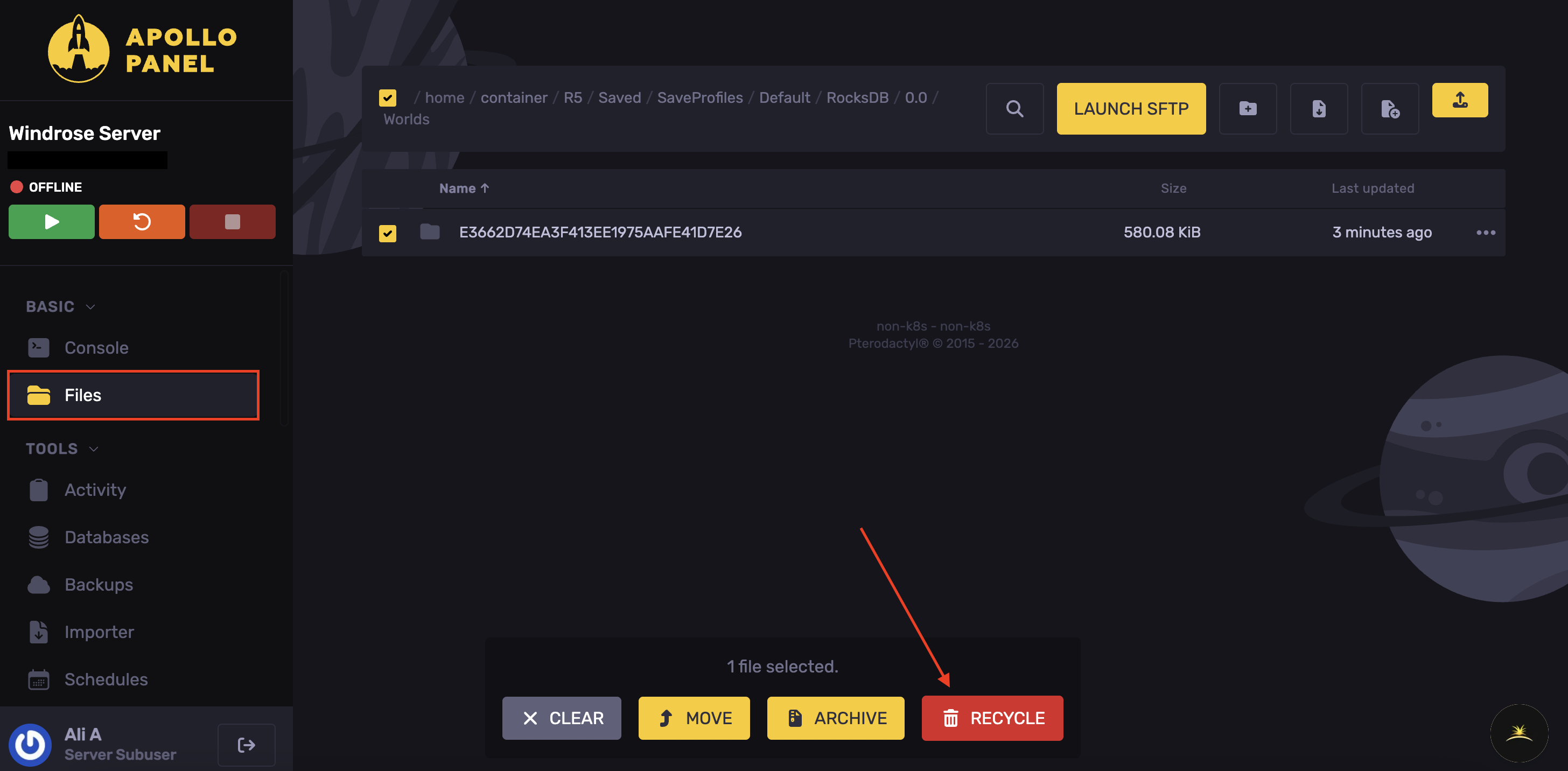
If you'd like to keep the world as well. You can right-click, archive the world, delete the folder, and keep the zip file as a backup.
- Start the server, and the new world will generate.
Updated on: 15/05/2026
Thank you!