How to Use an Interactive Map on a Windrose Server
How to use an interactive map on a Windrose server is a feature of the Windrose interactive map, helping players visualize the world layout of a Windrose server through tools such as a companion app or a map page. It highlights key map details, including quest objectives, resource nodes, different biomes, and important exploration areas such as the starting plains, southern coastline, and craggy foothills. This makes navigation easier in a procedurally generated world, allowing players to better understand progression, locate essential progression items, and explore the game’s environments more efficiently.
To Use the Windrose Interactive Map
- Access your Apollo Panel.
- Head over to the Files tab.
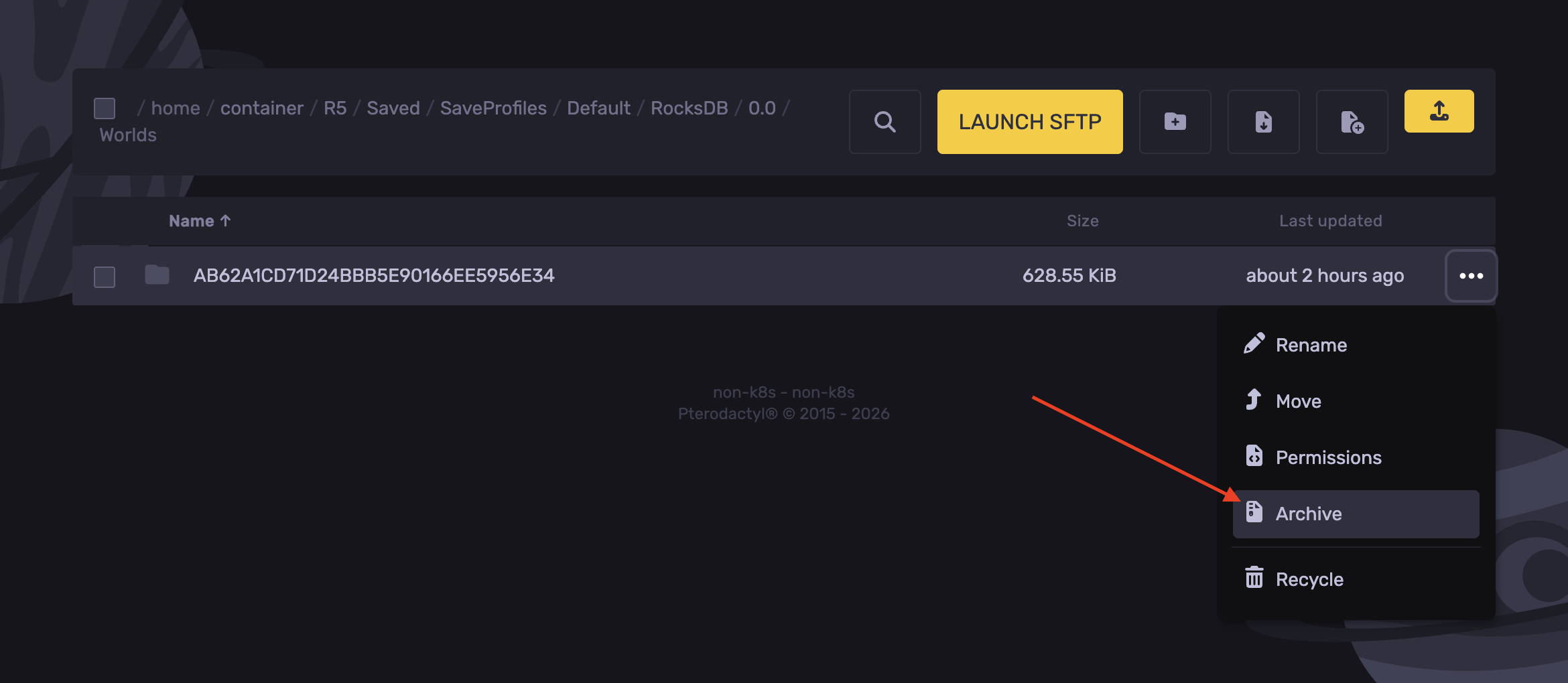
- Navigate to the following directory:
R5/Saved/SaveProfiles/Default/RocksDB/version/Worlds
- Right-click the desired world and hit Archive.
- Install the archived world file.
- Extract the zip file on your machine.
- Open the Interactive Map Tool.
- Hit Load.
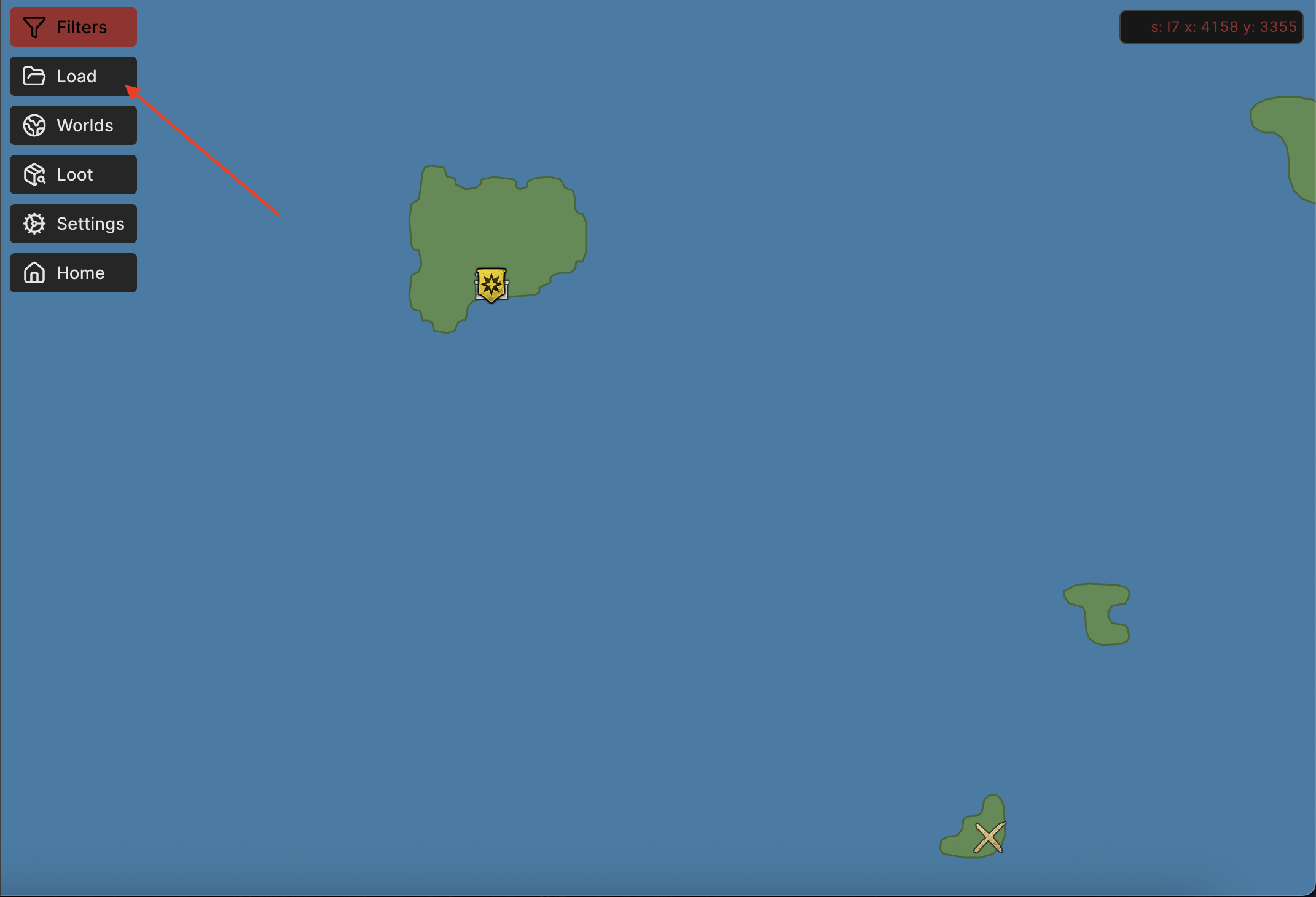
- Upload the world folder.
- Click on View.
Updated on: 15/05/2026
Thank you!