How to Switch Worlds on a Windrose Server
How to switch worlds on a Windrose server refers to managing multiple worlds on a Windrose dedicated server by changing the active world using stored world data and save data. This process is commonly used when moving between a new world, testing different world difficulty setups, or managing separate playthroughs for friends in co-op. On a dedicated server, switching worlds affects what players load when the server loads, making it important for organizing different experiences, identities, or progress across the same Windrose server.
- Open your Apollo Panel.
- Stop the server.
- Go to the Files tab.
- Navigate to the following directory:
R5/Saved/SaveProfiles/Default/RocksDB/version/Worlds
- Copy the world's ID.
- Navigate to the following directory:
R5/ServerDescription.json
- Enter the ID in the
"WorldIslandId":line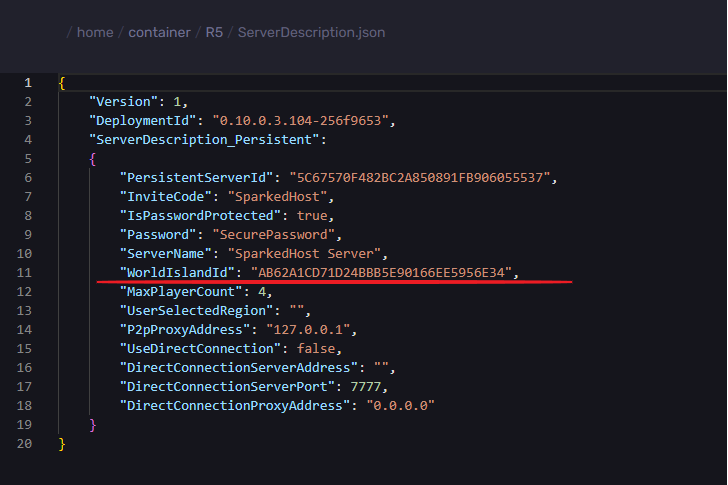
- Click on Save Content.
- Start the server.
Updated on: 15/05/2026
Thank you!