How to Change the Difficulty Preset on a Windrose Server
Changing the difficulty preset on a Windrose server affects the overall world difficulty and gameplay balance, including enemy damage, enemy health, and how many enemy sailors appear. If you are wondering how to change the difficulty preset on a windrose server, server owners can adjust different difficulty options or a custom difficulty to shape the world preset, making the game easier or harder depending on community interest and preferred challenge.
To Change World Difficulty
- Open your Apollo Panel.
- Stop the server.
- Head over to the Startup tab.
- Find the World Preset Type field and adjust it as desired.
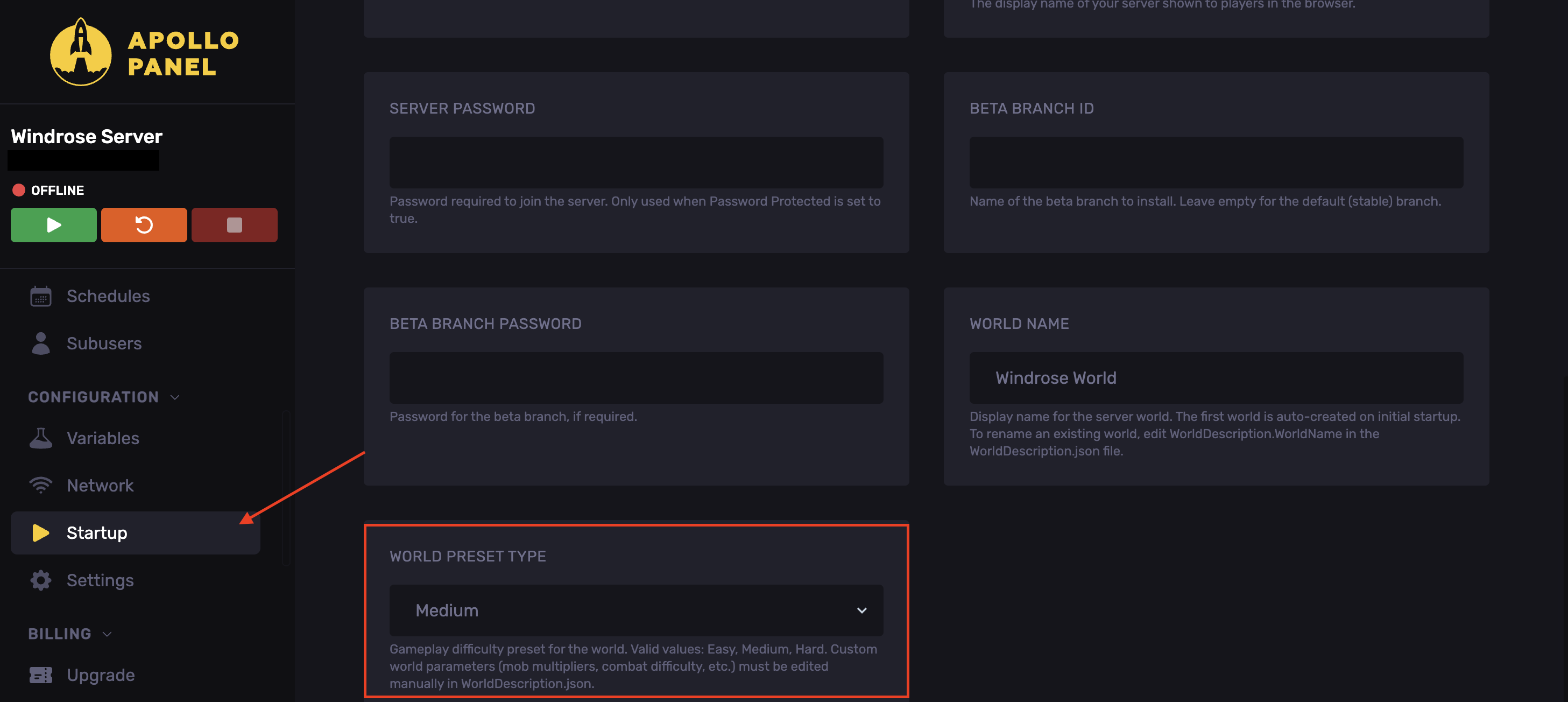
NOTE: Custom world parameters such as mob multipliers, combat difficulty, etc. must be edited manually in WorldDescription.json, which can be found in the worlds folder in the following directory: R5/Saved/SaveProfiles/Default/RocksDB/version/Worlds/WorldFolder
- Start the server.
Updated on: 15/05/2026
Thank you!