How to Change the Max Players on a Windrose Server
How to change the max players on a Windrose server is an important part of managing a Windrose server, as it defines the maximum player count and overall player count allowed on a dedicated server. This setting affects multiplayer balance, co-op gameplay, and the overall gaming experience, influencing how many friends can join missions, naval combat, or general gameplay. Server owners often adjust the maximum number of players to match performance needs, community size, and desired gameplay style.
To Change the Maximum Player Count
- Open your Apollo Panel.
- Stop the server.
- Navigate to the Startup tab.
- Find the Max Players field.
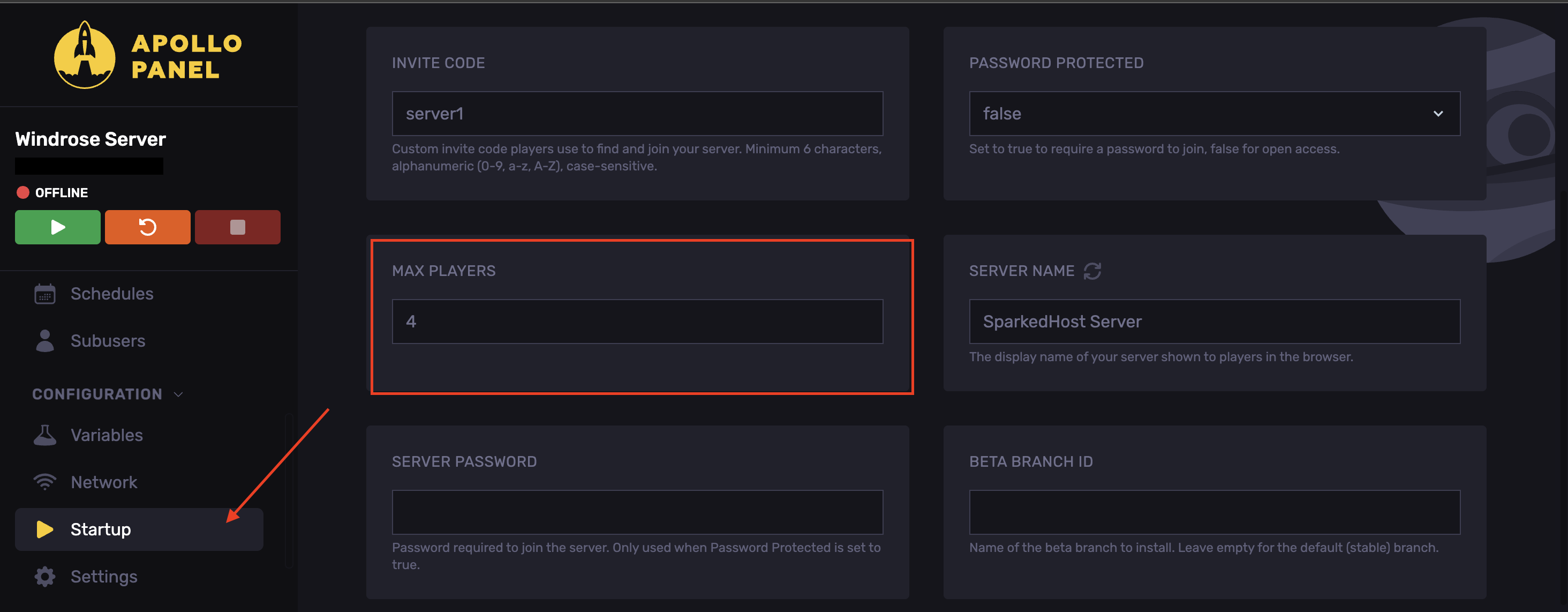
- Adjust the max player count to the desired number.
- Start the server.
Updated on: 15/05/2026
Thank you!