How to Enable Immersive Exploration on a Windrose Server
How to enable immersive exploration on a Windrose server refers to a Windrose dedicated server setting that changes how the active world feels in co-op gameplay. When enabled, immersive exploration typically adjusts systems like enemy scaling, enemy health, combat difficulty, ship health, and even how shared quests behave, making progression feel more natural and less simplified. This is often used across multiple worlds or in a new-world setup on a dedicated server to create a more balanced and engaging survival or exploration experience.
To Enable EasyExplore
- Open your Apollo Panel.
- Stop the server.
- Go to the Files tab.
- Navigate to the following directory:
R5/Saved/SaveProfiles/Default/RocksDB/version/Worlds/WorldFolder/WorldDescription.json
- Find the line:
"{\"TagName\": \"WDS.Parameter.EasyExplore\"}": false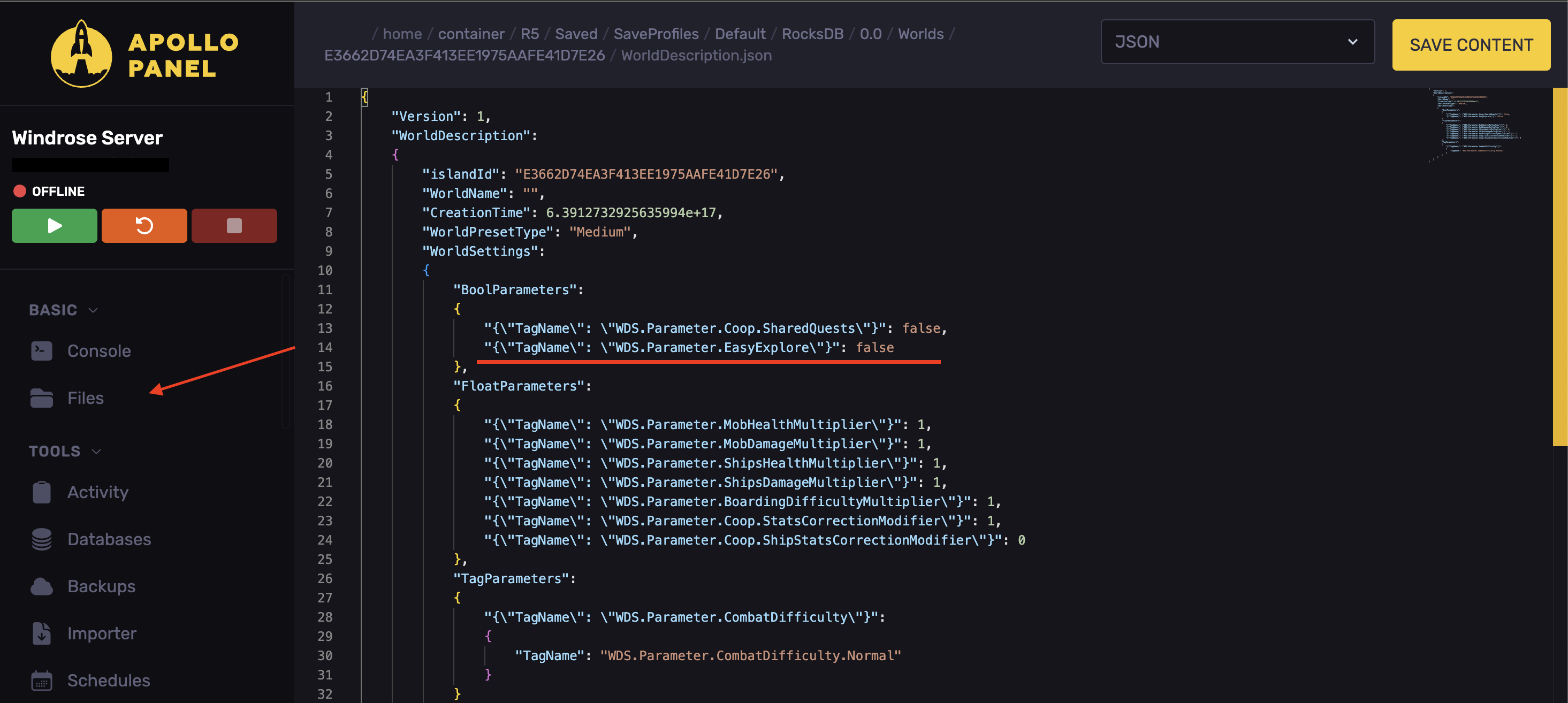
- Set it to:
"{\"TagName\": \"WDS.Parameter.EasyExplore\"}": true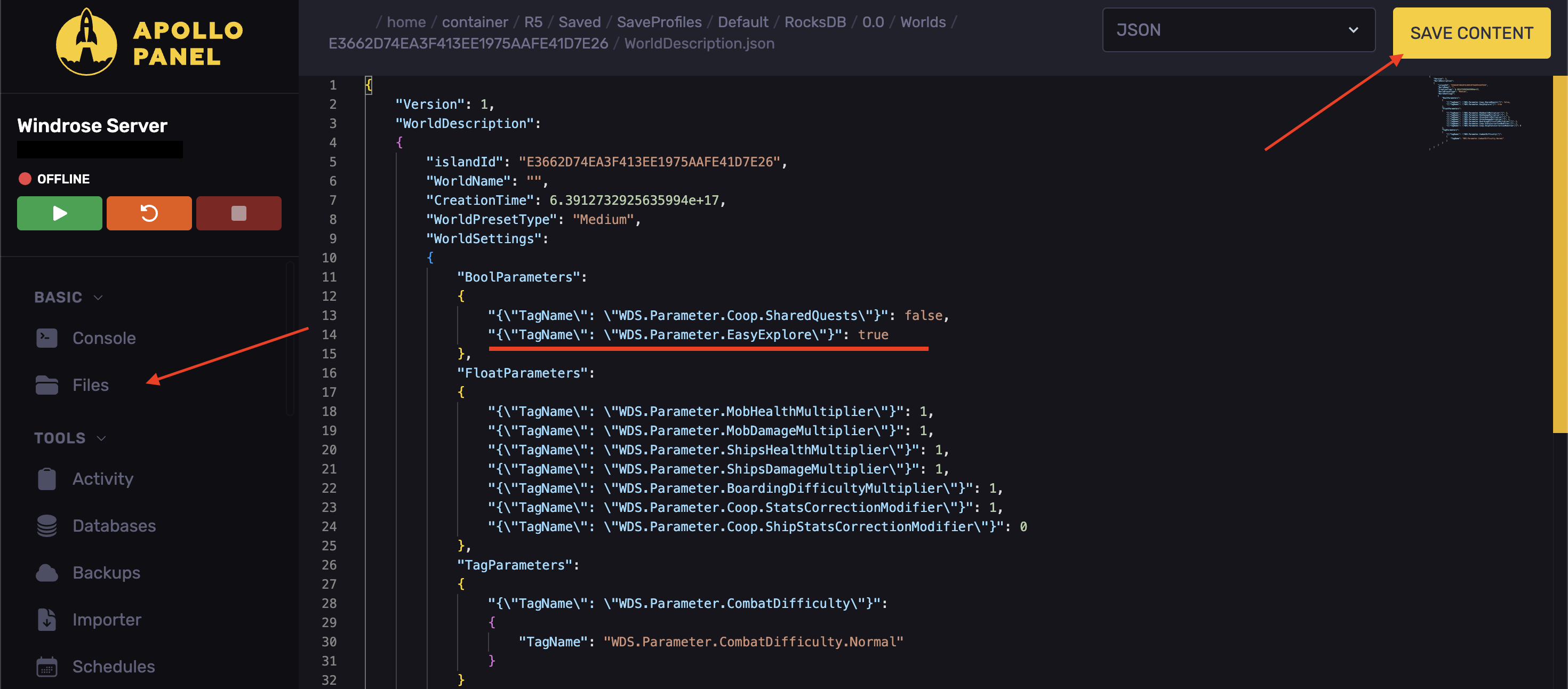
- Click Save Content.
- Start the server.
Updated on: 15/05/2026
Thank you!